SeatGridView (iOS)
ダウンロード
フォーカスモード
フォントサイズ
Component Overview
The Voice Chat Mic Seat Component (SeatGridView) is a core UI element built for voice chat room applications. It automatically manages mic seat states and displays user details, volume waveforms, and host indicators. With this guide, you can quickly adjust the mic seat layout or fully customize the mic seat view to match your business requirements, such as multi-user social rooms or gaming environments.
Prerequisites
Before configuring the Voice Chat Mic Seat Component, complete the main workflow setup by following Host Streaming and Audience Viewing.
Configuring Mic Seat List Layout
The component offers several built-in layout modes for different voice chat scenarios. Switch layouts instantly using the
setLayoutMode API—no manual position calculations required.Preview
Grid Layout | Focus Layout | Vertical Layout | Custom Layout |
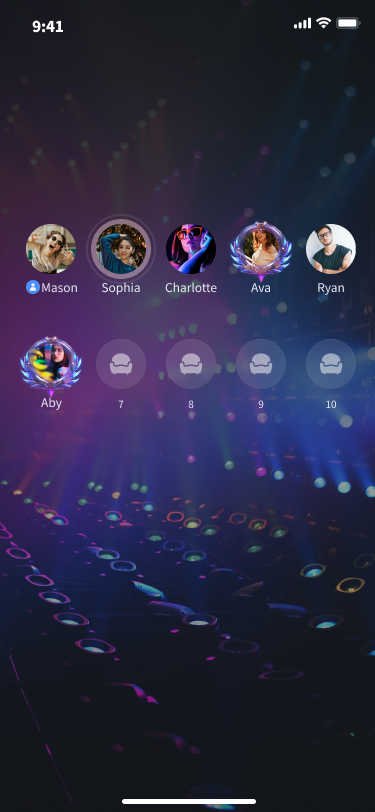 | 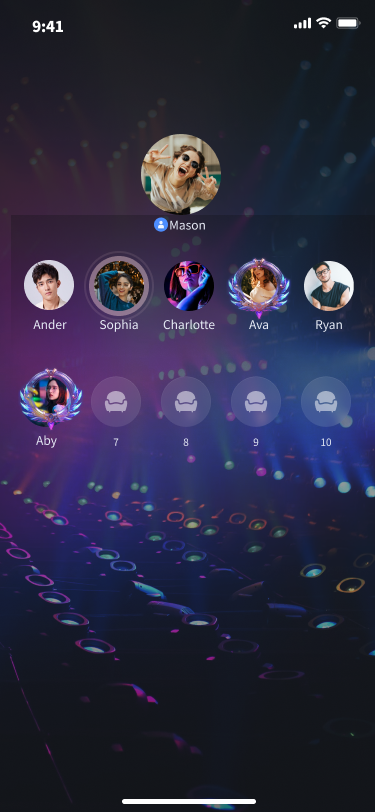 | 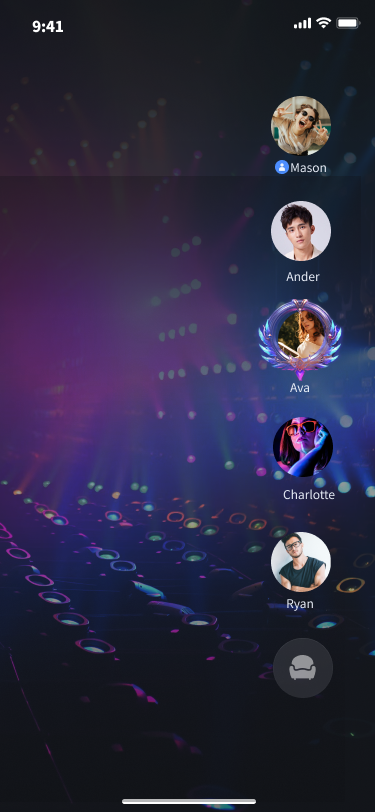 | 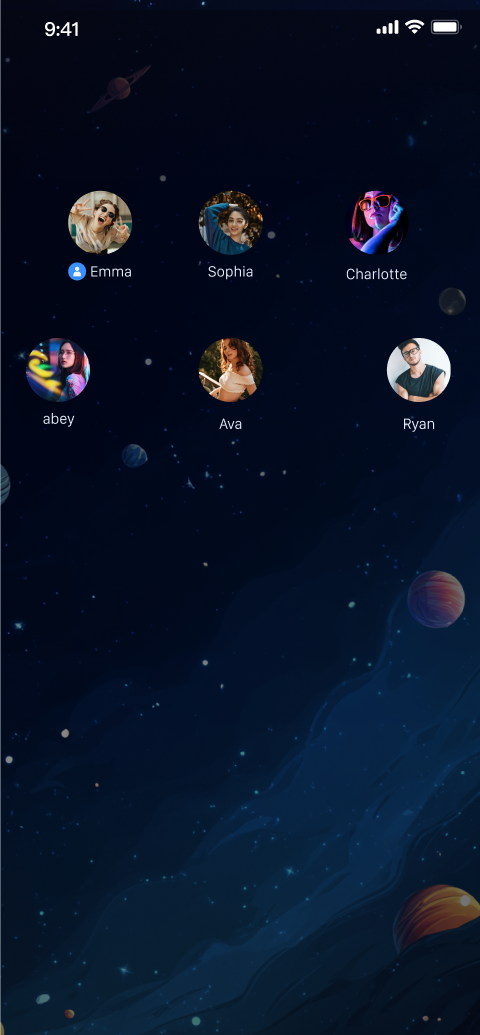 |
API Description
func setLayoutMode(layoutMode: SGLayoutMode, layoutConfig: SGSeatViewLayoutConfig? = nil
Parameter | Description |
layoutMode | Layout mode: GRID (Grid Layout): Ideal for multi-user voice chat rooms; mic seats are distributed evenly. FOCUS (Focus Layout): Highlights the main mic seat for scenarios with a primary speaker. VERTICAL (Vertical Layout): Arranges mic seats vertically for portrait mode. FREE (Custom Layout): Use for fully custom layouts. |
layoutConfig | Custom row and column layout settings. Required only when layoutMode is FREE. |
Code Example
Set the mic seat list layout using the following examples.
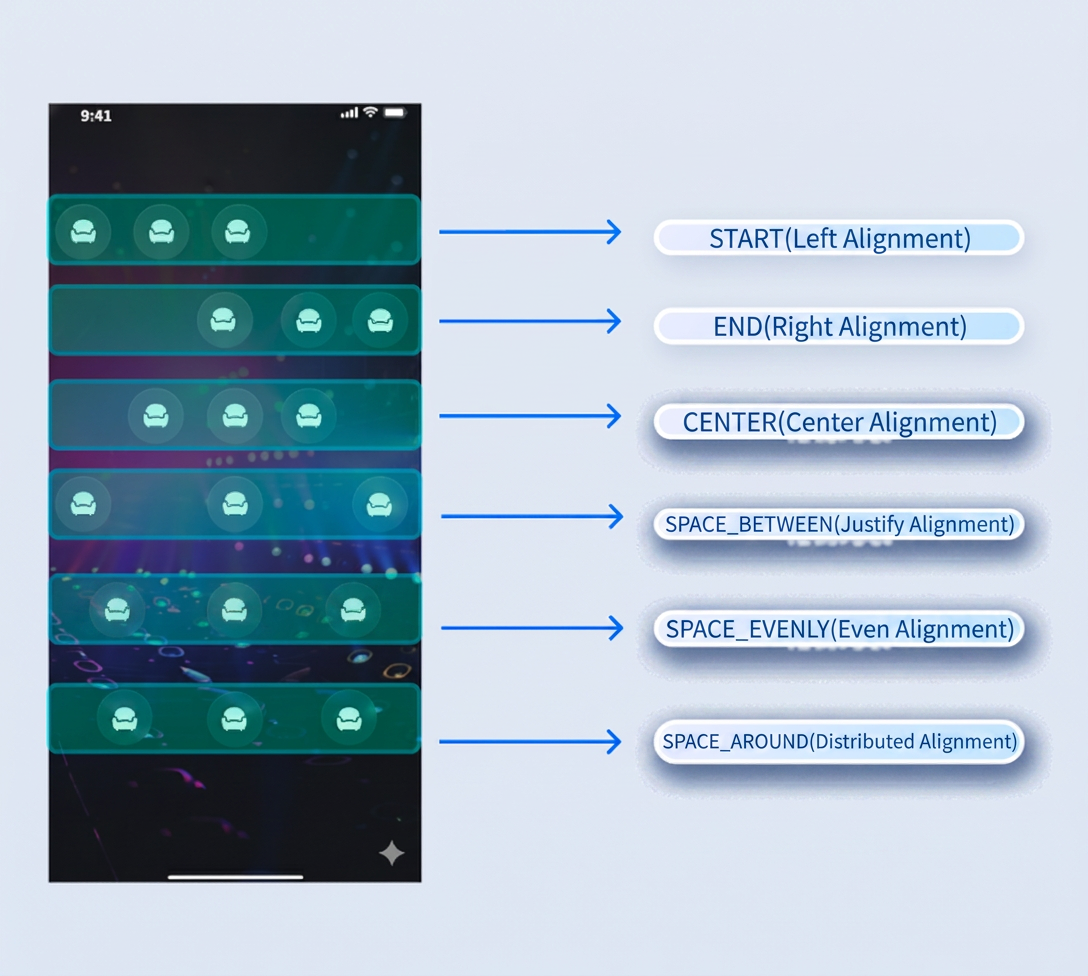
// Set grid layoutseatGridView.setLayoutMode(layoutMode: .grid)// Set focus layoutseatGridView.setLayoutMode(layoutMode: .focus)// Set vertical layoutseatGridView.setLayoutMode(layoutMode: .vertical)// Set custom layout// First row configurationlet rowConfig1 = SGSeatViewLayoutRowConfig(count: 3, // Seats in the first rowseatSpacing: 10, // Horizontal spacing between mic seats in the first rowseatSize: CGSize(width: 50, height: 50), // Size of each mic seat in the first rowalignment: .center) // Alignment for the first row// Second row configurationlet rowConfig2 = SGSeatViewLayoutRowConfig(count: 3, // Seats in the second rowseatSpacing: 10, // Horizontal spacing between mic seats in the second rowseatSize: CGSize(width: 50, height: 50), // Size of each mic seat in the second rowalignment: .spaceAround) // Alignment for the second rowlet layoutConfig = SGSeatViewLayoutConfig(rowConfigs: [rowConfig1, rowConfig2],rowSpacing: 10)seatGridView.setLayoutMode(layoutMode: .free, layoutConfig: layoutConfig)
Custom Layout Alignment Diagram:
Custom Mic Seat View UI
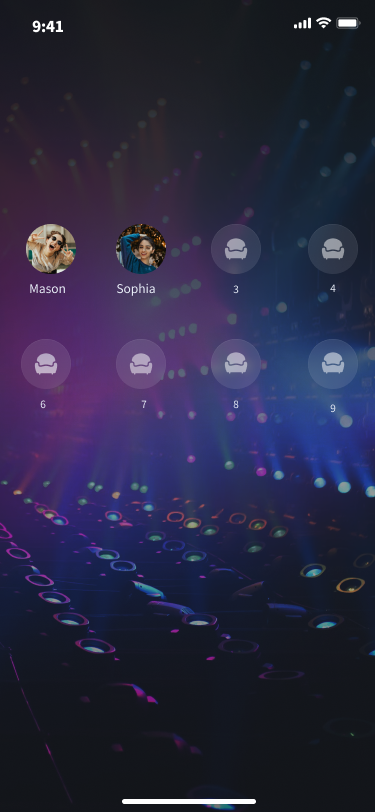
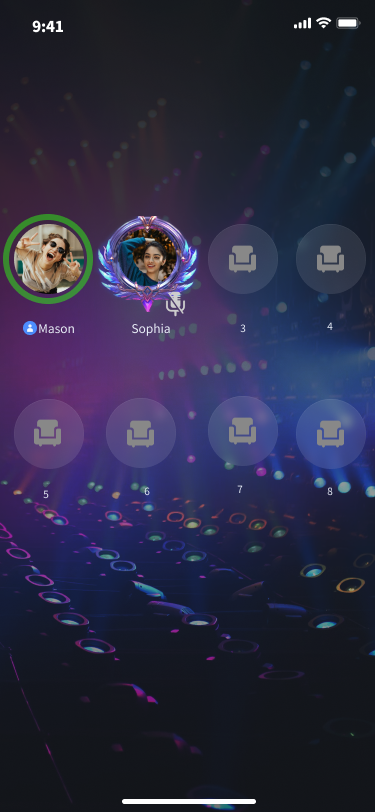
If the default mic seat style does not fit your requirements, you can fully control the rendering logic by setting an adapter (
Adapter/Delegate).Preview
Default Mic Seat View | Custom Mic Seat View Example |
 |  |
API Description
@objc public protocol SGSeatViewDelegate {func seatGridView(_ view: SeatGridView, createSeatView seatInfo: TUISeatInfo) -> UIView?func seatGridView(_ view: SeatGridView, updateSeatView seatInfo: TUISeatInfo, seatView: UIView)func seatGridView(_ view: SeatGridView, updateUserVolume volume: Int, seatView: UIView)}public func setSeatViewDelegate(_ delegate: SGSeatViewDelegate)
Parameter | Description |
view | Current Voice Chat Mic Seat Component. |
seatInfo | Current mic seat information. |
volume | Current host's volume. |
seatView | Your custom mic seat view. |
delegate | Custom mic seat delegate. |
Code Example
If the default UI does not fit your needs, customize the mic seat UI using the following approach.
class TestSeatViewDelegate: SGSeatViewDelegate {func seatGridView(_ view: SeatGridView, createSeatView seatInfo: TUISeatInfo) -> UIView? {return TestSeatInfoView(seatGridView: view, seatInfo: seatInfo)}func seatGridView(_ view: SeatGridView, updateSeatView seatInfo: TUISeatInfo, seatView: UIView) {if let seatView = seatView as? TestSeatInfoView {seatView.updateSeatView(seatGridView: view, seatInfo: seatInfo)}}func seatGridView(_ view: SeatGridView, updateUserVolume volume: Int, seatView: UIView) {if let seatView = seatView as? TestSeatInfoView {seatView.updateUserVolume(seatGridView: view, volume: volume)}}}seatGridView.setSeatViewDelegate(TestSeatViewDelegate())class TestSeatInfoView: UIView {init(seatGridView: SeatGridView, seatInfo: TUISeatInfo) {super.init(frame: .zero)initView() // Initialize view}func updateSeatView(seatGridView: SeatGridView, seatInfo: TUISeatInfo) {updateView(seatInfo) // Update custom mic seat UI}func updateUserVolume(seatGridView: SeatGridView, volume: Int) {updateUserVolume(volume) // Update volume UI}}
FAQs
Handling Mic Seat Click Events in Custom Adapter
Set up a click listener inside your custom
View and implement your business logic in the callback.Mic Seat Data Persistence When Switching Layouts
No.
SeatGridView preserves internal data state. Calling setLayoutMode only changes the visual layout and does not affect the host's status.Listening for Real-Time Mic Seat List Changes (e.g., hosts taking or leaving mic seats)
You do not need to manually listen in the adapter.
SeatGridView automatically registers mic seat listeners. Whenever a mic seat state changes, it triggers the updateSeatView method. Simply update your UI within this method.フィードバック