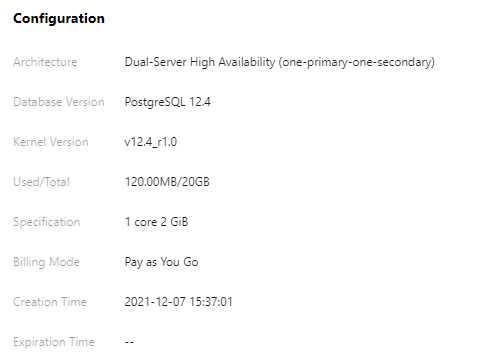
This document describes how to view the kernel version information of TencentDB for PostgreSQL.
Directions
In TencentDB for PostgreSQL instance
1. You can view the kernel version by connecting to the TencentDB for PostgreSQL instance through CVM. For more information on how to connect and log in to the instance, see Connecting to PostgreSQL Instances.
2. After login, run the following command to view the kernel version.
show tencentdb_version;
Note:
For some existing instances, if the command fails or the returned result is v1, the release version is r1.0. If the database version is PostgreSQL 10.4, then the kernel version is v10.4_r1.0.
In TencentDB for PostgreSQL console
1. Log in to the TencentDB for PostgreSQL console. In the instance list, click an instance ID or Manage in the Operation column to access the instance management page.
2. On the instance details page, view the kernel version under Configuration.