Setting Backup Download Rules
다운로드
포커스 모드
폰트 크기
By default, you can download backup files of TencentDB for PostgreSQL instances over public or private network. To limit the download, you can adjust backup download settings. This document describes how to do so in the console.
1. Log in to the TencentDB for PostgreSQL console, select Database Backup on the left sidebar, and select a region at the top.
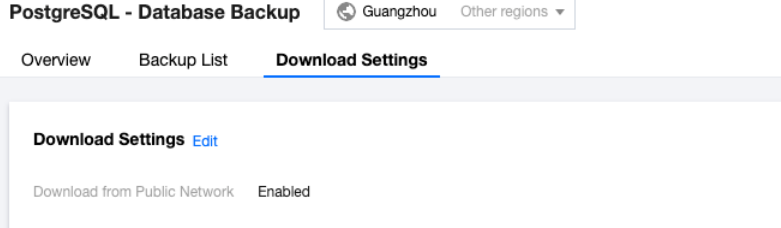
2. On the Download Settings tab, view the backup download settings and click Edit to modify them.
Note:
Download over public network is enabled by default and when it is enabled, download over private network is also allowed.
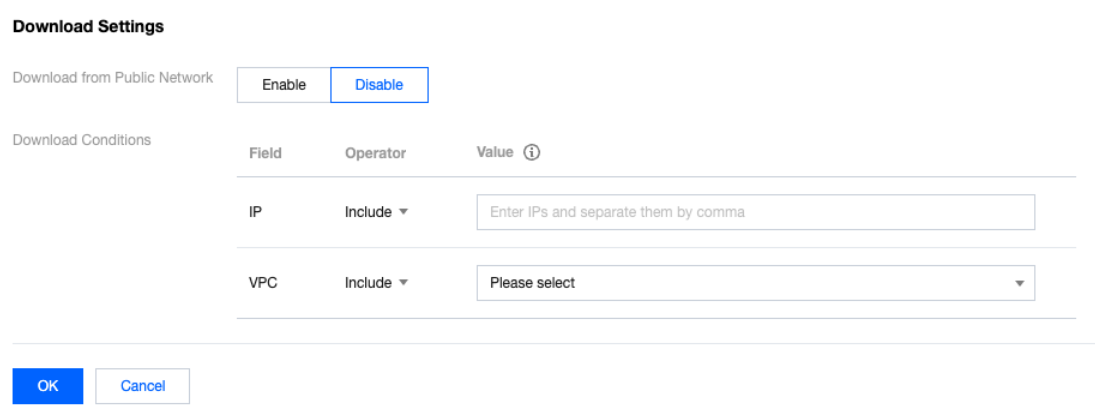
3. On the displayed page, set the download rules and click OK.
Download over public network:
Enabled: You cannot set any download rule.
Disabled: You can set the download rules by allowing or blocking specific IPs and VPCs.
Set the download rules:
If you don't specify any value, the condition won't take effect. If no IP and VPC requirements are set, there will be no limit on download over private network.
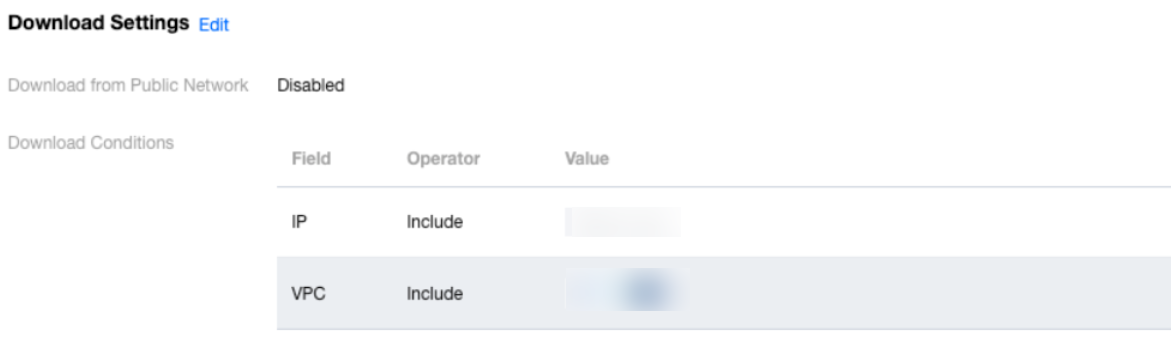
4. After completing the configuration, return to the Downloads Settings page to review the activation conditions.
피드백