You can configure email templates in the SES console. This document describes how to create an email template.
Directions
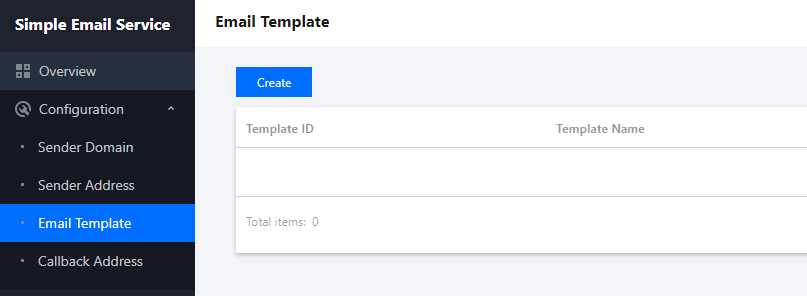
1. Log in to the SES console, click Configuration > Email Template to enter the Email Template page, and click Create.
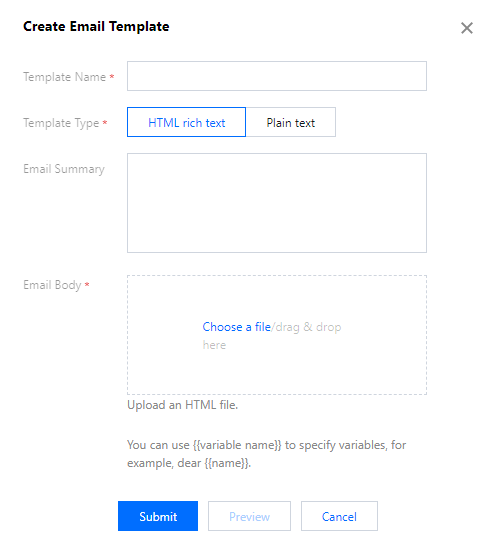
2. In the Create Email Template dialog box, enter a template name, select a template type, upload an email body, click Preview to preview the template, and click Submit to complete the configuration.
Note:
There are two types of templates: HTML rich text and plain text. The former supports more styles to show rich content, while the latter supports text only. Select a type as needed.
Variables in the email are represented by {{variable name}}, such as "Dear {{name}}". The template used in Email Sending supports only one variable, while that used in Batch supports multiple variables.