tencent cloud

Tencent Cloud Agent Development Platform

Release Notes and Announcements
Release Notes
Product Announcement
Product Introduction
Product Overview
Advantages
Use Cases
Model Introduction
Purchase Guide
Package Subscription
Previous Version
Getting Started
Agent Application and Its Three Modes
Creating a "Content Summary Assistant" in Standard Mode
Creating a “Webpage Scraping Assistant” in Single Workflow Mode
Creating a “Stand-up Comedy Content Creation Assistant” in Multi-Agent Mode
Operation Guide
Application Development
Workflow
Multi-Agent
Knowledge Base
Widget
Plugin Marketplace
Model List 
Prompt Templates
Application Templates
Platform Management
Business, Workspace and Permissions
API Documentation
History
API Category
Making API Requests
Atomic Capability APIs
Operation Optimization APIs
Document Library APIs
Q&A Database APIs
Knowledge Tag APIs
Application Management APIs
Enterprise Management APIs
Billing APIs
Release Management APIs
Dialogue Endpoint APIs
Data Statistics APIs
Data Types
Error Codes
Application API Documentation
Dialogue API Overview
Dialog API Documentation (WebSocket)
Dialog API Documentation (HTTP SSE)
Image Chat or File Chat (Real-time Document Parsing + Chat)
Offline Document Upload
Tencent Cloud Agent Development Platform Operation COS Guide
ADP Document Parsing Protocol
FAQs
Product FAQs
Technical FAQs
Related Agreements
Tencent Cloud Agent Development Platform Service Level Agreement
Tencent Cloud Agent Development Platform Service Specific Terms
Tencent Cloud Agent Development Platform Privacy Policy
Tencent Cloud Agent Development Platform Data Processing and Security Agreement
Open-Source License Statement
Lighthouse OpenClaw Connector Plugin Service Agreement
Contact Us
Glossary

Tool Settings

PDF
Focus Mode
Font Size
Last updated: 2026-02-03 17:40:28

Function Positioning

Tool Settings are used to manage input parameter configuration and output content format during Agent tool calls.

Setting Method

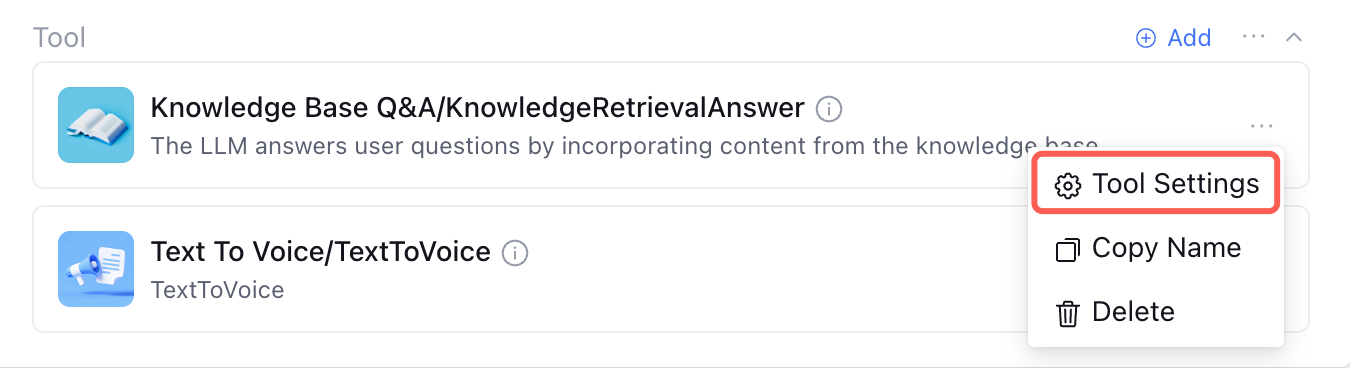
Tool support for configuring parameters. After adding the plugin, click Tool Settings.


1. Tool Parameter Setting

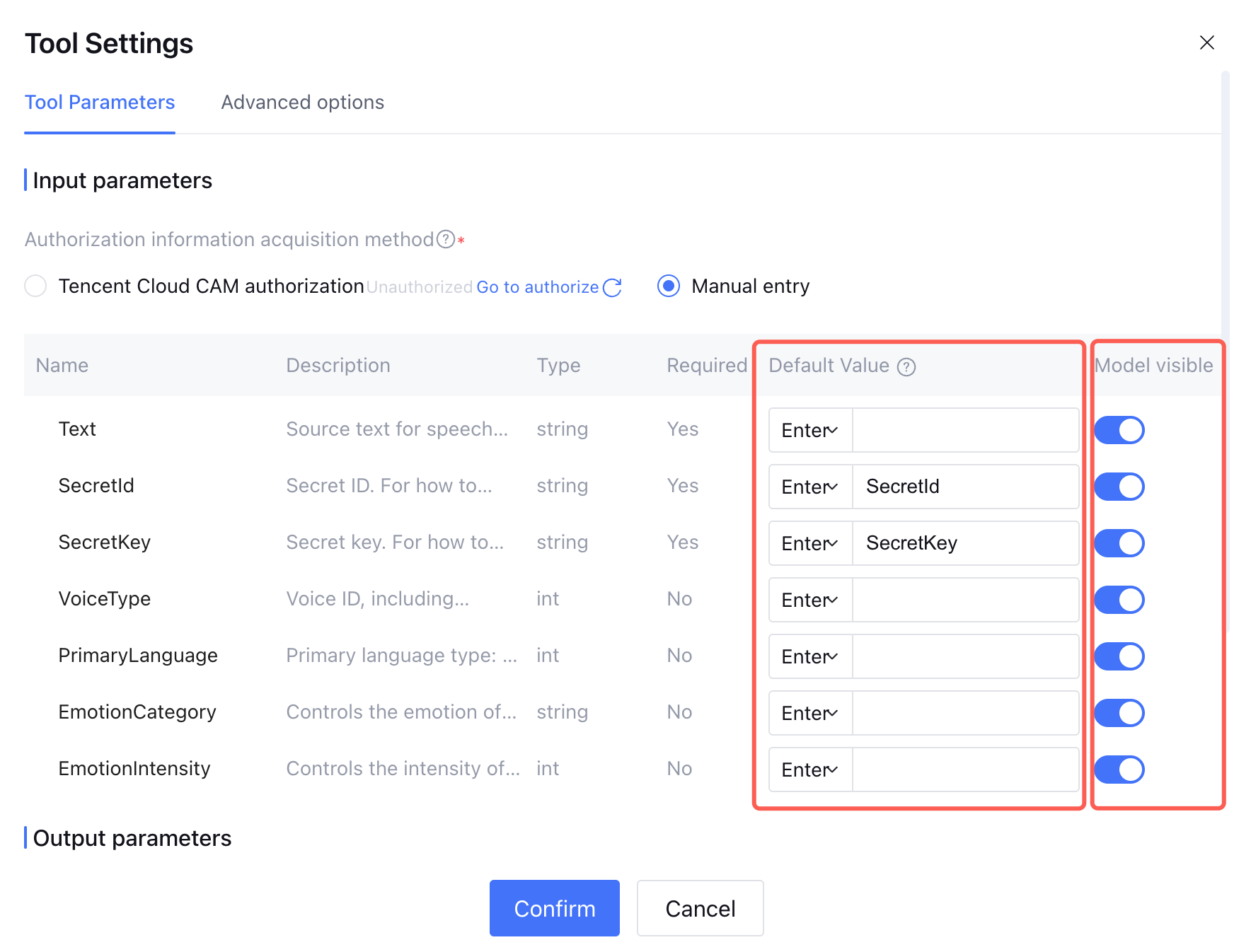
In Tool Settings, under Input Parameters, you can enter or refer to parameter default values. It also supports toggling model visibility for a single parameter. If set to visible, the model collects this parameter in conversation. If set to invisible, the tool proceeds to call the parameter according to incoming or input parameters.


Except for supporting entering parameter values, parameters can also be dynamically input via the API by referring to API parameter values via the interface. For details, refer to the variable part in Free Handoff.

2. Advanced Settings

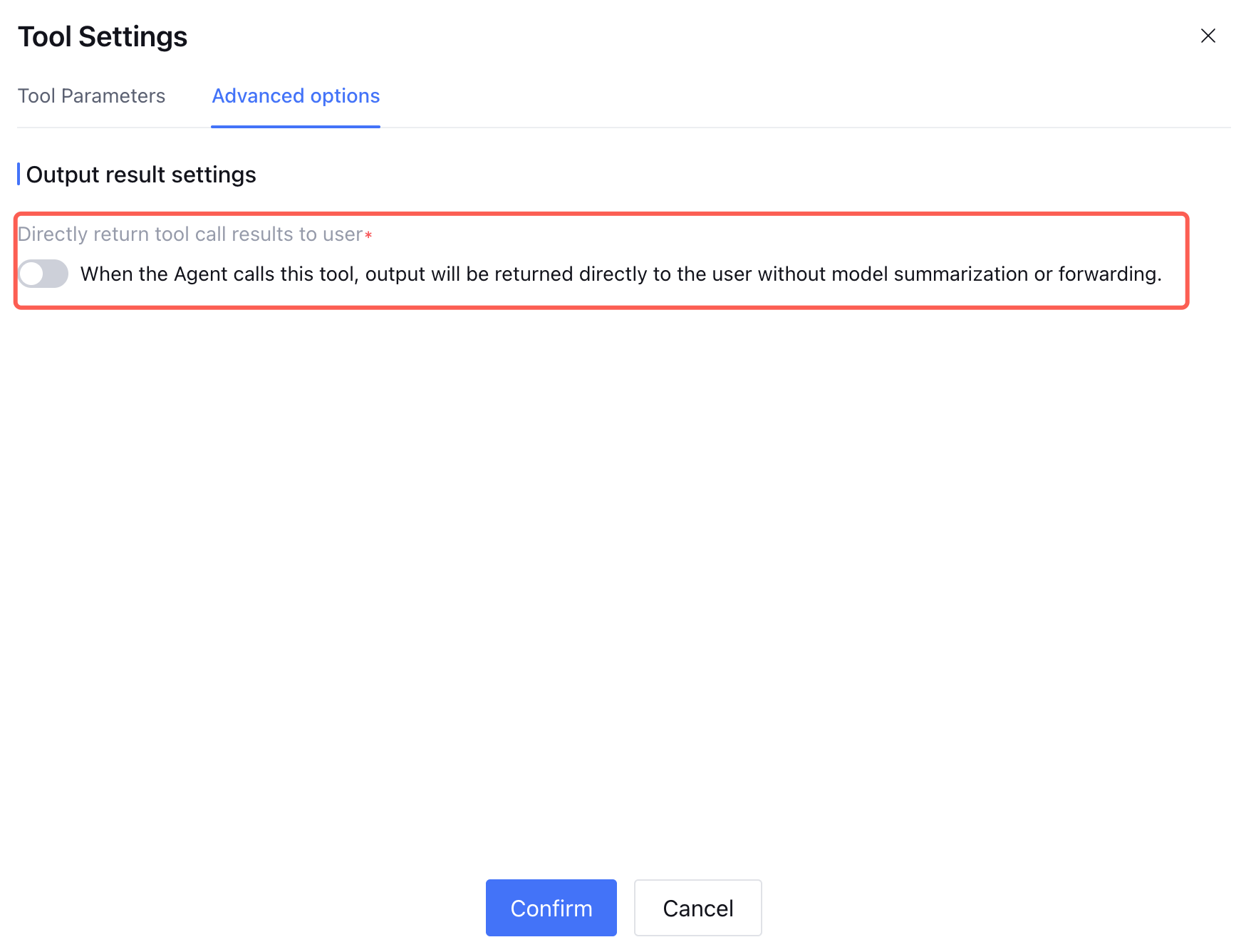
In advanced Settings, you can set the output result settings, with the switch toggled off by default.


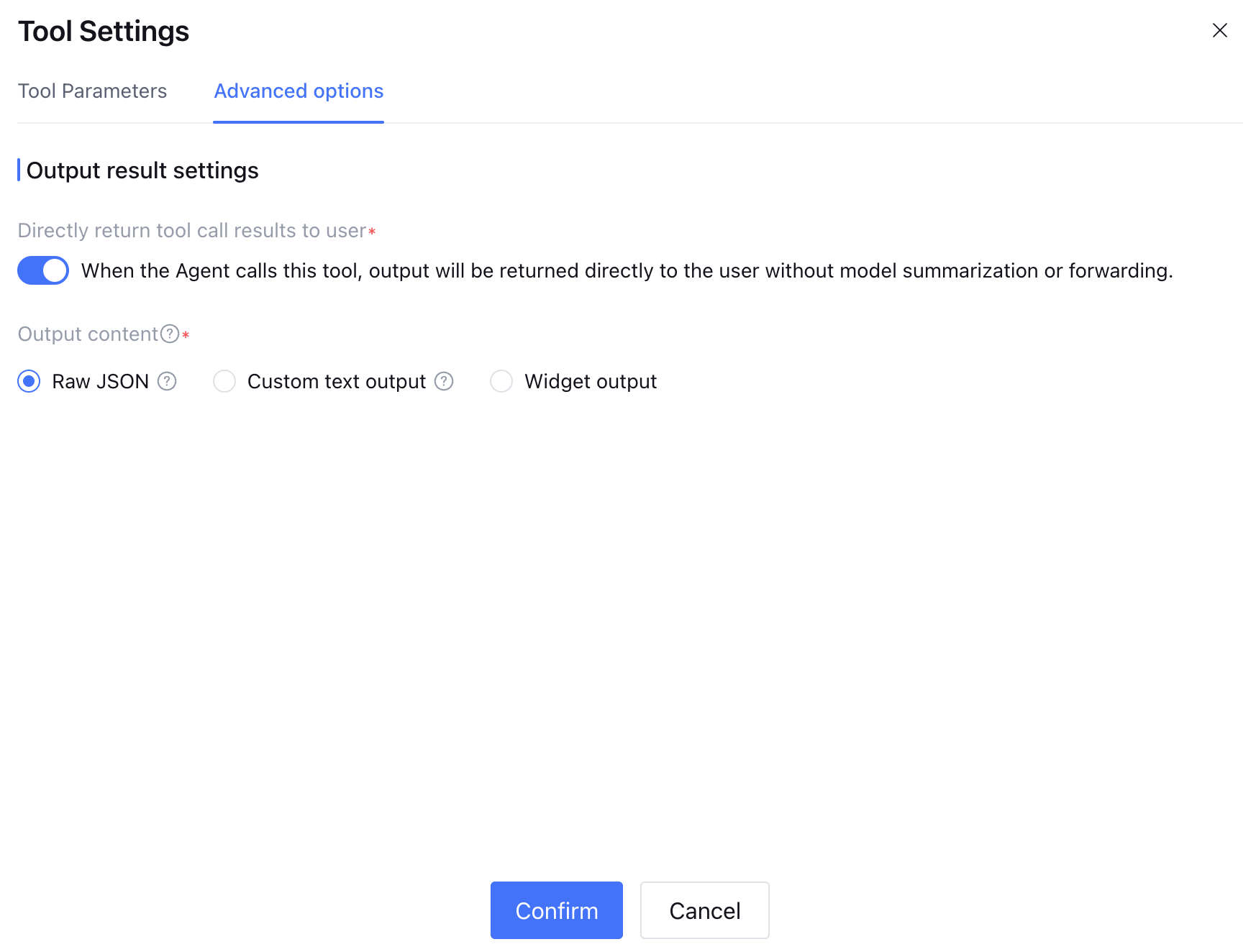
Once enabled, when the Agent calls the tool, the returned result will be displayed to users as the final output directly, without re-entering the model for summary, rewrite, or transfer process.


Support selecting the following output result format:
Original JSON: Return the tool output parameter in original JSON format.
Custom text output: Return custom text results, support insertion of variables, including tool input/output parameters and application variables.
Widget output: The tool result is presented in Widget form. For details, refer to Tool Call Directly Output Widget.


Help and Support

Was this page helpful?

Help us improve! Rate your documentation experience in 5 mins.

Feedback