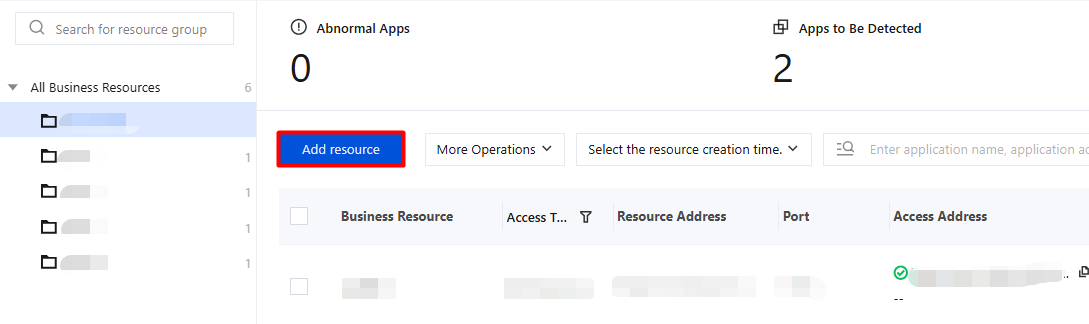
2. On the Resource Configuration Information page, click Add Resource.
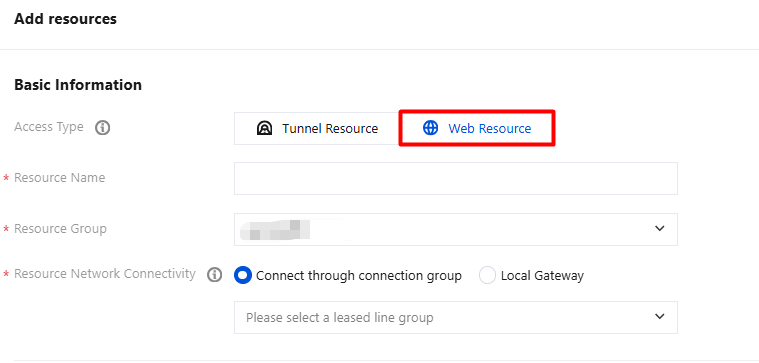
3. On the Add Resource page, select Web Resource for Access Type, configure the relevant parameters, and click Save.
3.1 Basic Information
Parameter Name
Description
Resource Name
Enter based on the actual situation.
Resource Group
Select an existing group or create a group based on the actual situation.
Resource Network Connectivity
Configures network access for business resources, supports two modes of connection through connection groups or VPC, and establishes a secure access channel from iOA to business resources.
Connection group connectivity: Access business resources through a configured connection group, which is suitable for non-Tencent Cloud services.
VPC connectivity: Access business resources through a connected VPC instance, which is suitable for Tencent Cloud services.
Local gateway: Used to establish a network channel between enterprise local/private data center resources and iOA, which is suitable for enterprise-owned data centers/local server room resources.
3.2 Resource details
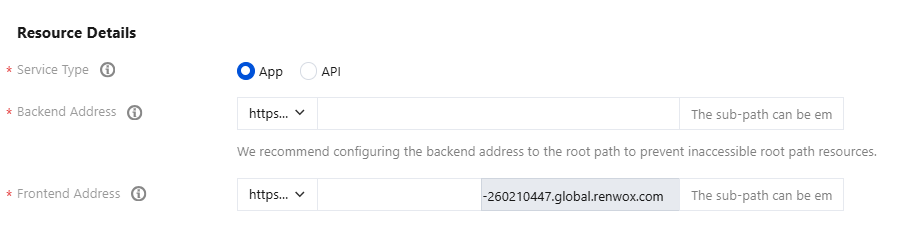
Business Type - App: Application (Web) resources are suitable for remote office scenarios of business systems. For example, when an OA system is connected to iOA for protection, enterprise employees can access the internal OA system over the public network through iOA.
Parameter Name
Description
Backend Address
Private network address of the business resource. It supports domain names, IP addresses, and subpaths. For example: https://192.168.10.8:843.
Frontend Address
Address accessible in a public network environment.
Attention:
Both HTTPS and HTTP are supported. When HTTPS is used, you need to add an SSL certificate.
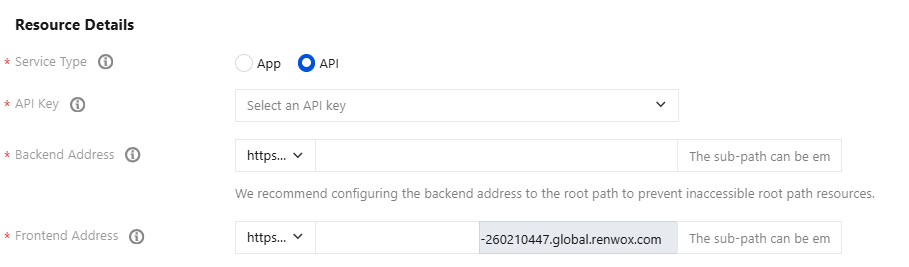
Business Type - API: API resources are suitable for protecting API calls from mini-programs or remote API calls from partners. For example, if Company A provides Company B with a material query API, the API needs to be protected by iOA.
Parameter Name
Description
API Keys
API keys are automatically generated. For service security, replace keys regularly. You can view and manage them in gateway system settings >key management.
Backend Address
Private network address of the business resource. It supports domain names, IP addresses, and subpaths. For example: https://192.168.10.8:843.
Frontend Address
Access address of the business resource in a public network environment.
Example of accessing an API resource: When accessing the resource at https://api.myproxy.com:8080/api, you need to add a header with the key Proxy-Authentication. The value is the request key authValue generated based on the key string, which is used to request API key resources. To obtain the key, go to Gateway System Settings > Key Management in the console.
secret := "Console key content"
// Current timestamp
tm := time.Now().Unix()
// The timestamp and key form the authorization Json.
authJson = "{tm: tm, sign:sha256(secret+tm)}"
// Perform base64 encoding on the authorization Json to obtain the request key.
authValue=base64_encode(authJson)
//Verify whether the API key resource is effective.
curl -X POST "https://api.myproxy.com:8080/api" -H "Proxy-Authentication:base64(key content)"
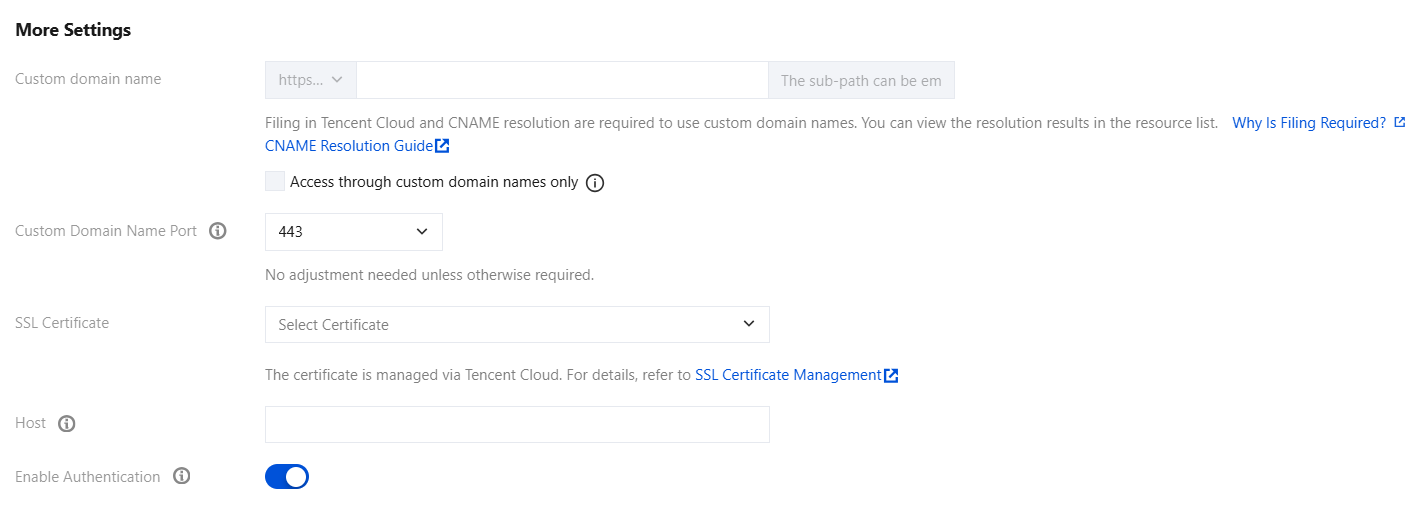
3.3 More settings
Parameter Name
Description
Custom domain name.
To use a custom domain name, you must complete ICP filing in Tencent Cloud and configure CNAME resolution for it.
Custom domain name port.
Port 443 is used by default. Custom domain name ports are sensitive resources, and custom ports are not supported to prevent port occupation. To open a port, contact technical support.
SSL Certificates
Add the certificate when the protocol is HTTPS. Upload the certificate and key as required.
Host
Optional. Configure this option if the Host header of the service address needs to be checked.
Whether to authenticate.
Authentication control for user access.
Business Resource Authorization
After resources are added, you also need to grant users resource authorization. When authorized users access the frontend URL and pass authentication, they are redirected to the corresponding business resource page.
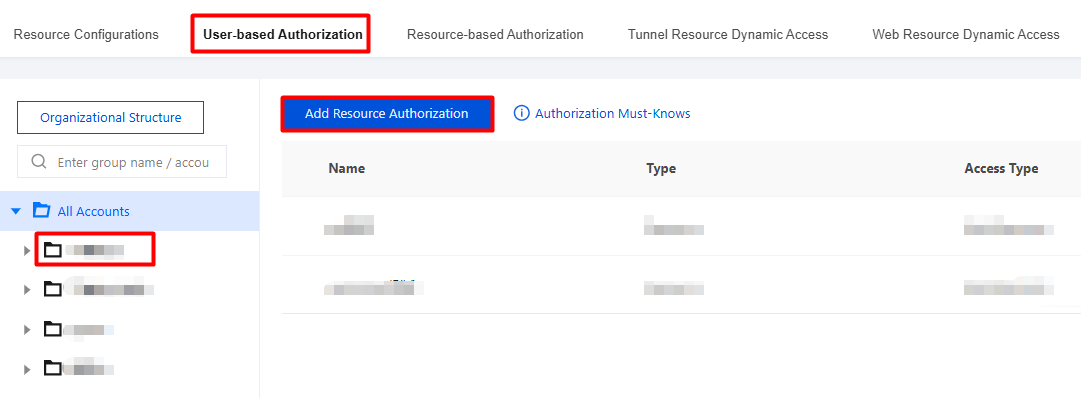
2. On the Authorization by User page, select the desired directory, click the directory name, select the groups/accounts to be authorized, and then perform the authorization.
2.1 Authorize groups
2.1.1 Select the groups to be authorized, and click Add Resource Authorization.
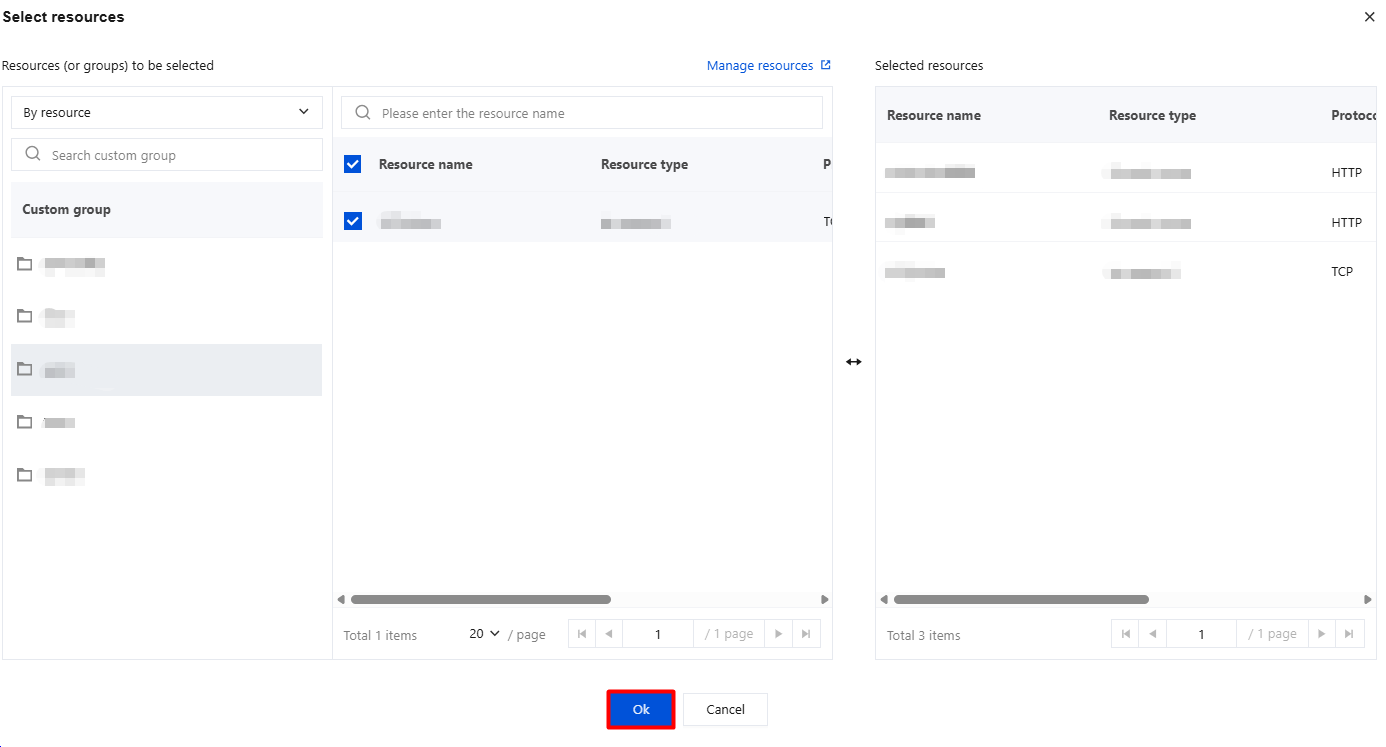
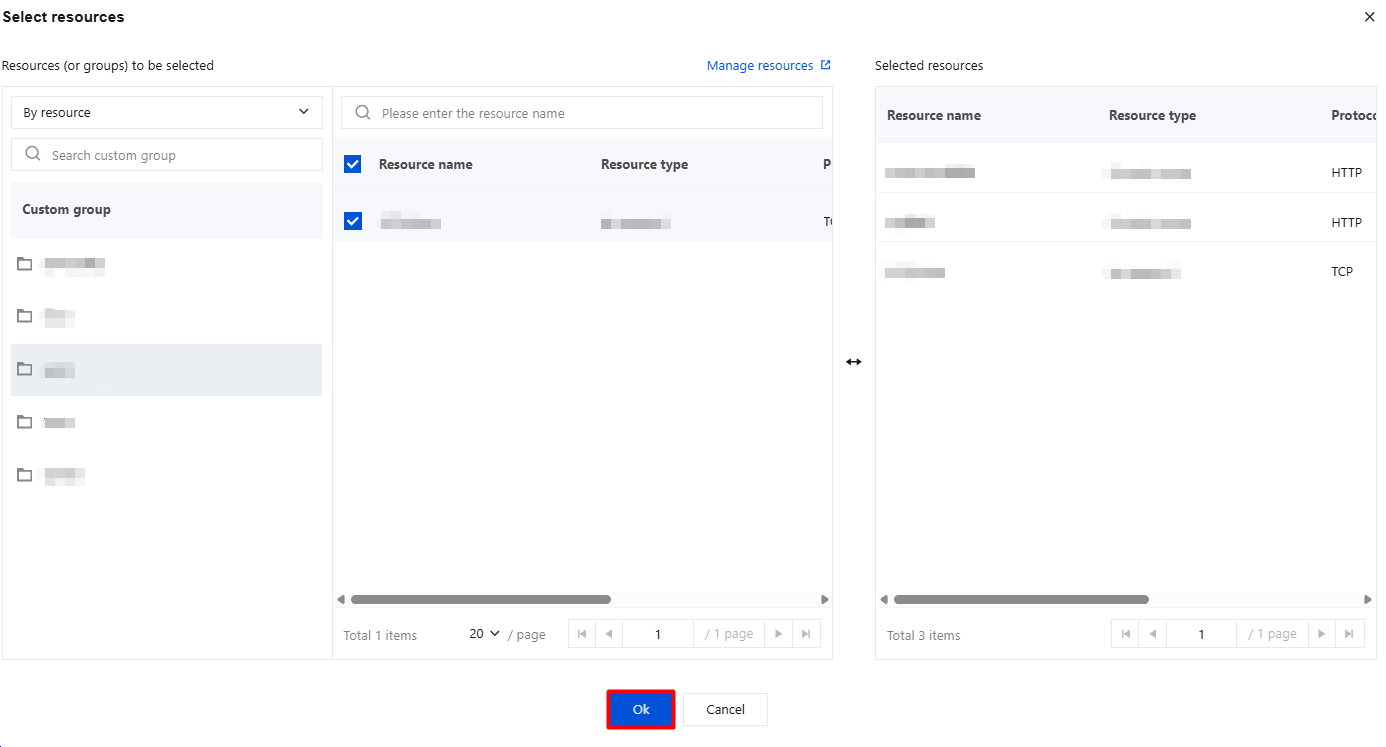
2.1.2 In the resource authorization dialog, select the desired resources and click OK.
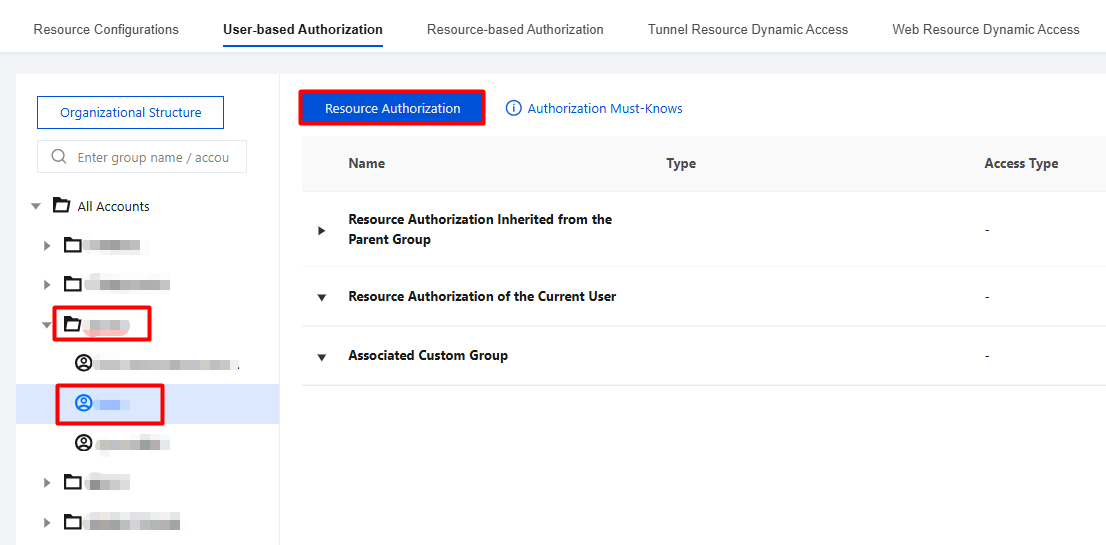
2.2 Authorize accounts
2.2.1 On the User-based Authorization > Organizational Structure > Account Information page, click the target account, and then click Resource Authorization.
2.2.2 In the resource authorization dialog, select the desired resources and click OK.
2. On the Web access log page, you can query logs in the following ways.
Queries by operation time range are supported.
Combined queries by time range + search are supported.
Click the search box to display a list of log headers, and then you can filter queries by header elements.
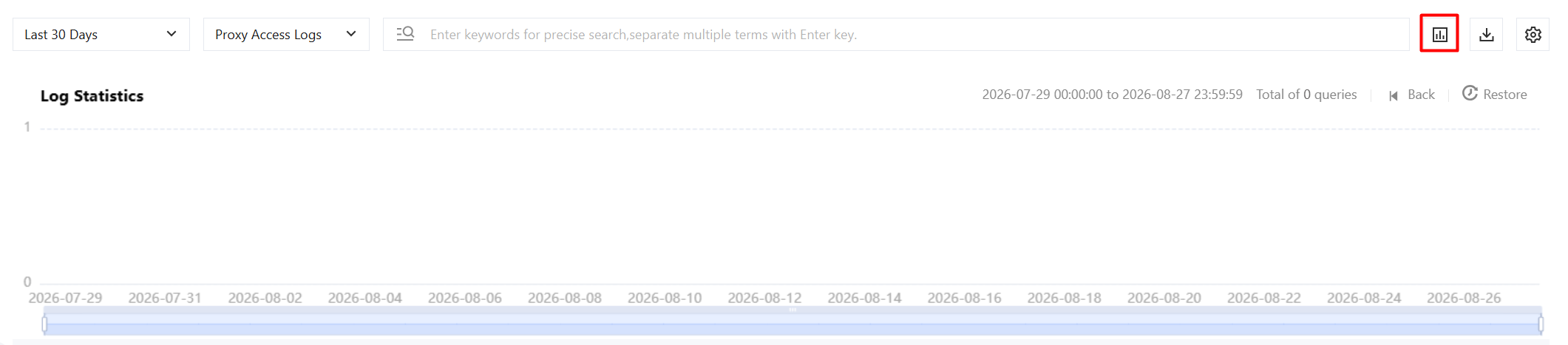
Log Quantity Statistics
In the log count statistics module, you can scroll left to view logs from yesterday and earlier, and hover over the chart to view specific counts, such as 0 logs generated in the single hour at 8:00 on 202X-07-14.
Tag filtering: In linkage with the search box, Tag filtering displays the header tags that have been queried recently.
When information such as the user name, user directory, or resource name is modified, the log fields are synchronized.
Web resource access logs cannot be deleted on this log audit page. You can delete them centrally in System General Settings > System Log Cleanup.