An "event" refers to a specific behavior that occurs on an object. For example, device offline, video channel offline, and data upload interruption can all be called events. This feature centrally records all types of events for easy querying by users.
Concept Explanation
The currently available event types and their descriptions are as follows:
Event Category
Event Subtype
Event Level
Description
Device Event
Device Offline
Critical
The device loses its registration connection with the platform and is offline.
Device Offline > 7 days
Critical
The device has been offline for more than 7 days.
Device Online
Note.
The device is registered successfully and is online.
Channel Event
Channel Offline
Critical
The device where the video channel resides loses its registration connection with the platform, or the device reports that the channel is offline.
Real-time Upstream Interrupted
Important
For video channels in the real-time cloud upload plan, the real-time stream upload process is interrupted.
Real-time Upstream Interrupted > 10 min
Important
The real-time stream upload process is interrupted for more than 10 minutes.
Channel Online
Note.
The associated device reports that the channel is online.
Note:
The platform defines the event level for each event subtype, as described below:
Critical: Users are advised to handle the issue immediately to avoid severe losses.
Important: This issue has a certain impact on business operations. Users are advised to handle it as soon as possible.
Note: This issue has a minor impact on business operations. Users are advised to handle it in a timely manner within a certain period.
Operation Steps
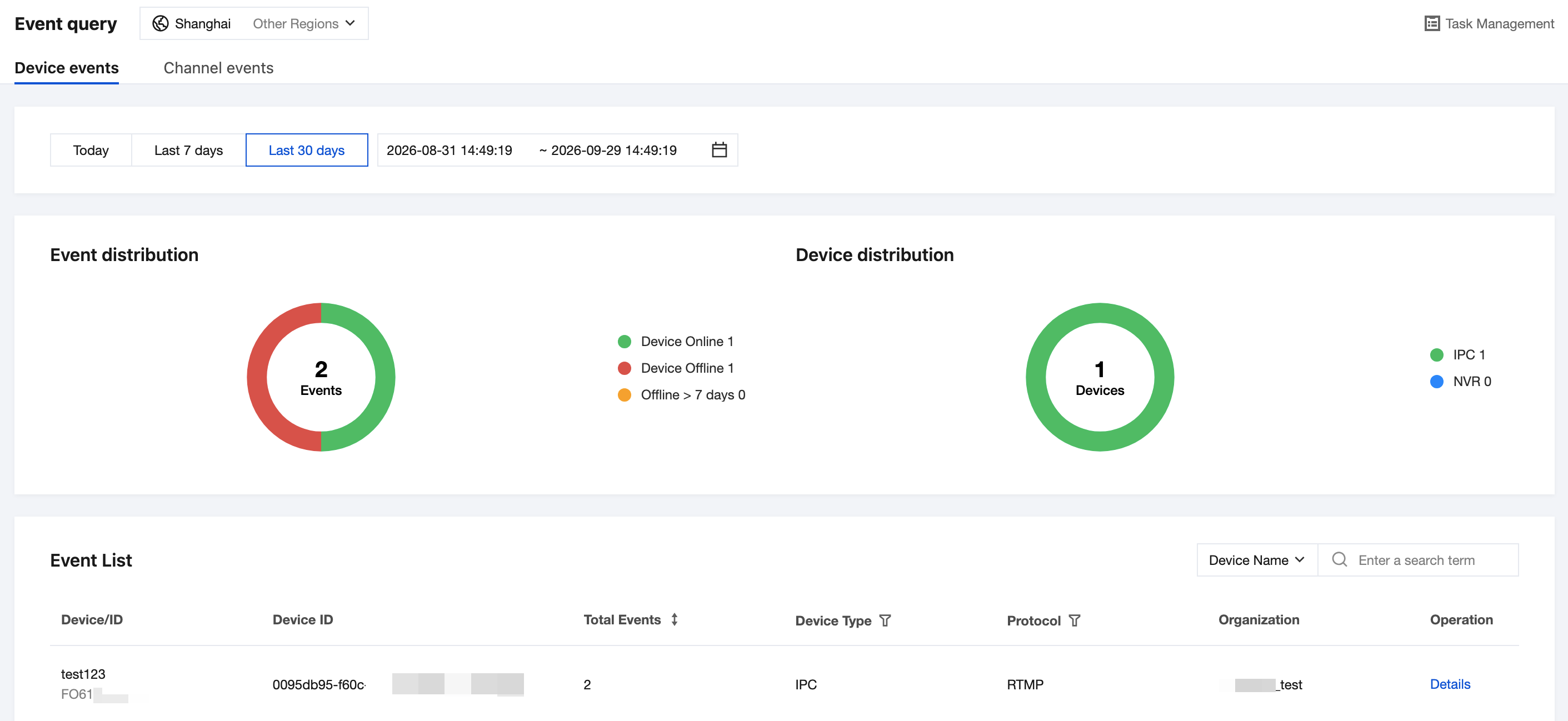
1. Log in to the ISS console and choose Event Alarm > Event Query.
2. Select device event or channel event.
3. Select the Time Range Query event, which supports a maximum time span of 30 days with second-level granularity for time range search.
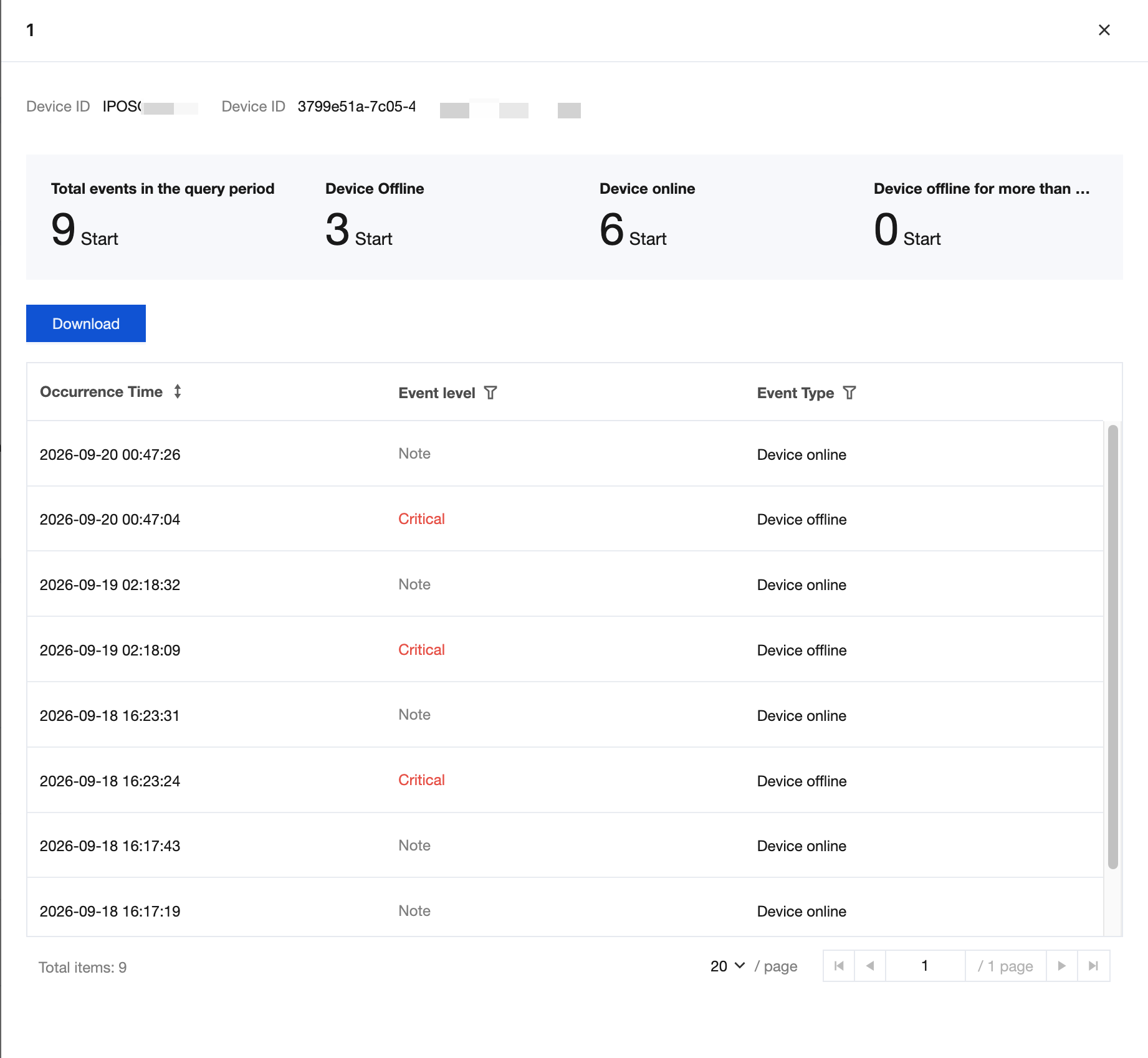
4. In the event list, click Details in the operation column to view detailed information.
Note:
The platform retains event information for 30 days by default. You are advised to download event details to a local client for long-term storage.