Compliance Detection Audit Logs
Unduh
Mode fokus
Ukuran font
Log Feature Overview
1. Log in to the Tencent iOA Zero Trust Security Management System console, choose Terminal Management > Compliance Detection > Audit Log. in the left sidebar.
2. Audit logs centrally record and display security policy violation events triggered by all terminals across multiple dimensions such as software, services, ports, registry, and logins, providing administrators with a complete, searchable, and traceable chain of evidence for terminal security behaviors. This enables transparent monitoring of compliance across all terminals, meets internal audit and external compliance requirements, and provides data support for security incident investigation and policy optimization.
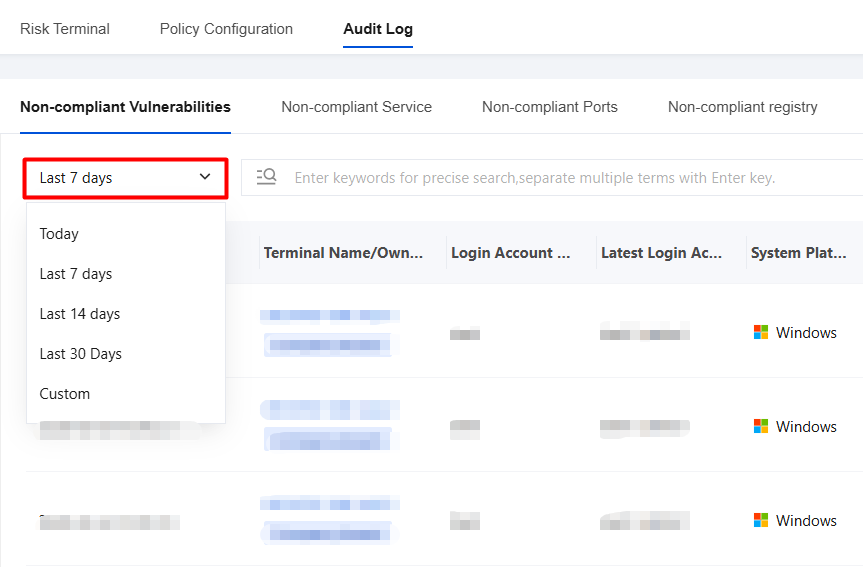
①Date/Time Filter
Time-based filtering is supported with a standard time filter control.
You can use the "Last 7 days" drop-down list in the upper-left corner to quickly switch between "Today", "Last 7 days", "Last 14 days", "Last 30 days", and "Custom date" to view audit logs within different time ranges.
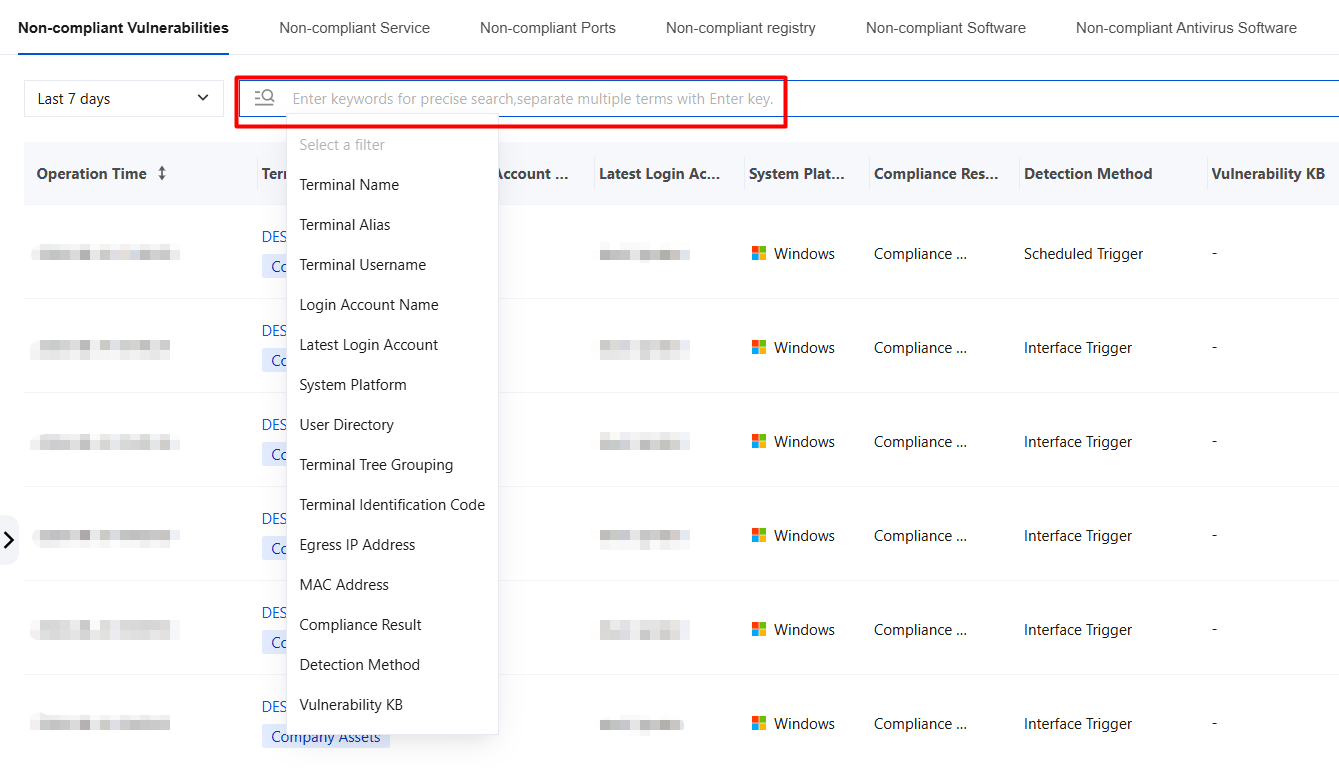
②Basic Search
Keyword precise search: In the search box labeled "Enter keywords for precise search", you can enter specific keywords (such as latest login account, department, compliance result, and so on), and the system will filter out log records that contain these keywords.
All fields in the log details list are searchable.
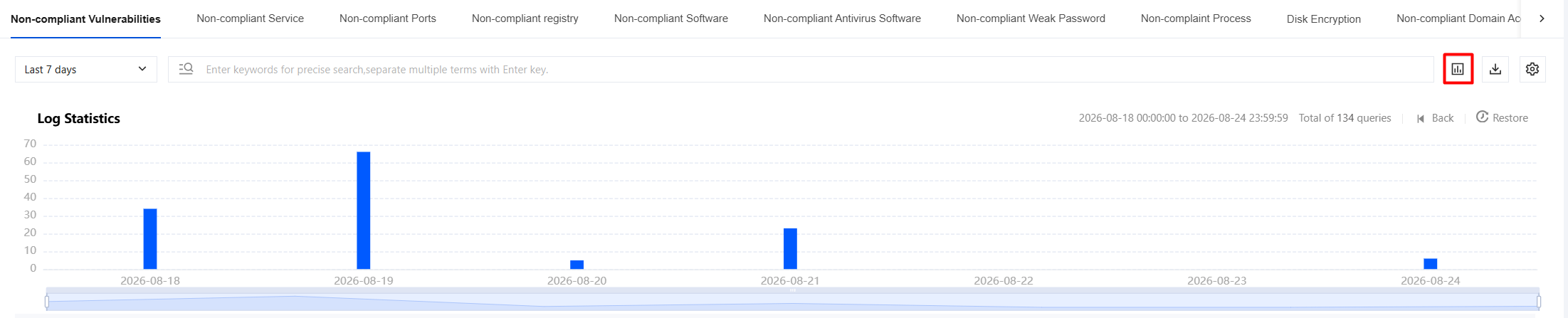
③Log Quantity Statistics
The bar chart displays the number of logs based on the selected time range and can be swiped left or right.
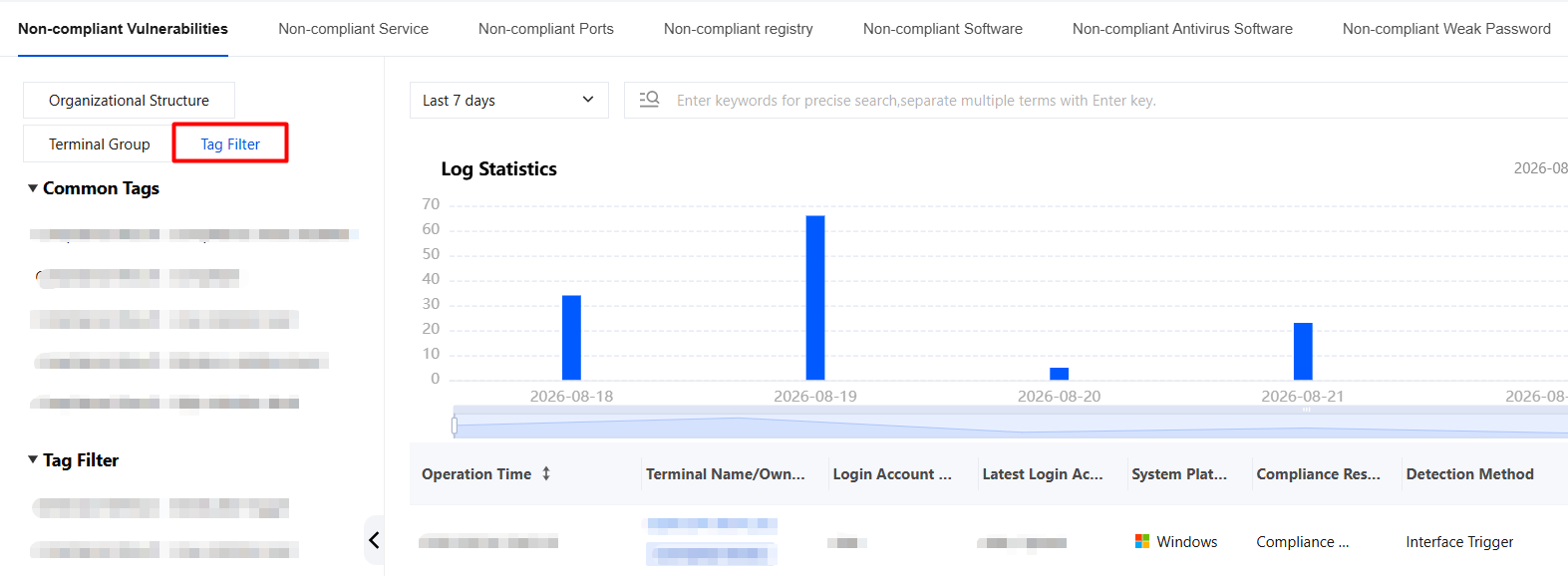
④Filter
Common tags: Option values of log fields (see specific logs). Fixed tags are determined by the backend and provide quick filtering based on common customer requirements.
Tag filtering: Displays the latest 10 historical search records. Tags can be changed to generate dynamic scenario tags based on the user's frequently used search tools.
⑤Log Export
You can select the fields to export. By default, all fields are selected.
You can select the log export time. By default, the current log filtering time is selected.

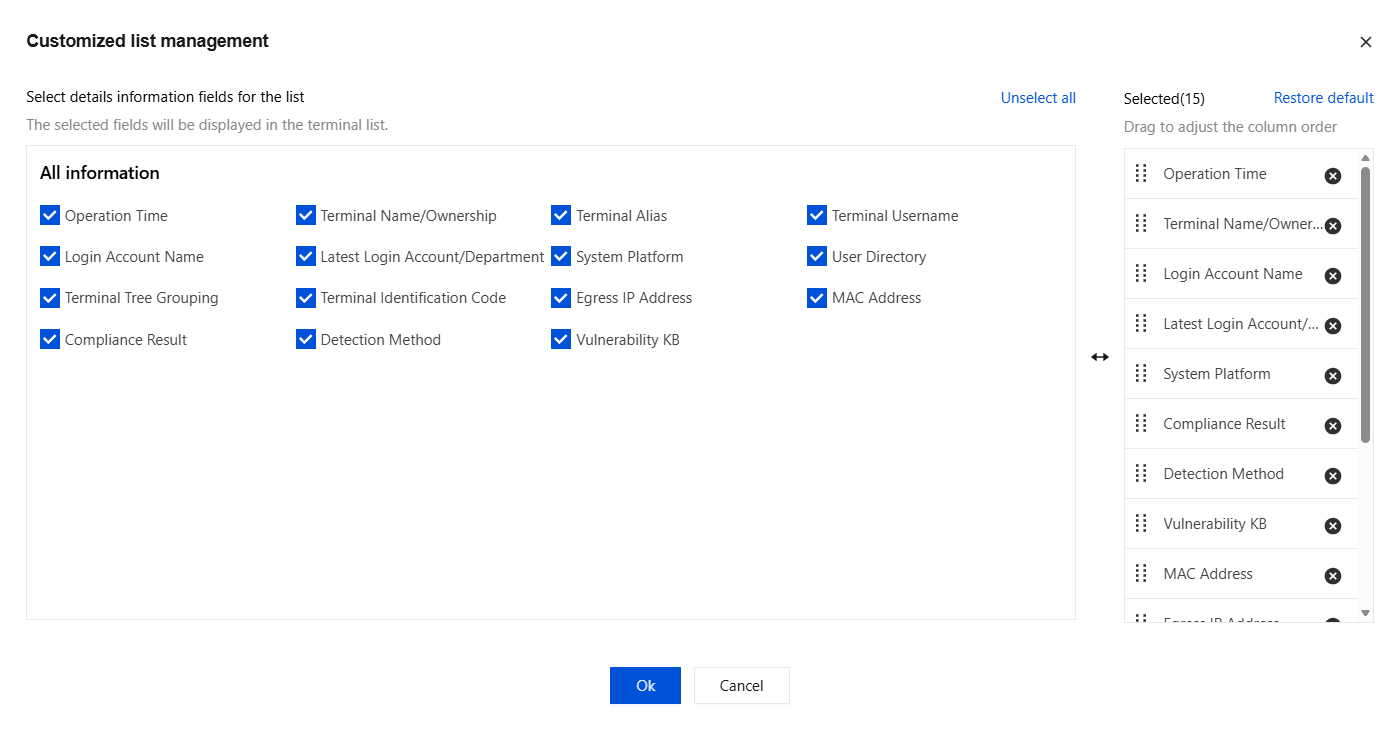
⑥Custom Table Headers
The selected fields will be displayed in the field list.
Audit Log Description
1. Log in to the Tencent iOA Zero Trust Security Management System console and choose Audit Log. in the left sidebar.
2. Audit logs consist of the following modules:
Module | Log Name | Description |
Compliance Detection Audit Log | Non-compliant Vulnerabilities | Displays terminal violation vulnerabilities. Associated with: Terminal Management > Compliance Detection > Policy Settings > Patch List. |
| Non-compliant Service | Displays terminal non-compliant service status. Associated with: Terminal Management > Compliance Detection > Policy Settings > Non-compliant Service. |
| Non-compliant Ports | Displays terminal non-compliant port status. Associated with: Terminal Management > Compliance Detection > Policy Settings > Non-compliant Ports. |
| Non-compliant Registry Entry | Displays terminal non-compliant registry status. Associated with: Terminal Management > Compliance Detection > Policy Settings > Registry. |
| Non-compliant Software | Displays terminal non-compliant software status. Associated with: Terminal Management > Compliance Detection > Policy Settings > Software Security Baseline. |
| Non-compliant Antivirus Software | Displays terminal non-compliant antivirus software status. Associated with: Terminal Management > Compliance Detection > Policy Settings > Third-party Antivirus Software. |
| Non-compliant Weak Password | Displays terminal weak password violations. Associated with: Terminal Management > Compliance Detection > Policy Settings > Weak Password. |
| Non-compliant Processes | Displays terminal non-compliant process status. Associated with: Terminal Management > Compliance Detection > Policy Settings > Non-compliant Processes. |
| Disk Encryption | Displays terminal disk encryption status. Associated with: Terminal Management > Compliance Detection > Policy Settings > Disk Encryption. |
| Non-compliant Domain Join | Displays terminal non-compliant domain join status. Associated with: Terminal Management > Compliance Detection > Policy Settings > Domain Join. |
| Non-compliant Client Version | Displays terminal non-compliant client version status. Associated with: Terminal Management > Compliance Detection > Policy Settings > Client Version. |
| Non-compliant Terminal Name | Displays terminal non-compliant terminal name status. Associated with: Terminal Management > Compliance Detection > Policy Settings > Terminal Name. |
| Non-compliant Username | Displays terminal non-compliant username status. Associated with: Terminal Management > Compliance Detection > Policy Settings > Terminal Username. |
| Non-compliant Operating System | Displays terminal non-compliant operating system status. Associated with: Terminal Management > Compliance Detection > Policy Settings > Operating System. |
| Automatic Screen Lock | Displays terminal automatic screen lock status. Associated with: Terminal Management > Compliance Detection > Policy Settings > Automatic Screen Lock Detection. |
| Firewall | Displays terminal firewall status. Associated with: Terminal Management > Compliance Detection > Policy Settings > Firewall. |
| SIP Detection | Displays terminal SIP detection status. Associated with: Terminal Management > Compliance Detection > Policy Settings > System Integrity Protection (SIP) Detection. |
| Install Security Response and System Files | Displays terminal security response and system file installation status. Associated with: Terminal Management > Compliance Detection > Policy Settings > Security Response and System File Installation Detection. |
Bantuan dan Dukungan
Apakah halaman ini membantu?
Anda juga dapat Menghubungi Penjualan atau Mengirimkan Tiket untuk meminta bantuan.
masukan