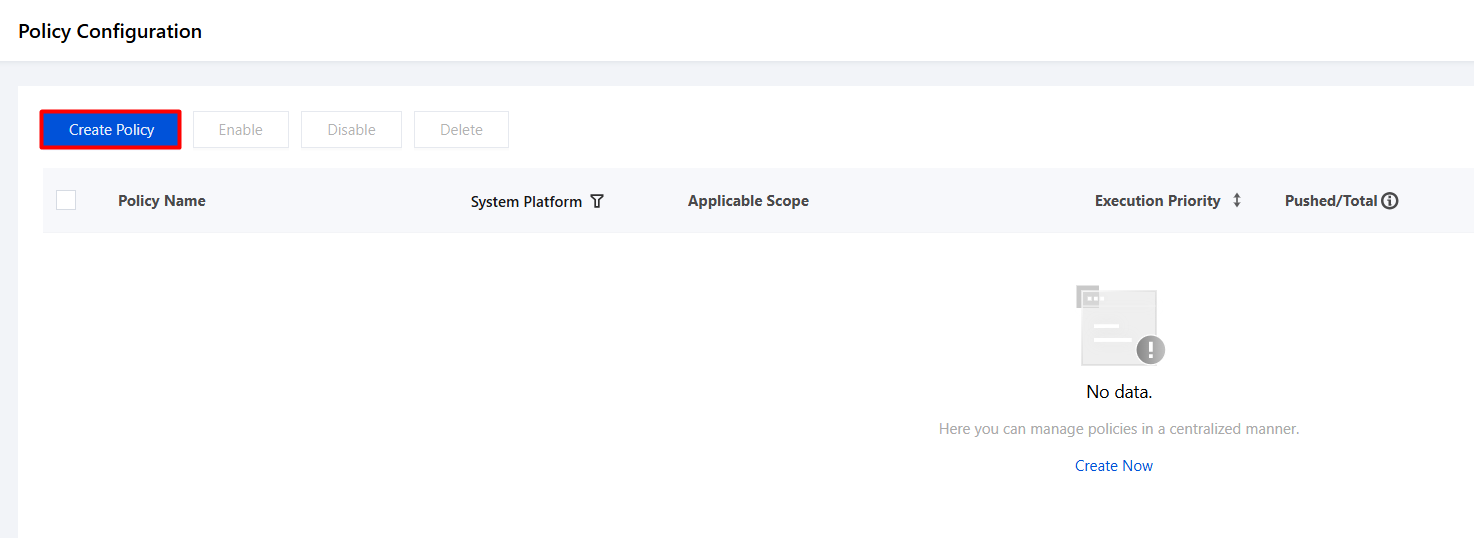
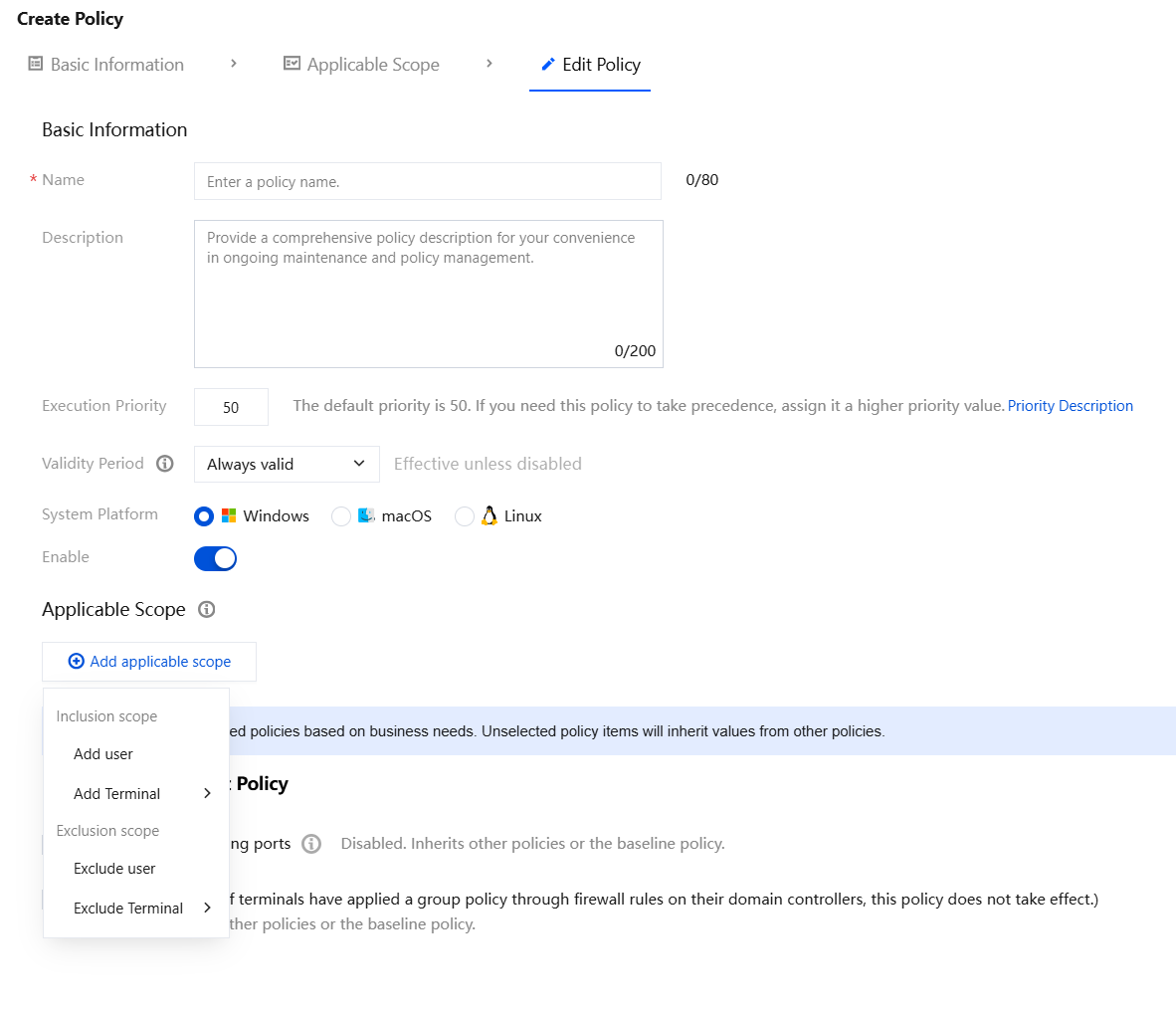
2. On the policy creation page, configure the relevant parameters.
2.1 Enter the policy name and other parameters such as the policy description.
2.2 Click Add Applicable Scope, select the user/terminal names to be controlled/excluded, and click OK.
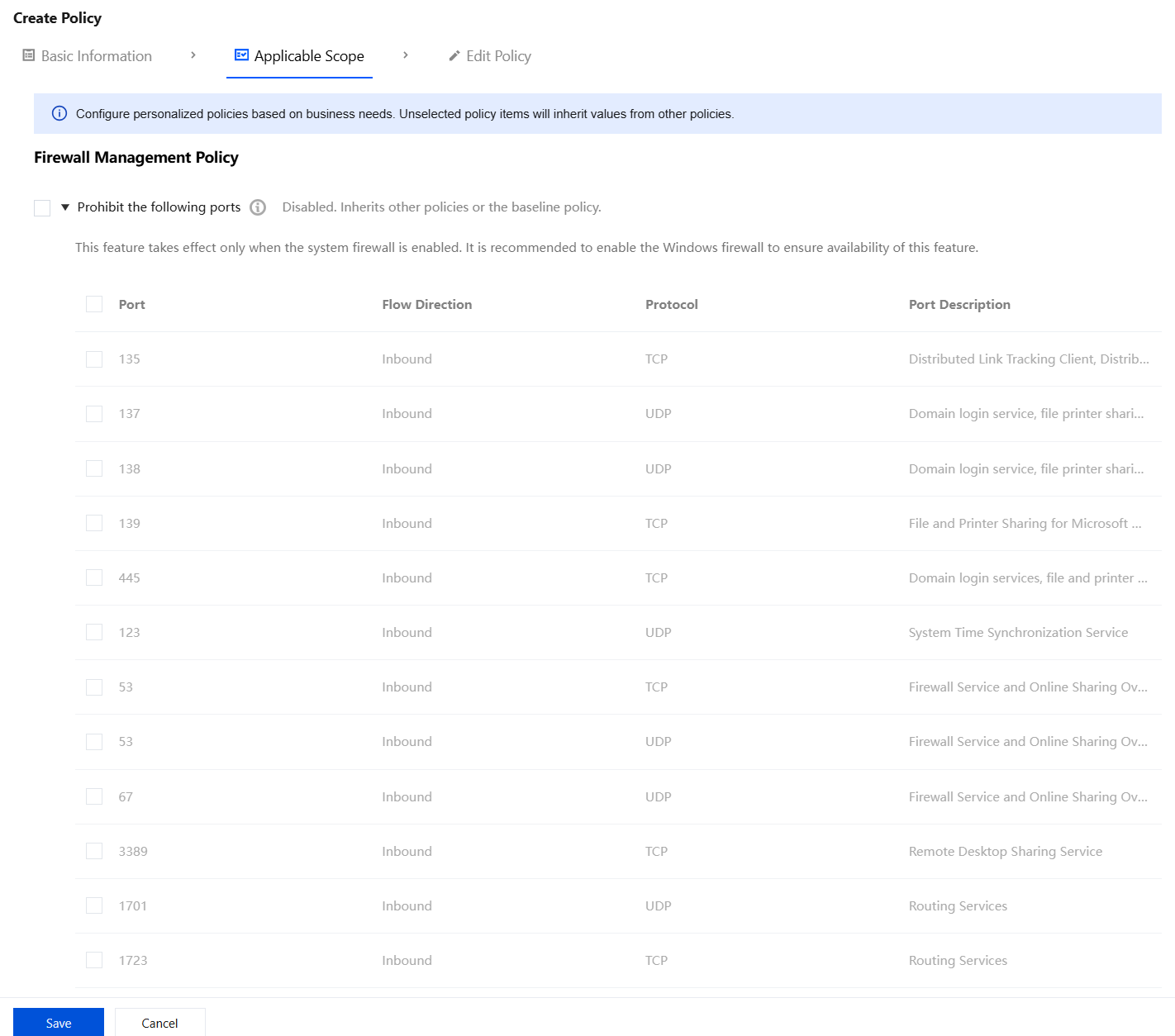
3. Select the following policy as needed, and click Save.
Prohibited Ports
1. Select "Prohibit the use of the following ports", and then select the port numbers as required for management.
Note:
Keep Windows Network Firewall enabled on the iOA terminal system. Otherwise, the feature will become invalid because it relies on the Windows Network Firewall mechanism.
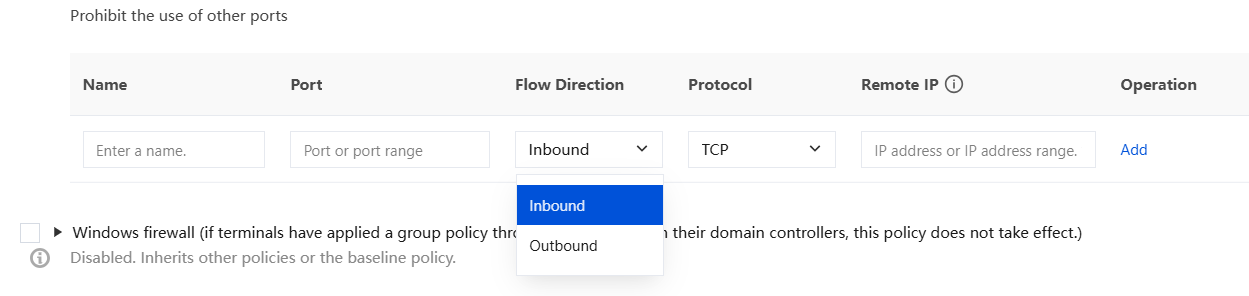
2. You can customize configurations to prohibit the use of other ports, which blocks inbound or outbound traffic on network ports of iOA terminals and disables certain special network services.
Parameter
Description
Name
Custom name.
Port number.
Supports entering a single port (for example, 6666) or a port range (for example, 7777-7788).
Traffic direction
Inbound refers to traffic entering the iOA terminal.
Outbound refers to traffic leaving the iOA terminal.
Protocol
Supports selecting TCP or UDP and setting disable policies separately.
Remote IP address
Enter an IP address or IP address range. An asterisk (*) indicates all. Use hyphens (-) to connect IP address ranges and commas (,) to separate multiple IP address ranges. Example: 1.2.3.4-1.2.3.10
Windows Firewall
Configure firewall on/off policies for terminals based on management requirements.
Note:
This policy does not take effect when the terminal is already controlled by the firewall group policy in the domain. (This policy does not take effect on domain-joined terminals.)