Pirated Software Detection
Unduh
Mode fokus
Ukuran font
iOA has a built-in capability for identifying pirated software. By delivering piracy detection policies, it can detect and analyze software usage on terminal devices.
Note:
The pirated software detection feature only analyzes common security characteristics of some pirated software in iOA. The detection and analysis results are for reference only, are not completely accurate or comprehensive, and support detection of only some software.
1. Log in to the Tencent iOA Zero Trust Security Management System console and choose Software Control > Pirated Software Detection in the left sidebar.
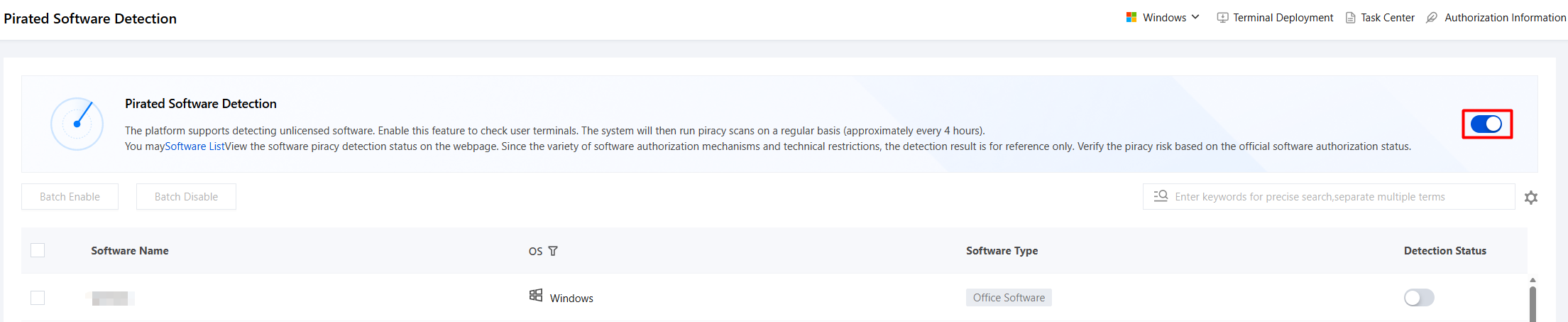
2. On the Pirated Software Detection page, click Enable Pirated Software Detection.
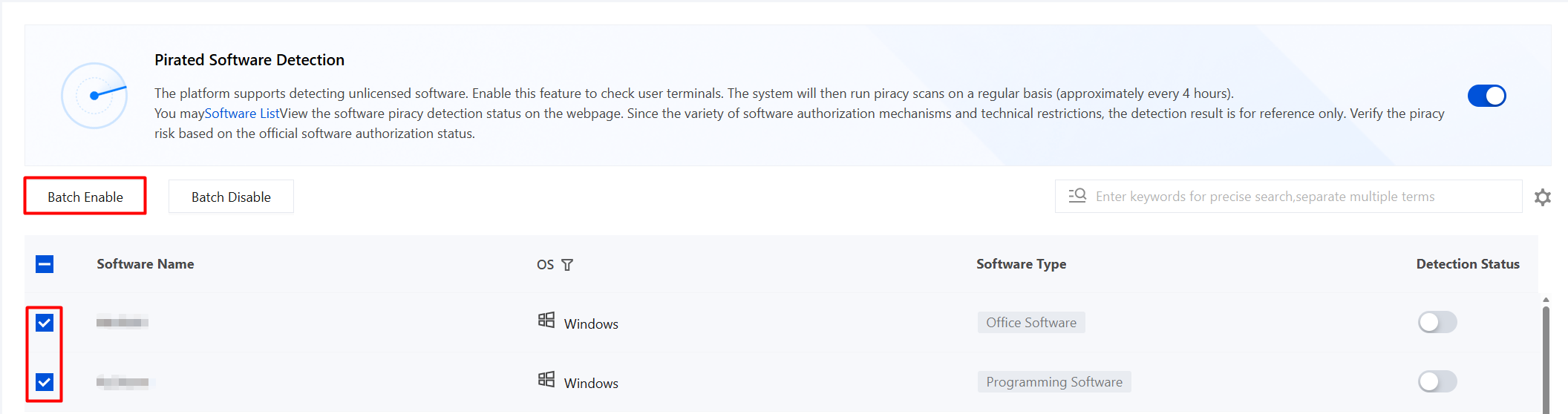
3. Select the names of the software for which detection is to be enabled (batch selection is supported), and then click Batch Enable.
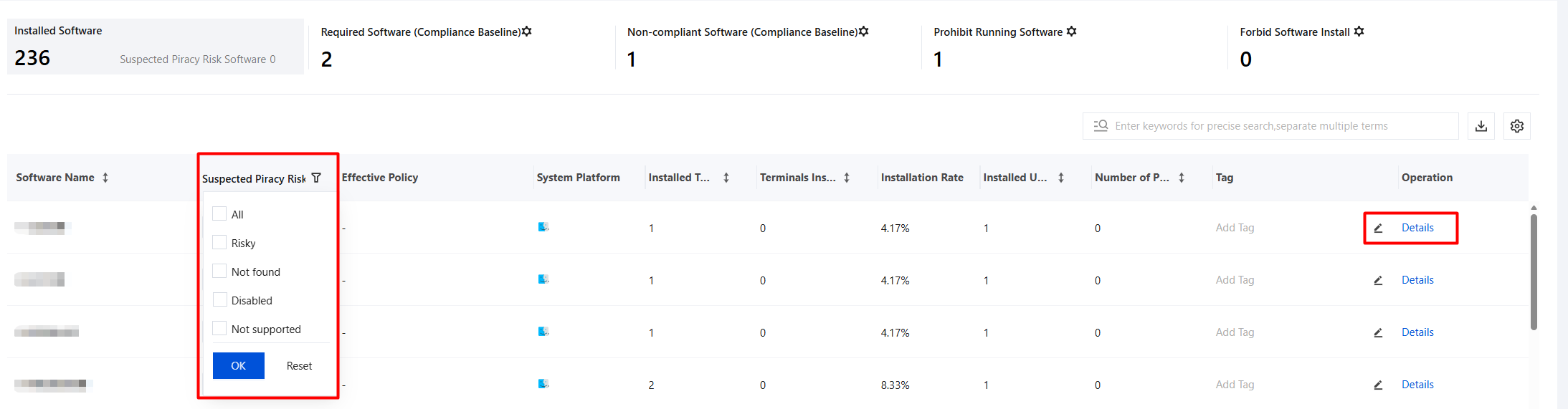
4. After detection is enabled, the system will perform pirated software detection periodically (about once every 4 hours). You can view the pirated software detection status on the Software Inventory page. Click Suspected Piracy Risk to quickly filter pirated software.
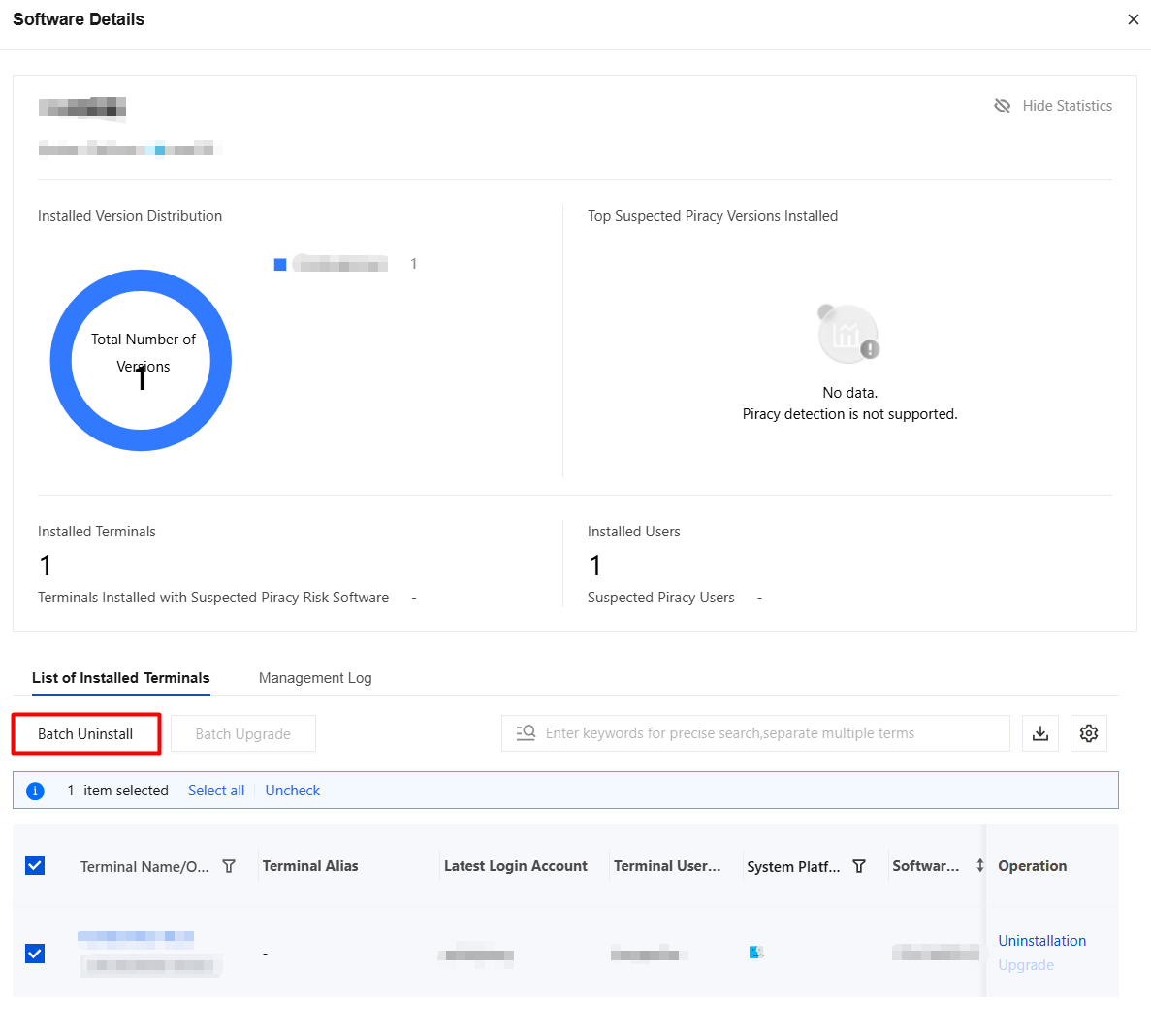
5. Click Details to view the piracy reasons and installation time of suspected pirated software. Batch uninstall is also supported.
Bantuan dan Dukungan
Apakah halaman ini membantu?
Anda juga dapat Menghubungi Penjualan atau Mengirimkan Tiket untuk meminta bantuan.
masukan