Software uninstallation
Unduh
Mode fokus
Ukuran font
1. Log in to the Tencent iOA Zero Trust Security Management System console and choose Software Management > Software Uninstall.
2. On the Software Uninstall page, select Policy Configuration and click Create Policy.
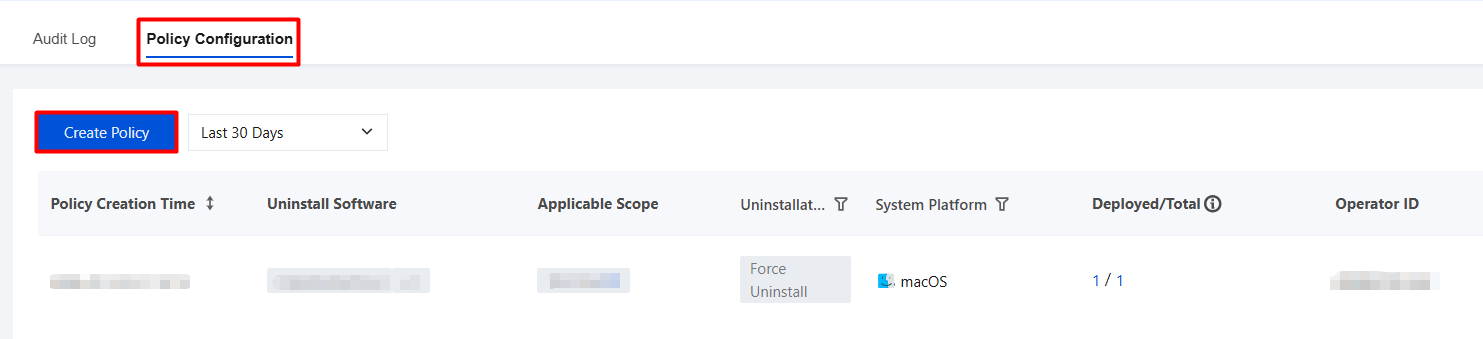
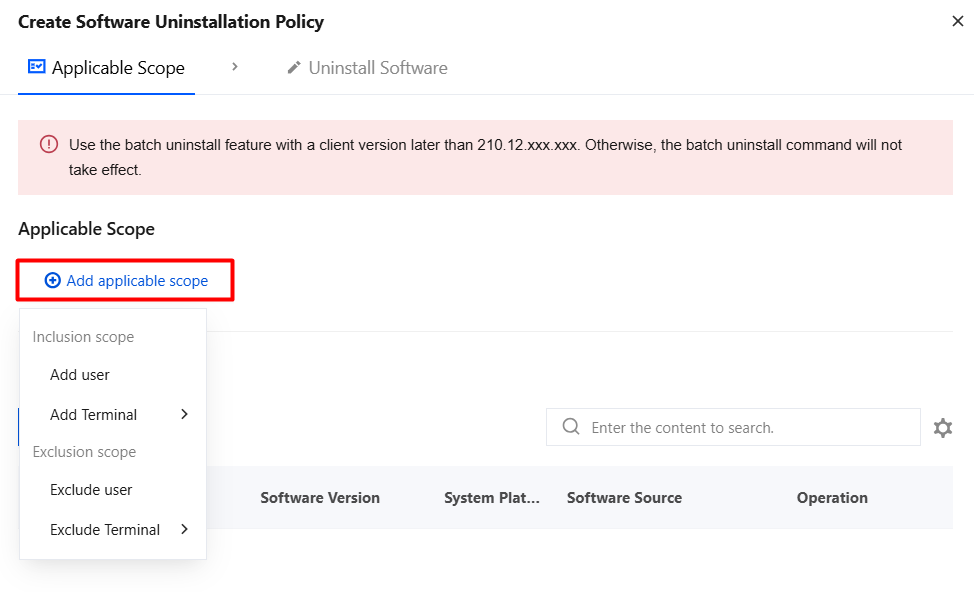
3. Click Add Applicable Scope, select the names of users/terminals to be controlled/excluded, and click OK.
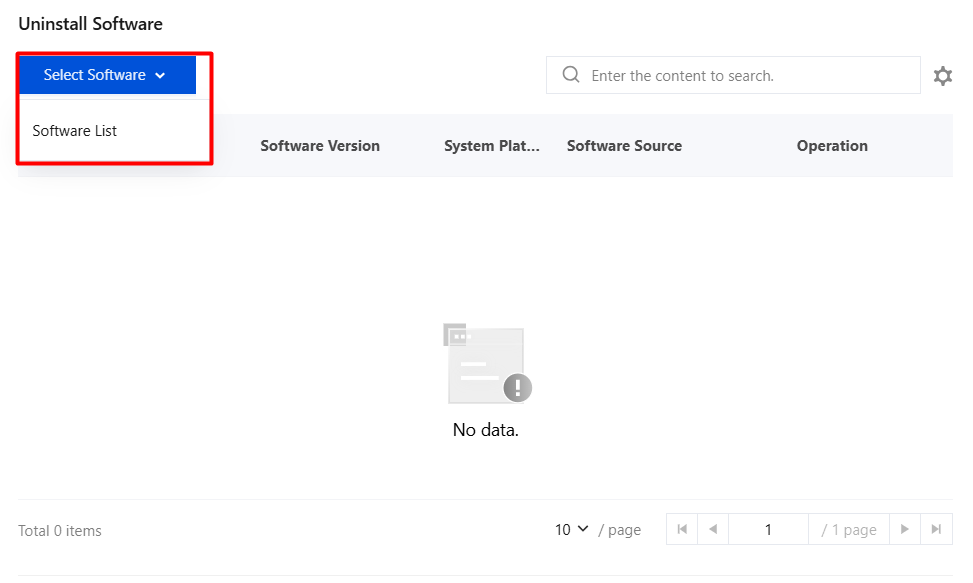
4. In the software uninstall section, click Select Software and select the software to be uninstalled from the software list.
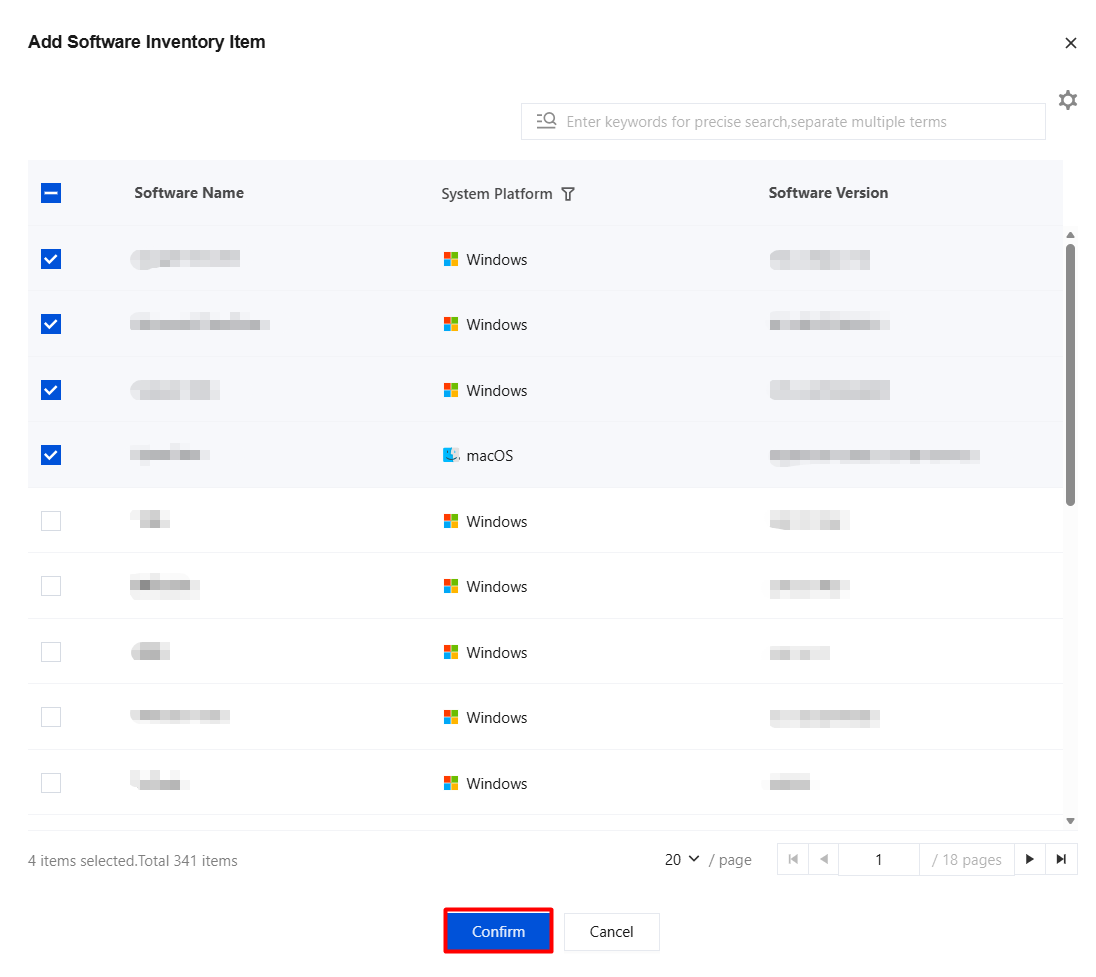
5. In the Add Software List dialog, select the software to be uninstalled and click Confirm to save.
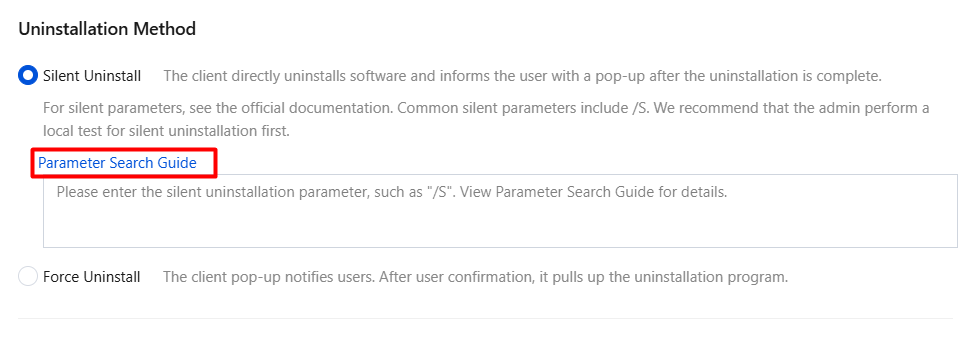
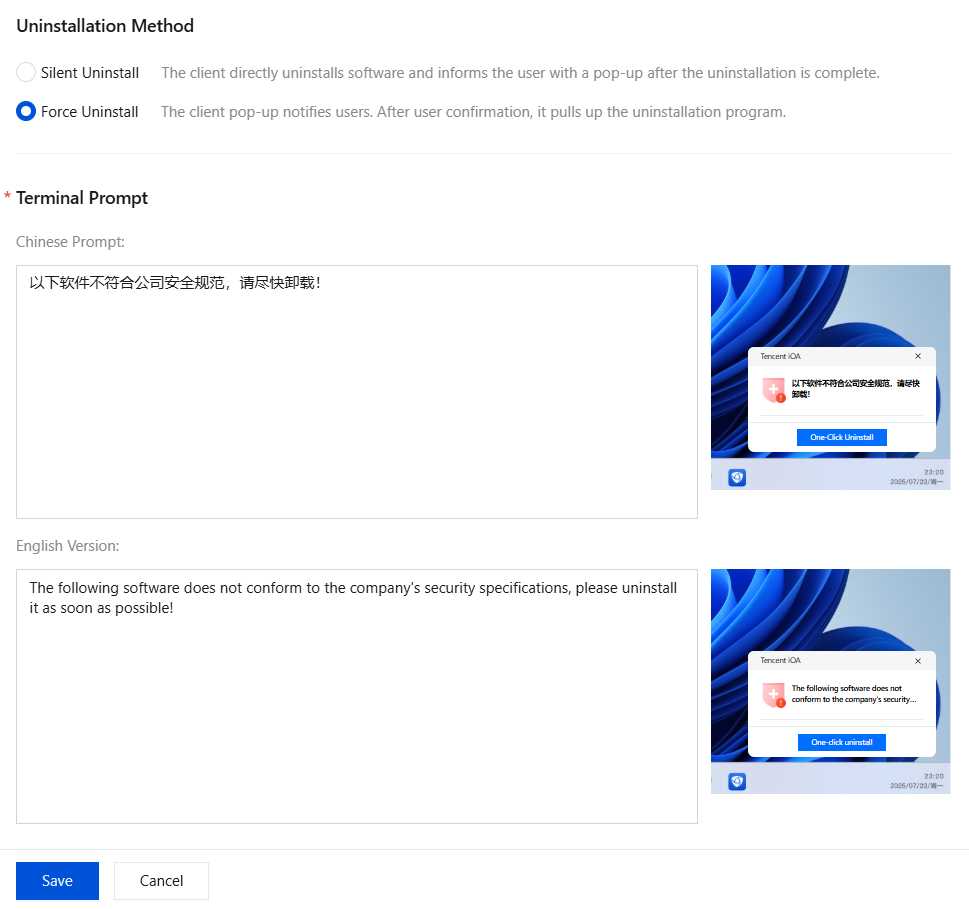
6. Uninstallation methods include silent uninstallation and reminder uninstallation:
Silent uninstallation: Enter a silent uninstallation parameter, for example, /S. You can view the silent uninstallation method in Parameter Lookup Guide.
Note:
The software to be uninstalled by the silent uninstallation feature must support silent uninstallation itself.
Reminder to uninstall: Select Reminder to uninstall, configure the terminal prompt, and click Save. The client displays a pop-up to notify the user, and the system runs the uninstaller after the user confirms.
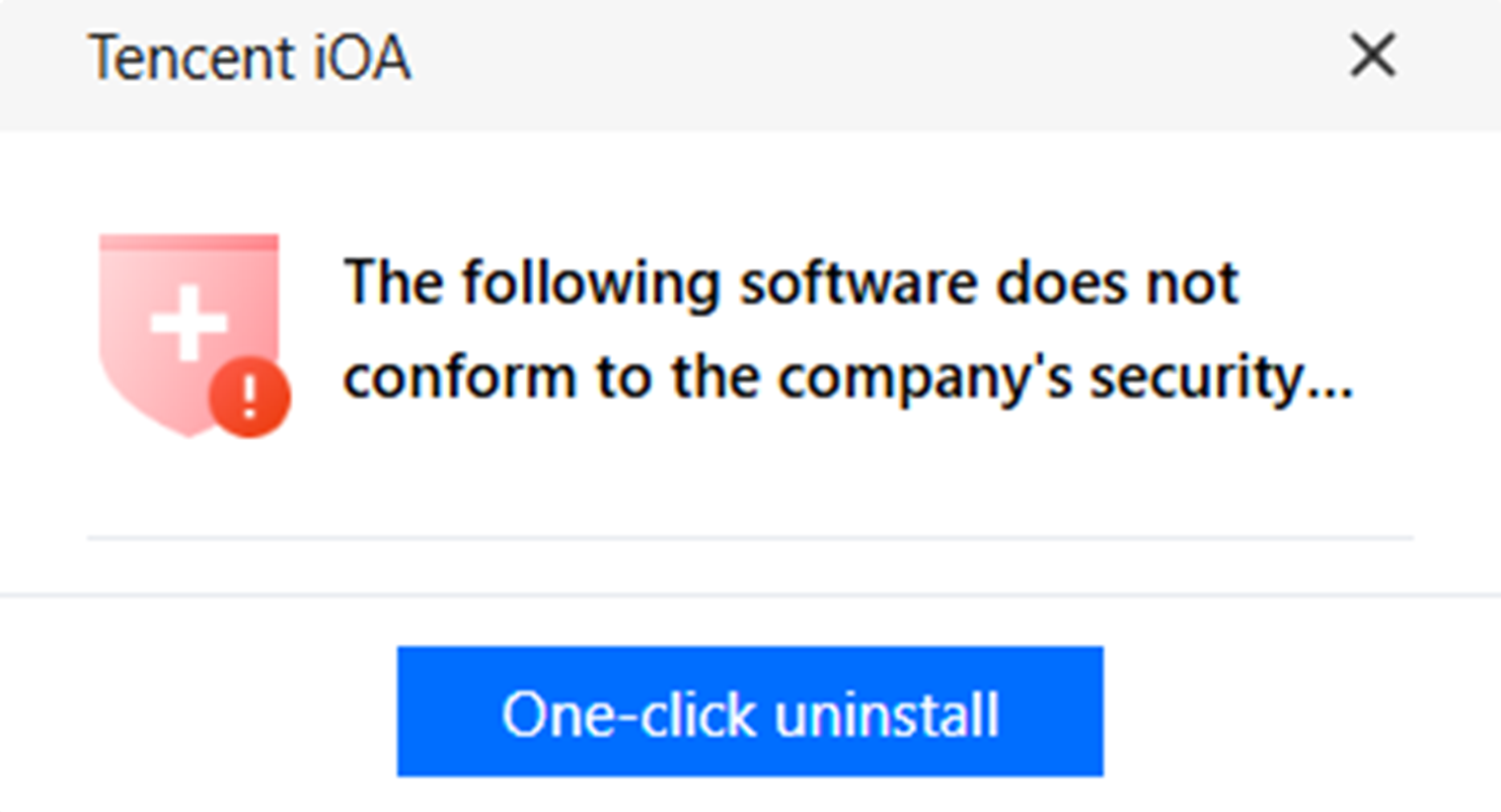
7. Client pop-up example:
Bantuan dan Dukungan
Apakah halaman ini membantu?
Anda juga dapat Menghubungi Penjualan atau Mengirimkan Tiket untuk meminta bantuan.
masukan