IP Address Group-Based Challenge Authentication
Unduh
Mode fokus
Ukuran font
Test Objective
When a terminal with a specified IP address accesses business resources, it must pass challenge authentication before accessing the corresponding business resources.
Prerequisites
1. The iOA client is successfully deployed.
2. Complete account creation and authentication source configuration.
3. Complete the addition of the business resource.
4. Complete authorization for the corresponding users and resources.
Test Examples
Example scenario: Assign "Beijing-Office Network" and specify the access permission for "Beijing-Office Network".
Step 1: Creating an IP Group
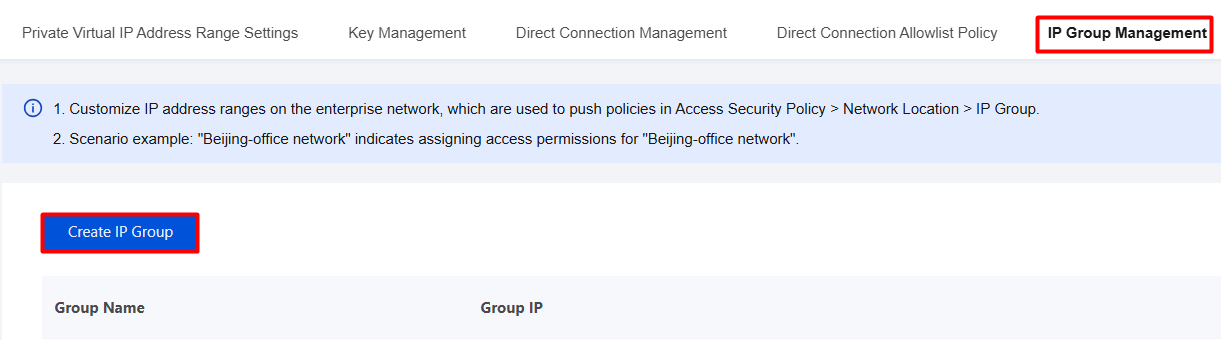
1. Log in to the Tencent iOA Zero Trust Security Management System console and choose Non-Border Access > Gateway System Settings > IP Group Management in the left sidebar.
2. On the IP Group Management page, click Create IP Group.
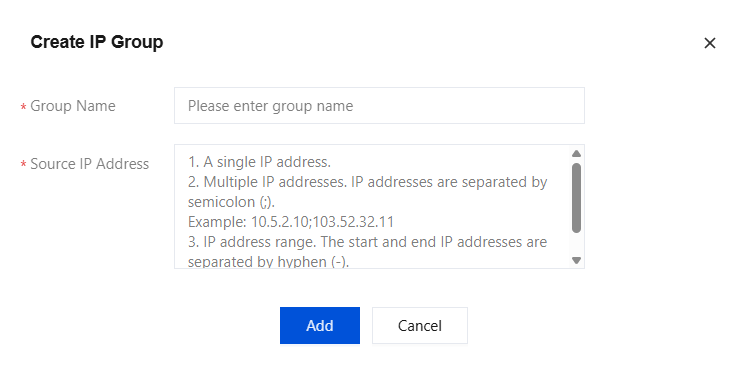
3. In the Create IP Group dialog, configure the required parameters and click Add.
Step 2: Configuring Authentication Policies
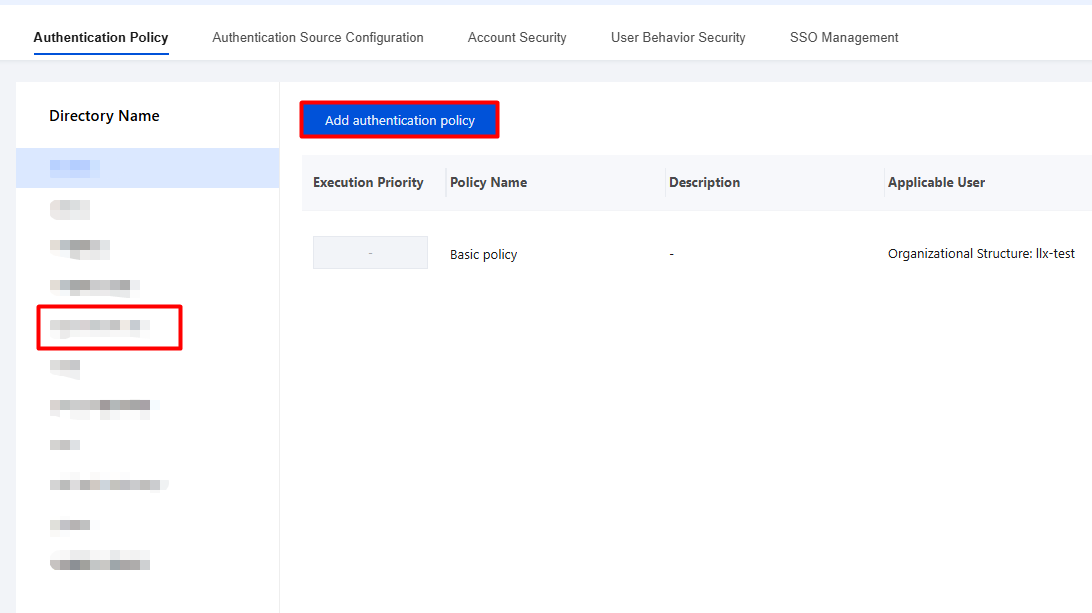
1. Log in to the Tencent iOA Zero Trust Security Management System console and choose Identity Security Management > Authentication Policy in the left sidebar.
2. On the Authentication Security page, select Authentication Policy, choose the directory name, and click Add Authentication Policy.
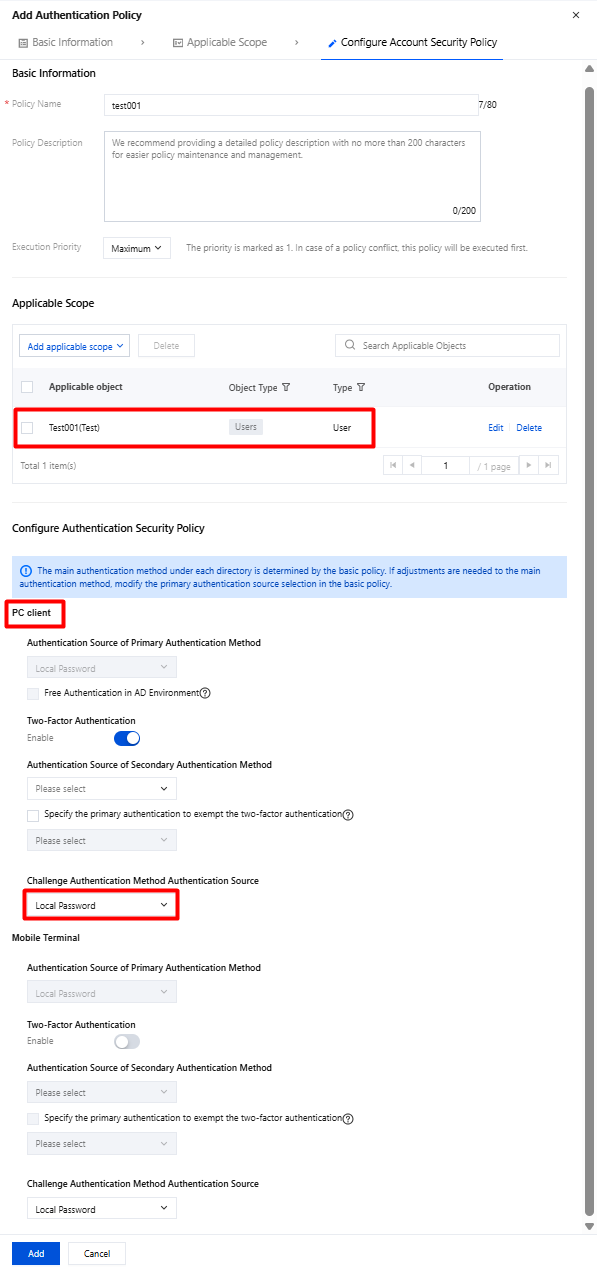
3. Configuration example: Set the authentication source for the PC-side challenge authentication method to iOA Local Account Password and click Add.
Step 3: Configuring Access Security Policies
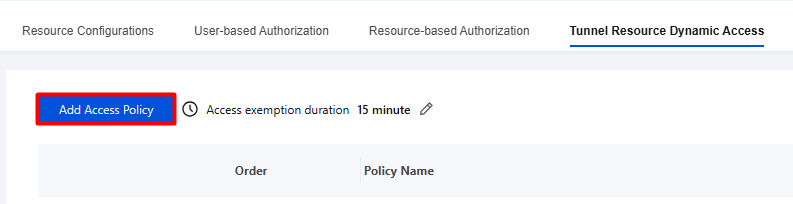
1. Log in to the Tencent iOA Zero Trust Security Management System console, choose Trusted Access Management > Tunnel Resource Dynamic Access in the left sidebar, and click Add Access Policy.
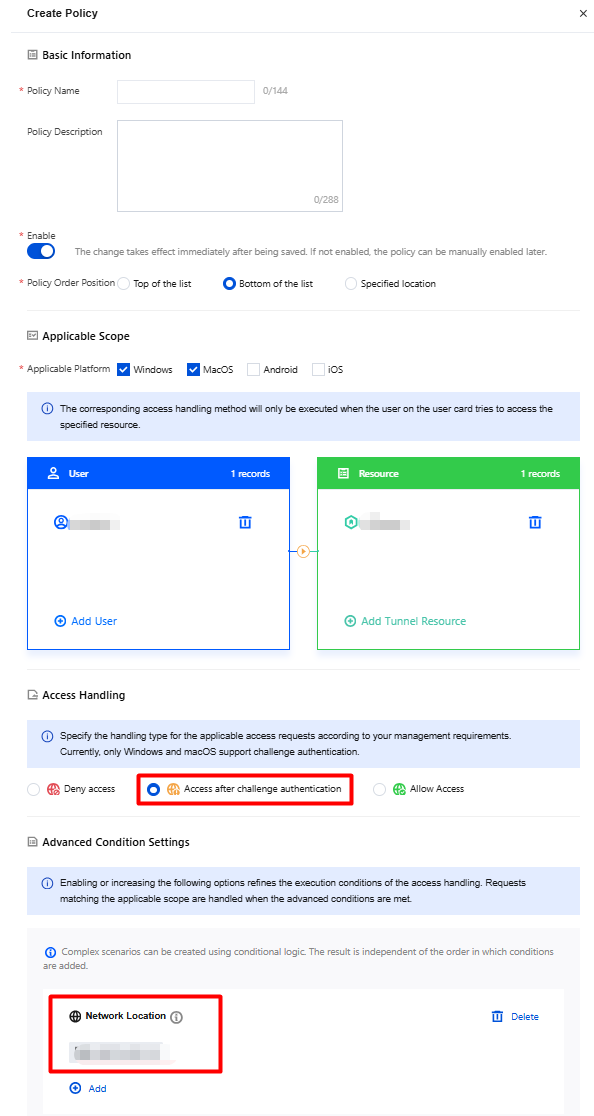
2. On the Create Policy page, configure the relevant parameters. For Access Action, select Access After Challenge Authentication. For Network Location, select Beijing Office Network and click Save.
Step 4: Terminal Verification
For terminals with IPs in the specified group, challenge authentication is required before business resources can be accessed.
Bantuan dan Dukungan
Apakah halaman ini membantu?
Anda juga dapat Menghubungi Penjualan atau Mengirimkan Tiket untuk meminta bantuan.
masukan