Client Performance Management
Unduh
Mode fokus
Ukuran font
Set CPU and memory usage limits for iOA and manage resources for controlled process groups. This ensures that the overall consumption of system resources by multiple processes remains within a controllable range during operation, and that the system can automatically take measures when performance is abnormal, thereby safeguarding the stability and availability of the entire system.
1. Log in to the Tencent iOA Zero Trust Security Management System console. In the left sidebar, choose General Management Policy > Client Policies.
2. On the Client Policy page, select Client performance management and click Create Policy.
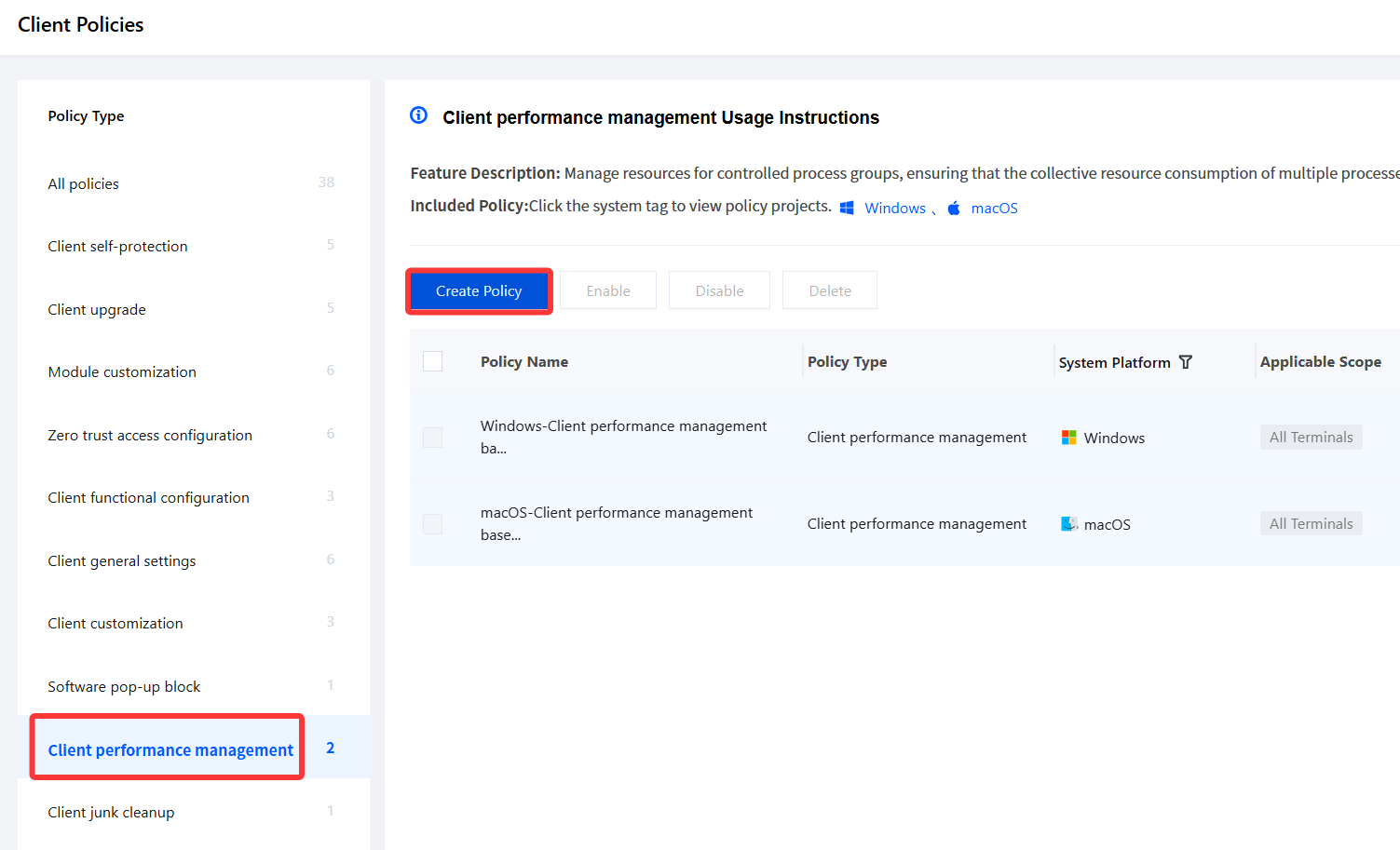
3. On the Create Client Performance Management Policy page, configure the relevant parameters.
3.1 Enter parameters such as the policy name and policy description.
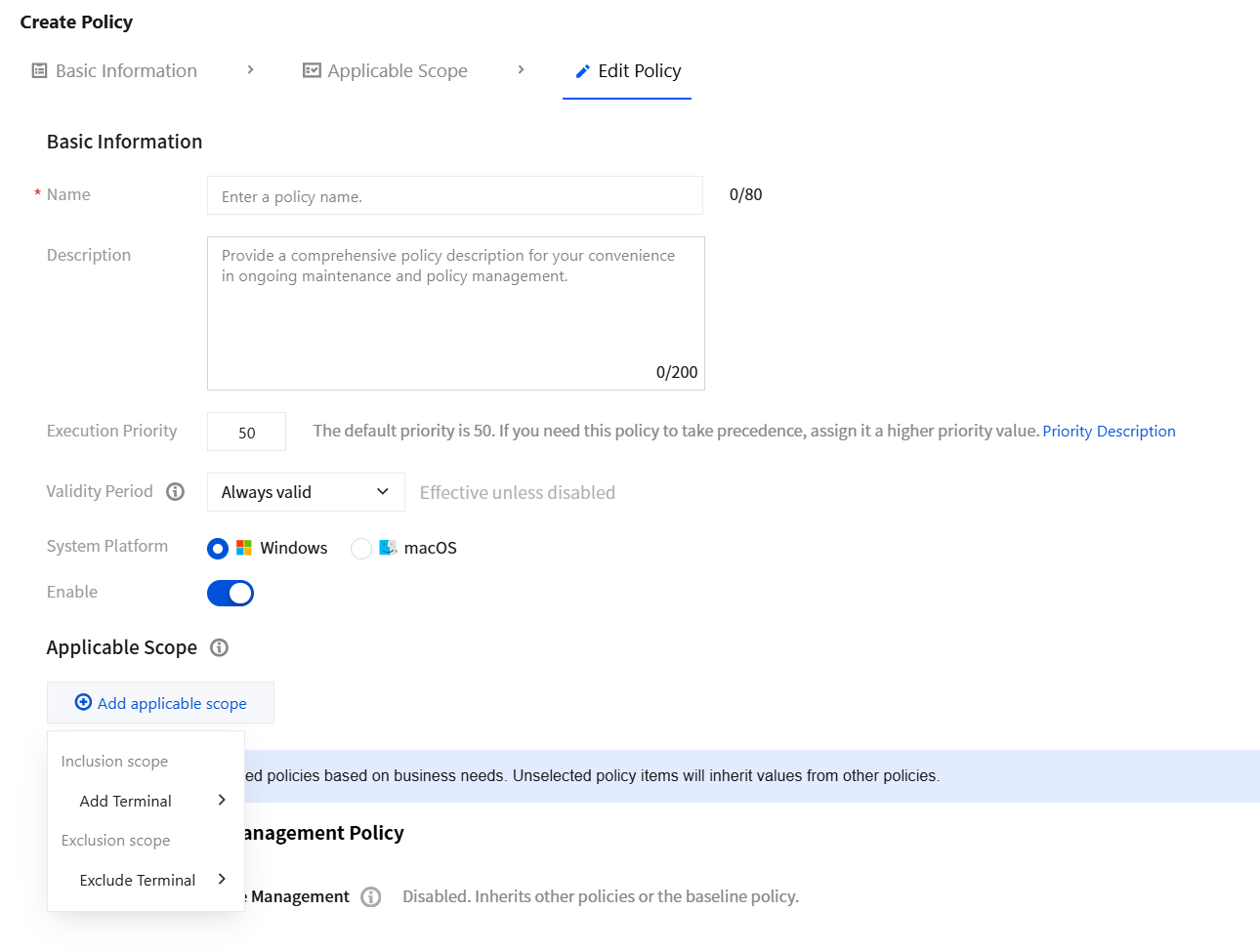
3.2 Click Add applicable scope, select the terminal names to be managed/excluded, and click OK.
3.3 Select Client Performance Management and configure the overall client performance control parameters.
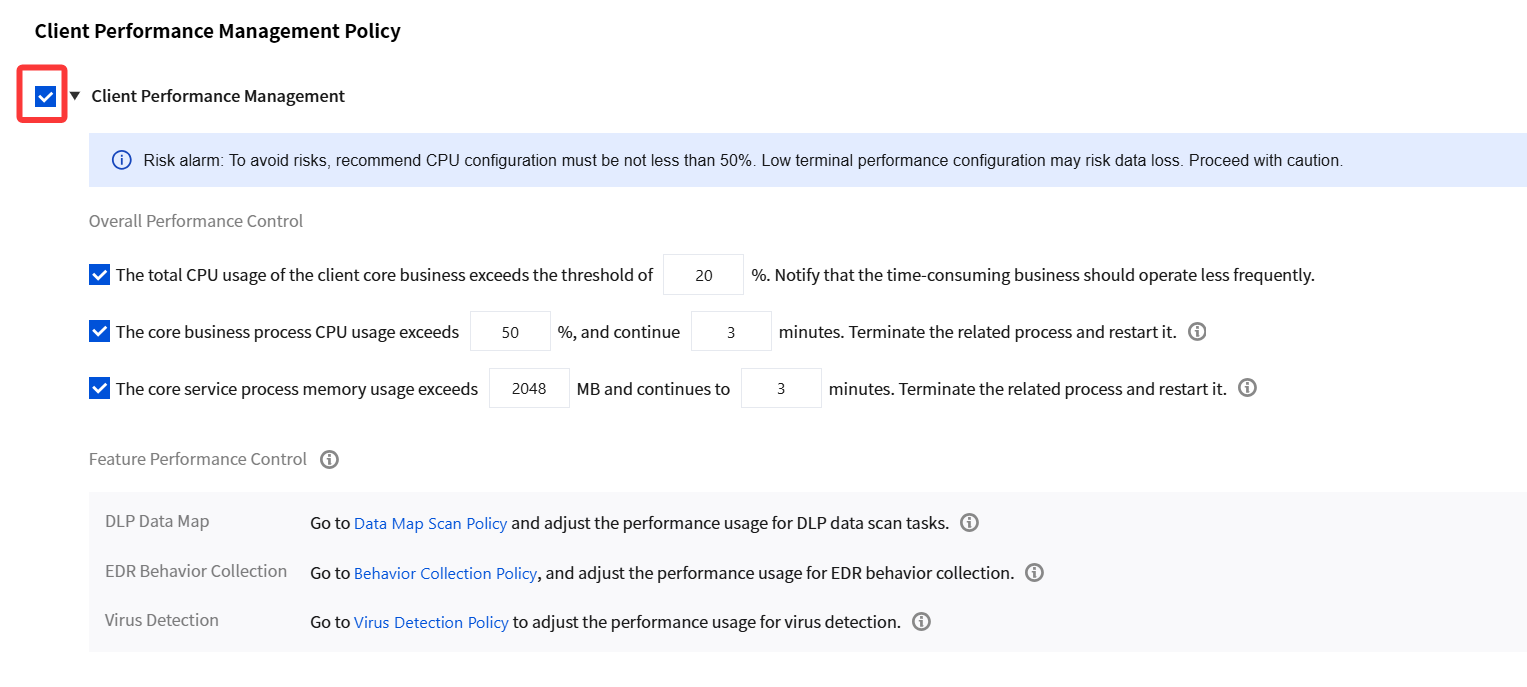
Parameter Name | Description |
If the overall CPU usage of core client services exceeds XX%, notify time-consuming services to run at a reduced frequency. | This configuration monitors overall CPU usage to prevent system performance degradation caused by core services occupying excessive resources. |
If CPU usage of core service processes exceeds XX% and persists for XX minutes, terminate the related processes and restart them. | This configuration is primarily used to limit the CPU usage of core service processes, preventing sustained high CPU usage from affecting terminal performance. |
If memory usage of core service processes exceeds XXMB and persists for XX minutes, terminate the related processes and restart them. | This configuration is primarily used to limit the memory usage of core service processes, preventing excessive memory usage from affecting terminal performance. |
4. After the configuration is completed, click Save.
Bantuan dan Dukungan
Apakah halaman ini membantu?
Anda juga dapat Menghubungi Penjualan atau Mengirimkan Tiket untuk meminta bantuan.
masukan