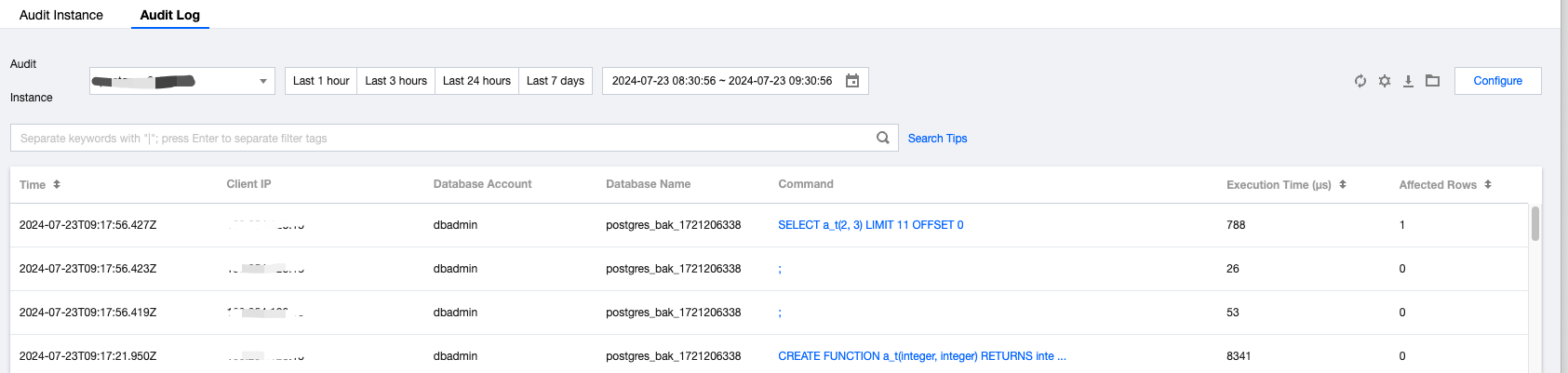
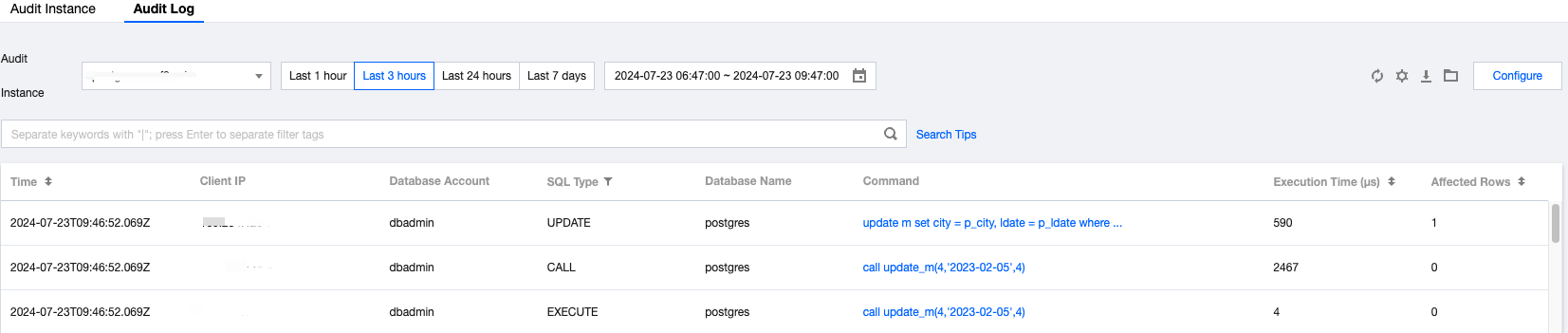
TencentDB for PostgreSQL supports two audit types: Ultrafast audit and Refined audit. The details are as follows:
1. Ultrafast audit, has the minimal impact on performance, and the same effect as the native community PostgreSQL with log_statement=all enabled. In addition, it also records the affected rows and execution time.
2. Refined audit enables full audit using the pgaudit plugin. The audit logs are more detailed, covering SQL types and object names. However, compared to the Express Edition, it has a higher learning curve, so it is suitable for developers with specific needs.
Note:
For a single SQL entry, if there are subqueries or function calls, the Audit Detailed Edition generates multiple logs, each containing information about the objects being called. To avoid multiple printing of the same statement, from the second printing onwards, the statement is shown as previously logged, with the SQL type as ???.
Below are the comparison of the logs generated by Ultrafast audit and Refined audit in several different scenarios.
Function Call
The specific SQL statements are as follows:
CREATE FUNCTION a_t(integer, integer) RETURNS integer
AS 'select $1 + $2;'
LANGUAGE SQL;
select a_t(2,3);
The Refined audit log is shown in the following figure:
The Ultrafast audit log is shown in the following figure:
Table Association
The specific SQL statements are as follows:
create table a(id integer,name varchar);
create table b(id integer,age int);
insert into a(id,name)values(1,'anne'),(2,'bob');
insert into b(id,age)values(2,30);
select a.id,name,age from a,b where a.id=b.id;
The Refined audit log is shown in the following figure:
The Ultrafast audit log is shown in the following figure:
Subquery
The Refined audit log is shown in the following figure:
The Ultrafast audit log is shown in the following figure:
Storage Procedure
The definition and invocation of the storage procedure are as follows:
CREATE OR REPLACE PROCEDURE update_m(
p_city in integer,
p_ldate in date,
p_id in integer)
AS $$
BEGIN
update m
set city = p_city,
ldate = p_ldate
where city = p_id;
END; $$
LANGUAGE plpgsql;
call update_m(4,'2023-02-05',4);
The Refined audit log is shown in the following figure:
The Ultrafast audit log is shown in the following figure:
Log Description
1. The Ultrafast audit and Refined audit use the same SQL statement type as that of the SQL statements generated with log_statement = 'all' enabled. That is, all SQL statements based on the simple query and execute protocols are logged. For any extended query protocol (extended query), statements that fail before the execution stage (i.e., during parse, analysis, or planning) will not be logged.
2. In the Ultrafast audit and Refined audit, the default SQL statement length is 8,192 bytes. Statements exceeding this limit will be truncated, and the object type, object name, execution time, and affected rows of such SQL statements will also be unable to be displayed. To custom the statement length, please modify the tencentdb_audit_message_truncate_length parameter in the console. When an SQL statement is truncated, if the statement is a slow SQL statement or a SQL statement that fails to be executed, you can go to TencentDB for PostgreSQL console's Performance Optimization> Slow Query Analysis or Error Log to check its details.
3. Instances of TencentDB for PostgreSQL of the current major version 11 do not support the statistics of affected rows.
4. Due to differences in the timing systems used by audit and slow query, there may be millisecond-level differences in the recorded SQL execution times.