Software Inventory
Unduh
Mode fokus
Ukuran font
1. Log in to the Tencent iOA Zero Trust Security Management System console and choose Software Management > Software List > Software List in the left sidebar.
2. The Software Inventory page allows you to view the installation status of all software across the company and filter software by the following types:
Risk: Potential pirated installations detected.
None found: No pirated installations detected.
Not enabled: Pirated software detection is not enabled. Go to Software Management > Pirated Software Detection to enable the detection feature.
Not supported: Pirated software detection is not yet supported.
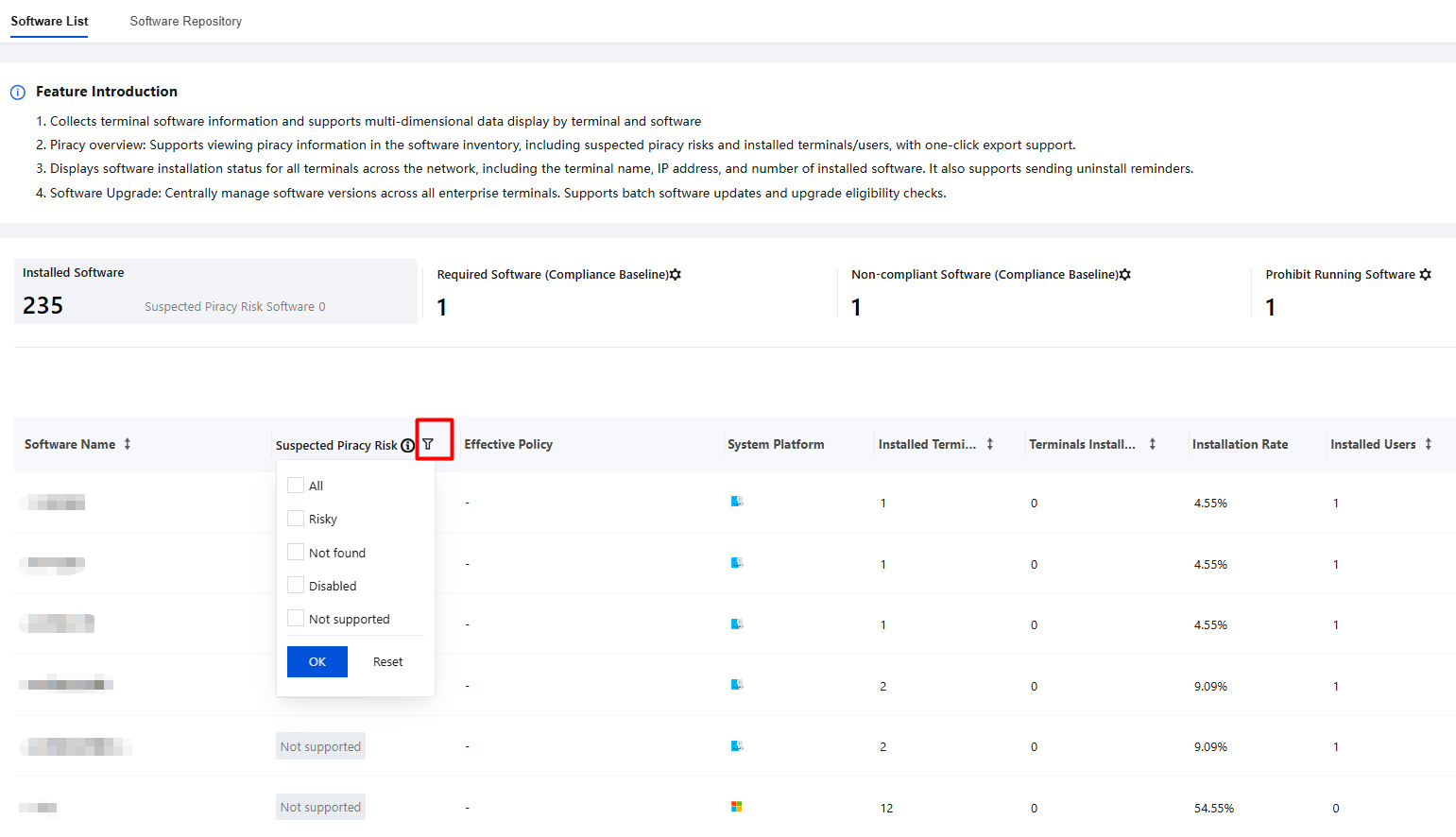
3. It supports the collection of AI Agents such as OpenClaw and displays information including software name, version, terminal details, and associated group.
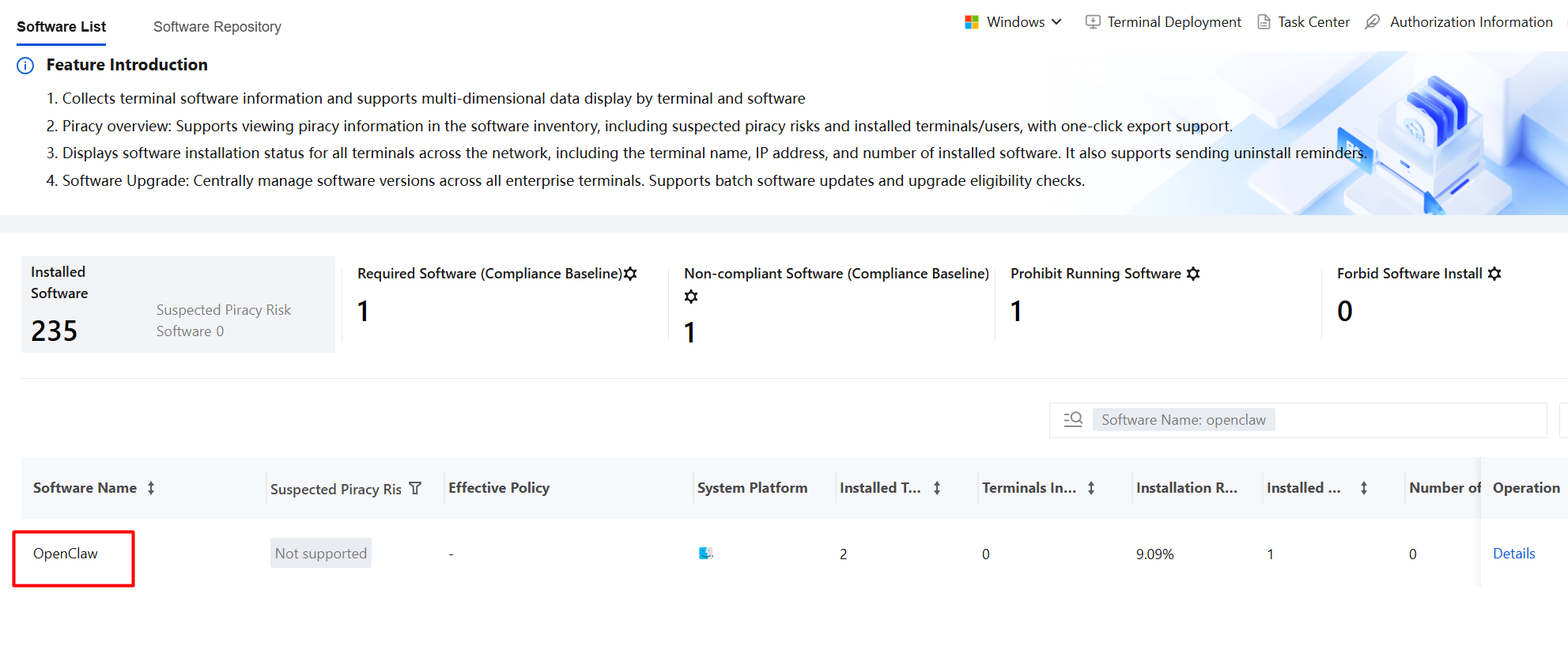
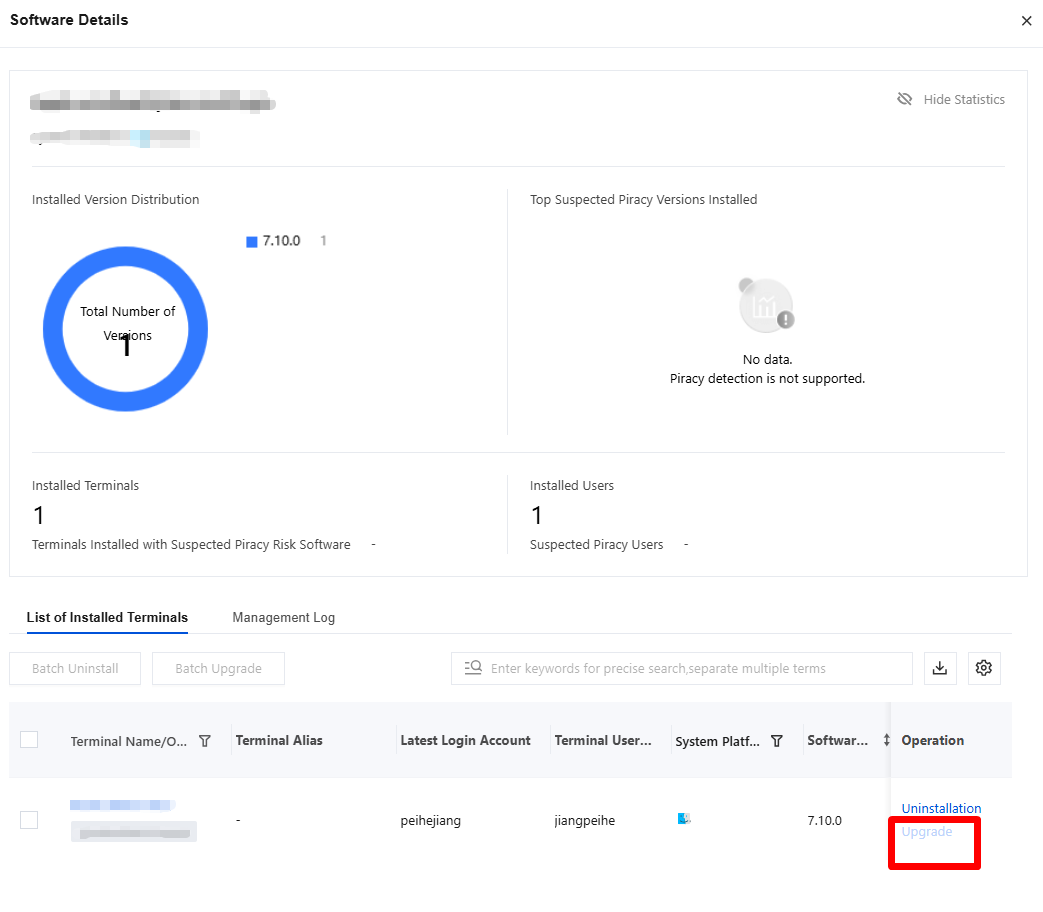
4. On the Software Inventory page, click Details to view software details. You can uninstall specific software from a specified terminal.
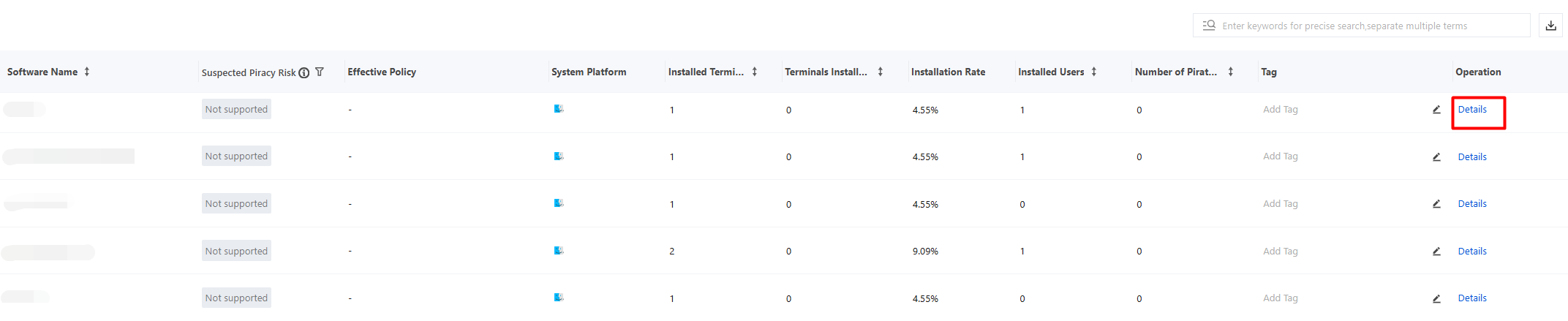
5. iOA can identify and uninstall AI agents such as OpenClaw and Qclaw. If the AI agent itself supports silent uninstallation commands, iOA can silently uninstall it based on the settings configured by enterprise users.
6. On the software details page, click Uninstall:
Reminder to uninstall: If you select Reminder to uninstall, a software uninstall reminder is sent to the user's terminal.
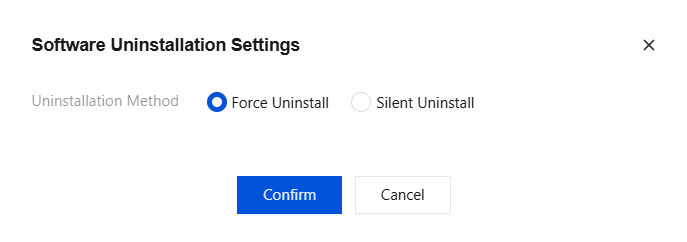
Enter the silent uninstallation command: For Silent command, enter /s, /S, or -s as supported by the software. To find the supported command, check the QuietUninstallString value in the registry (HKEY_LOCAL_MACHINE|SOFTWARE\\WOW6432Node|Microsoft\\Windows\\CurrentVersion|Uninstall). If a parameter is present, silent uninstallation is supported.
Note:
The silent uninstallation feature requires that the software to be uninstalled supports silent uninstallation itself.
7. On the Software Details page, some software supports version upgrades. You can deliver upgrade tasks to individual or batch terminals, and version information is updated in real time.
If the software supports upgrade through Ops, the Upgrade button is displayed in blue.
If the software does not support upgrade through Ops, the Upgrade button is unavailable.
Bantuan dan Dukungan
Apakah halaman ini membantu?
Anda juga dapat Menghubungi Penjualan atau Mengirimkan Tiket untuk meminta bantuan.
masukan