Software Repository
Unduh
Mode fokus
Ukuran font
Publish commonly used enterprise software to the software repository, allowing employees to download it themselves from the client-side software repository, thereby achieving efficient software management and convenient usage.
Note:
Before publishing software to the repository, configure storage space first. For details, see Storage Space.
1. Log in to the Tencent iOA Zero Trust Security Management System console and choose Software Management > Software List > in the left sidebar.
2. On the Software Repository page, click Add Software.
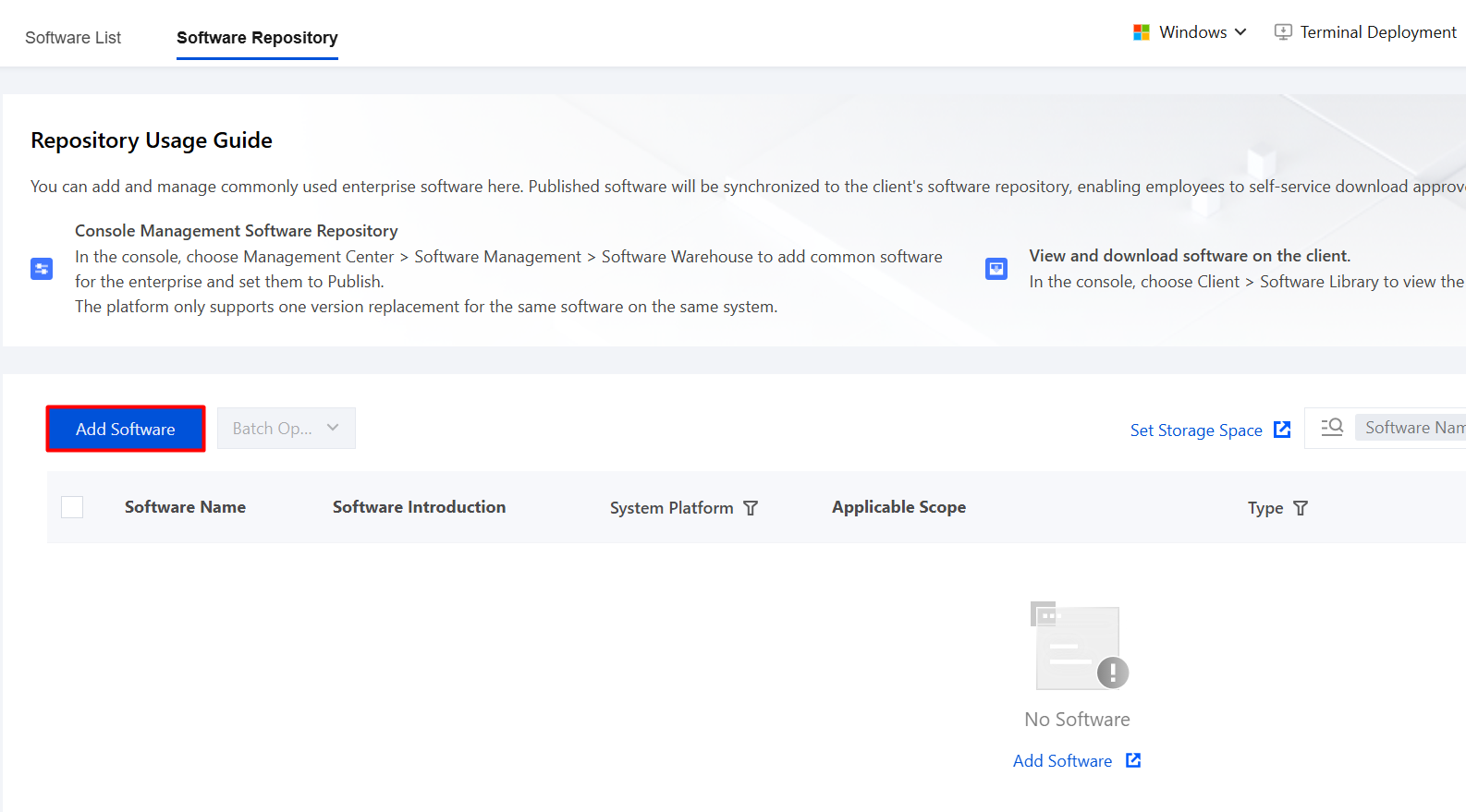
3. On the Add Software page, enter the basic software information.
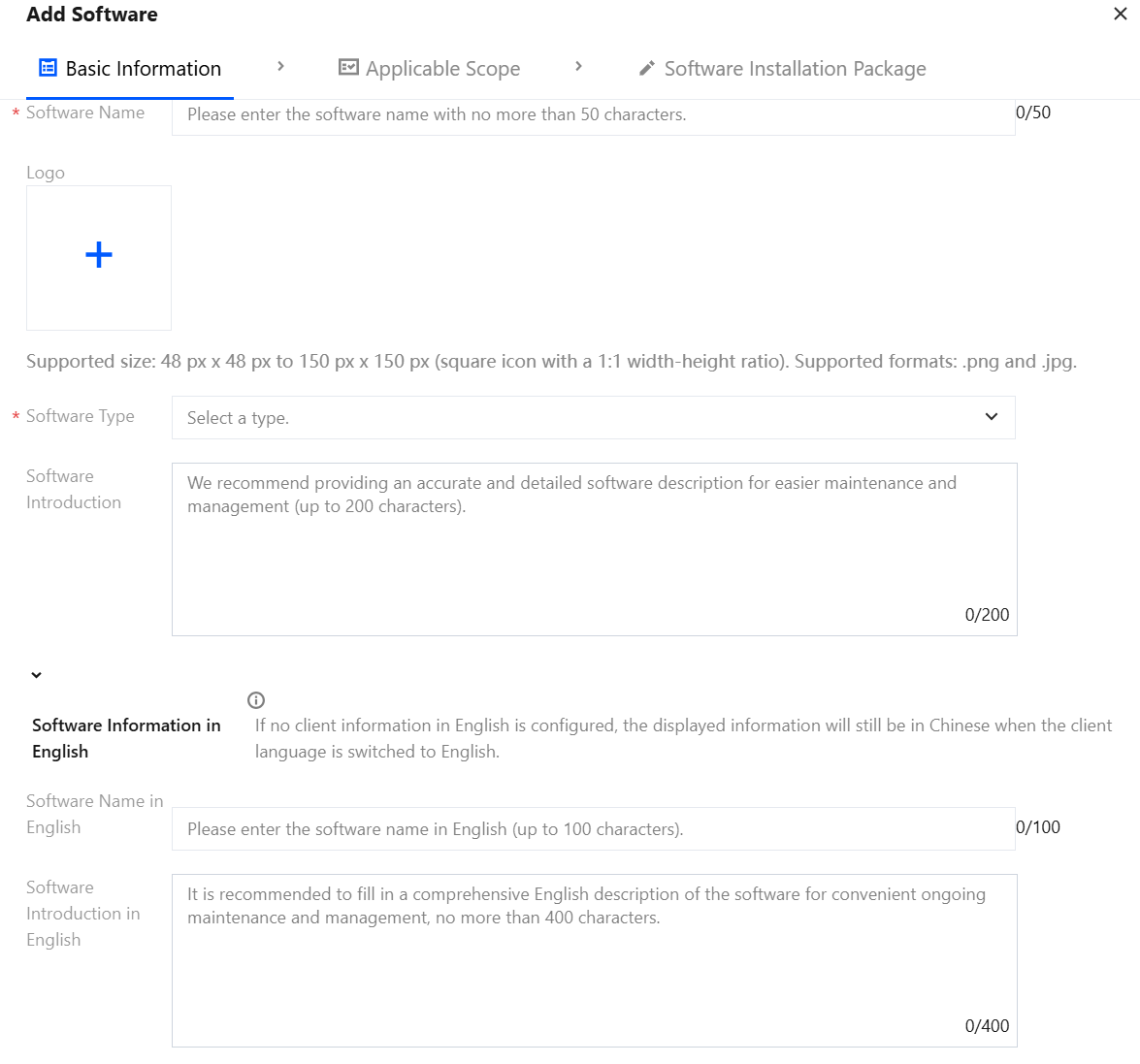
Parameter Name | Description |
Software | Customize the name of the software displayed in the client. |
Logo | Upload a square icon with a size from 48 pixels x 48 pixels to 150 pixels x 150 pixels. The image aspect ratio must be 1:1. Supported formats include png and jpg. |
Software type | Select a software type from the drop-down list (input method, browser, video player, casual game, desktop theme, mandatory software, and more). |
Software introduction | Customize the software introduction. |
Software information in English | If no English version of the software information is configured, the Chinese software information will still be displayed when the client language is set to English. |
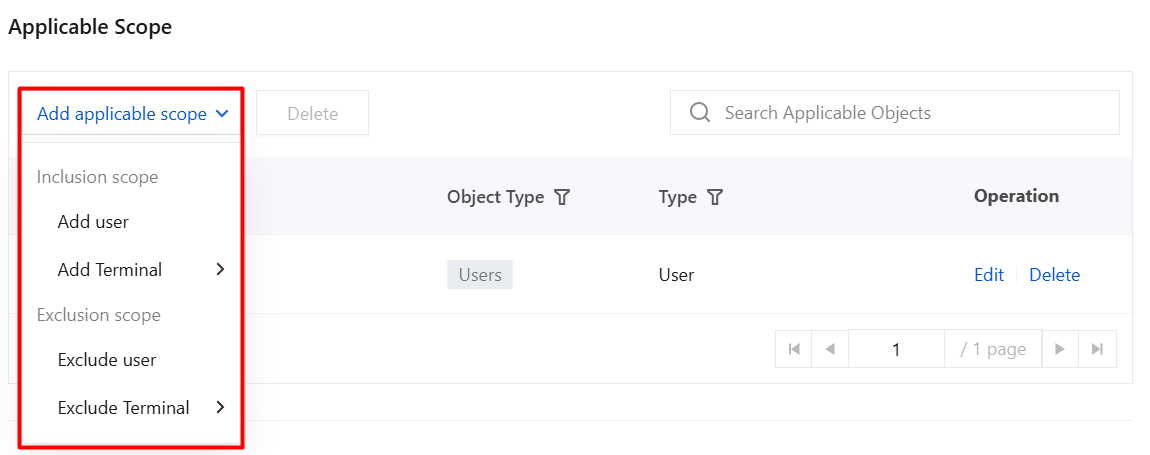
4. Click Add Applicable Scope, select the user/terminal names to be controlled/excluded, and click OK.
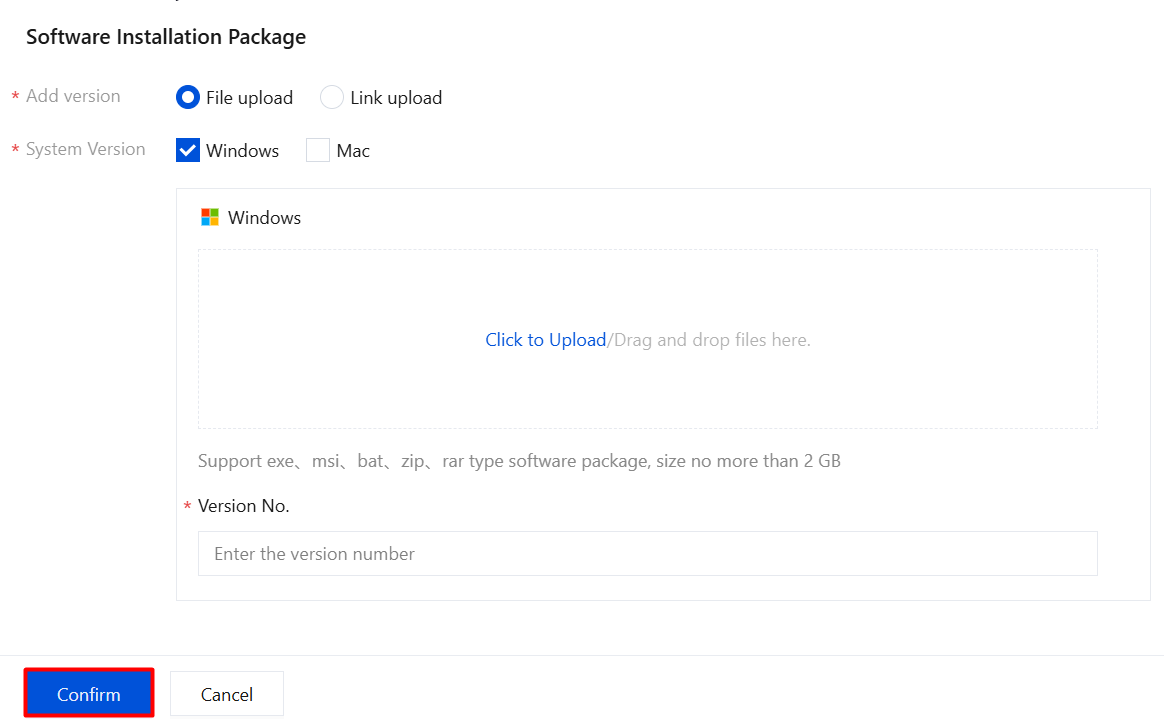
5. In the software installation package, select the version, system version, and version number, and click OK to save.
Parameter Name | Description |
Add Version | File upload: directly upload a local software package (formats such as exe, msi, zip, and rar are supported, with a maximum size of 2 GB). For software uploaded as an installation package, users can download it directly in the iOA client (Windows and macOS). Link upload: enter the download URL to submit the software package. |
System Version | Select the target operating system: Windows or macOS, and ensure that the uploaded installation package is compatible with the selected system. |
Version NO. | Enter the software version number (for example, 1.0.0) to distinguish and manage installation packages of different versions. |
6. Software is not automatically published by default. You need to manually enable "Publish Status". This is especially important when multiple versions exist. On the Software Repository page, click Details.

7. In the version list, select the target software package and enable the publish status.
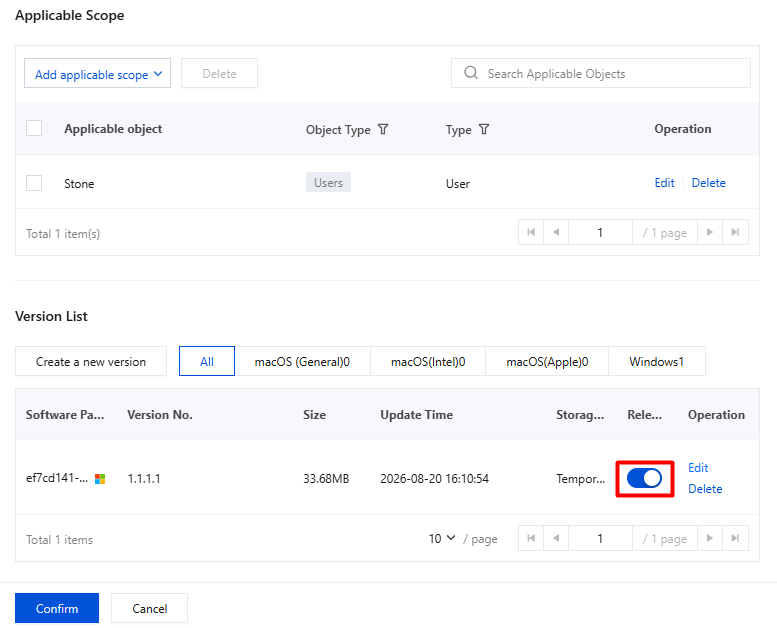
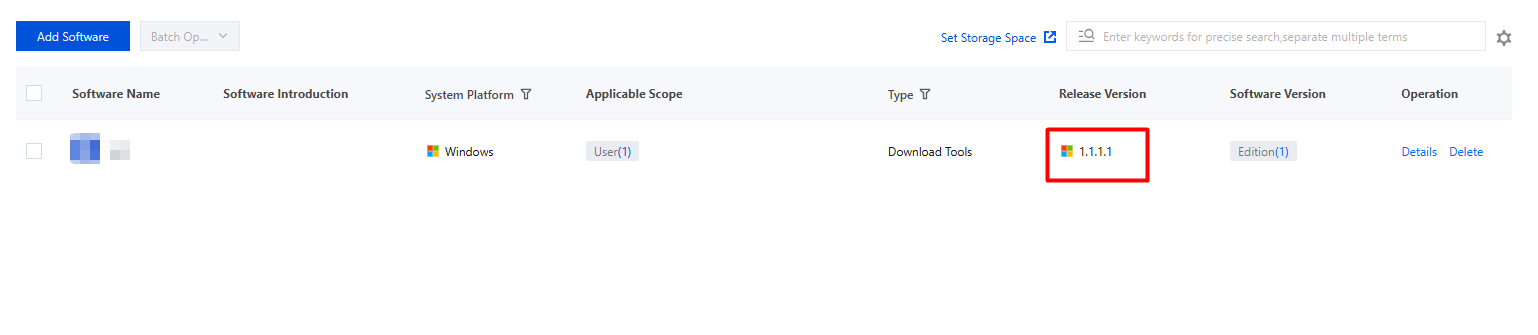
8. After the publish status is enabled, the Software Repository page displays software version information. If the publish status is not enabled, the software version information is not displayed.
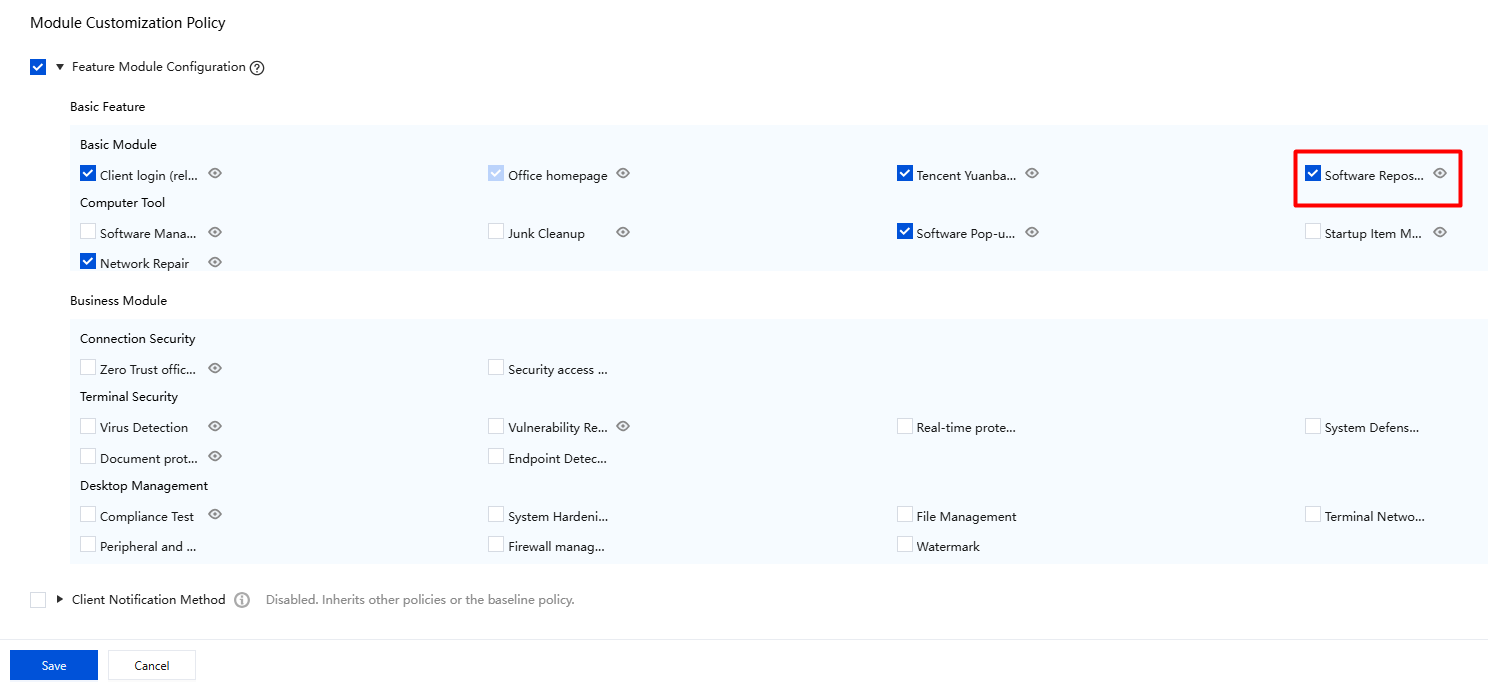
9. After the software repository is configured, go to General Management Policy > Client Policies > and , then select Software Repository. After it is selected, the software repository will be displayed in the client feature modules. If it is not selected, the client cannot view this module.
10. When an employee logs in to the iOA client, the software module is displayed. The employee can click Software to view the software information published by the administrator.
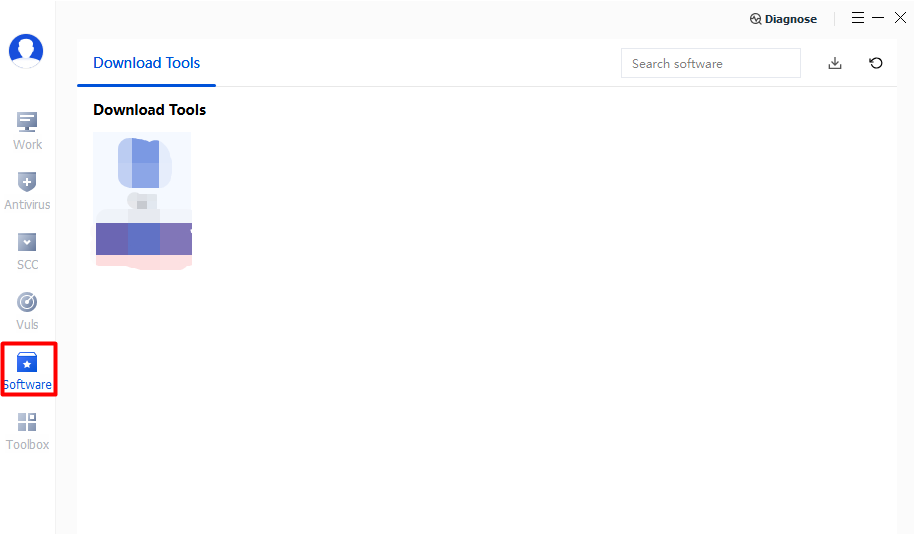
11. Click Software Name to view the software introduction, and click Download to download the software to the terminal.
Note:
You can modify the software download path.
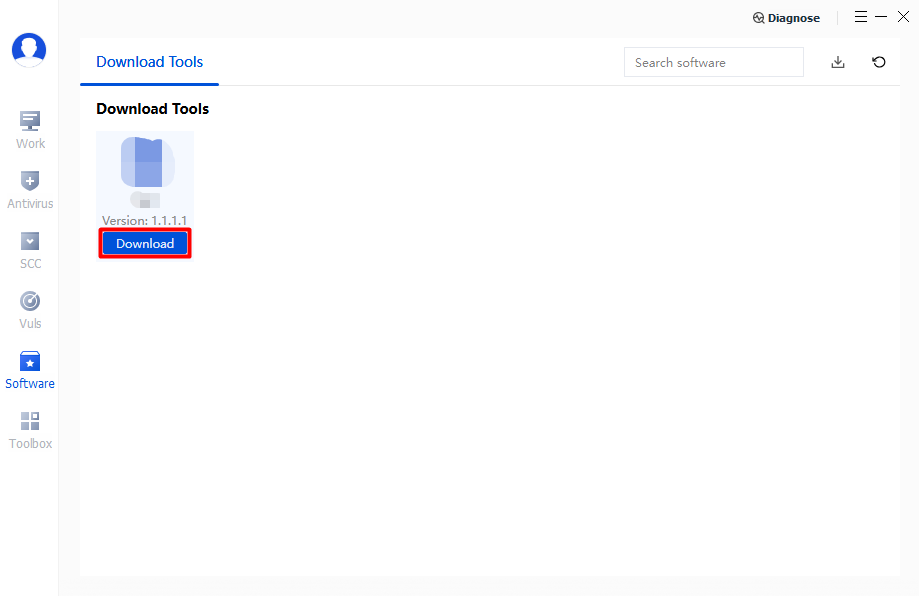
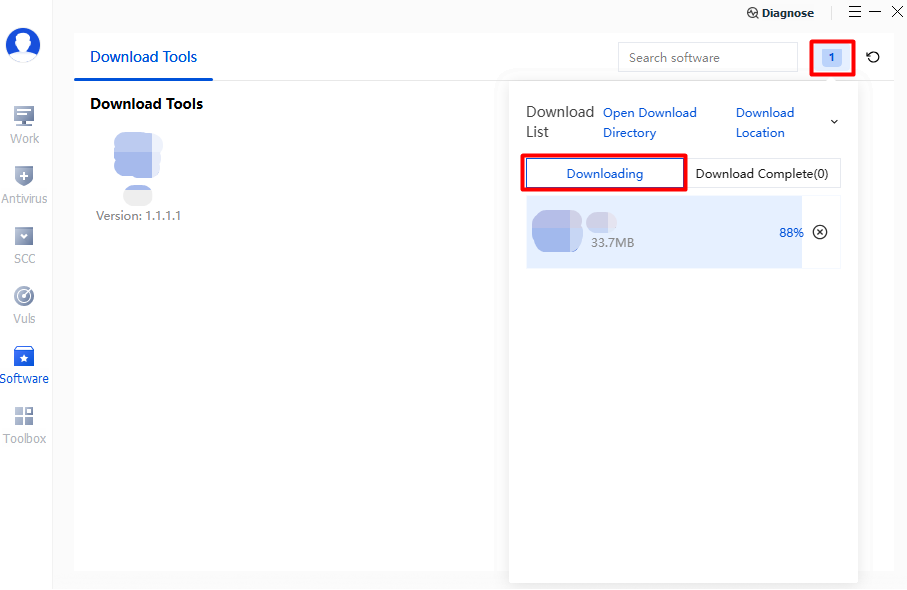
12. The client supports real-time viewing of download progress. After the download is complete, it automatically notifies the user and starts the iOA installation, making the software easy to use.
Bantuan dan Dukungan
Apakah halaman ini membantu?
Anda juga dapat Menghubungi Penjualan atau Mengirimkan Tiket untuk meminta bantuan.
masukan