Supports unified distribution of software, files, scripts, wallpapers, desktop announcements, and client patches (Windows supported) to a specified terminal range.
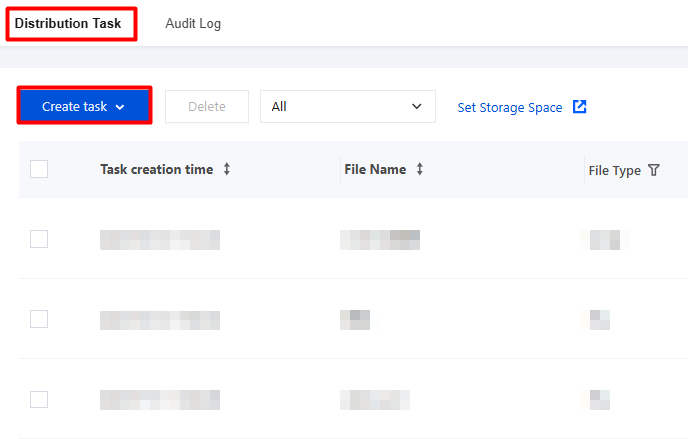
2. On the Distribution Tasks page, click Create task.
Configuration Item
Capability Description
File distribution
Supports file upload from a local device (file size not exceeding 500 MB), and allows editing of file names, remarks, and other information.
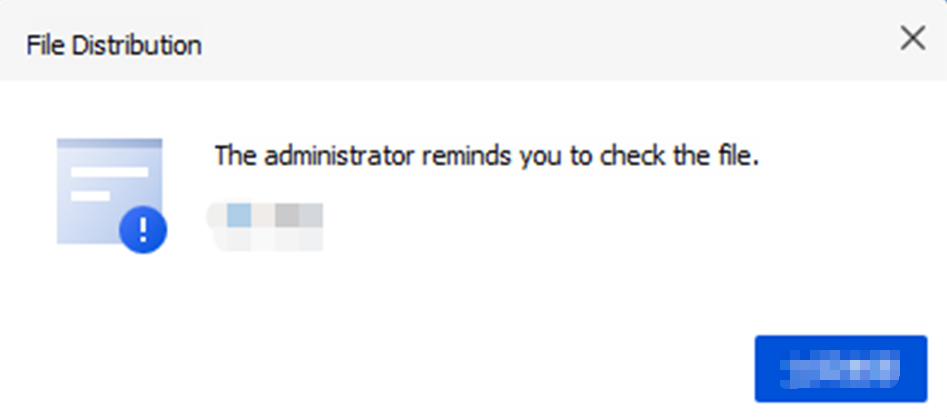
Example of a client pop-up style for file distribution:
The path for viewing files delivered to the terminal (a temporary path, which can also be configured as the desktop path):
Windows: C:\\Users\\Administrator\\AppData\\Local\\Temp (Administrator is the system account. Check the path based on the actual system account on the terminal).
Feature: Supports selecting and uploading scripts from a local device, and allows editing of script names, remarks, and runtime parameters.
Supports bat, cmd, vbs, js, and exe scripts.
User permission: Executes scripts or applications with the permission of the user logged in to the terminal.
System permission: Executes scripts or applications under system permission (session0).
After the platform distributes a script, the client downloads and executes it. The execution result depends on the terminal environment and the script content.
Notes on script execution:
PowerShell scripts can run only on Windows 7 or later.
macOS supports .sh files and executable files.
Script writing suggestions.
A script name cannot contain spaces, special characters (except _), or any non-English characters. For example, a valid script name is "update_database_2023.sh".
For macOS scripts that involve file saving, it is recommended to save files to the /tmp directory using full paths. The pwd: directory is an internal directory of the iOA package. Do not use "./".
When writing macOS scripts, pay attention to the distinction between chips and runtime architectures. arch: The default parameter of arch is "x86_64". To distinguish Apple silicon, specify the runtime mode in the command line, for example: arch -arm64 sudo installer -pkg /tmp/xxx.pkg -target /.
The path for viewing scripts delivered to the terminal:
Windows: C:\\Users\\Administrator\\AppData\\Local\\Temp (Administrator is the system account. Check the path based on the actual system account on the terminal).
Supports uploading software from a local device and configuring the software name, remarks, and runtime parameters.
The path for viewing software delivered to the terminal:
Windows: C:\\Users\\Administrator\\AppData\\Local\\Temp (Administrator is the system account. Check the path based on the actual system account on the terminal).
You can select a file from the local device to upload, edit the wallpaper name and remarks, and choose the wallpaper fit. Recommended resolution for standard screens: 1280*1024. Recommended resolution for widescreens: 1440*900.
After you click OK, the computer wallpaper is changed to the distributed wallpaper.
The path for viewing wallpapers delivered to the terminal:
Patch packages are officially provided by the vendor to fix client bugs.
Supported patch types include: dat. The latest patch package is always compatible with all previously released patch package content.
Desktop announcement distribution
It supports delivering persistent announcements and pop-up announcements, making it easier for employees to learn about the announcement content during the delivery period.
Persistent announcement: The announcement popup will remain displayed in the upper right corner of the terminal desktop during the posting period.
Pop-up announcement: It will be immediately delivered to the bottom-right corner of the user's desktop. Each device triggers it only once during the posting period, and users can confirm to close it.
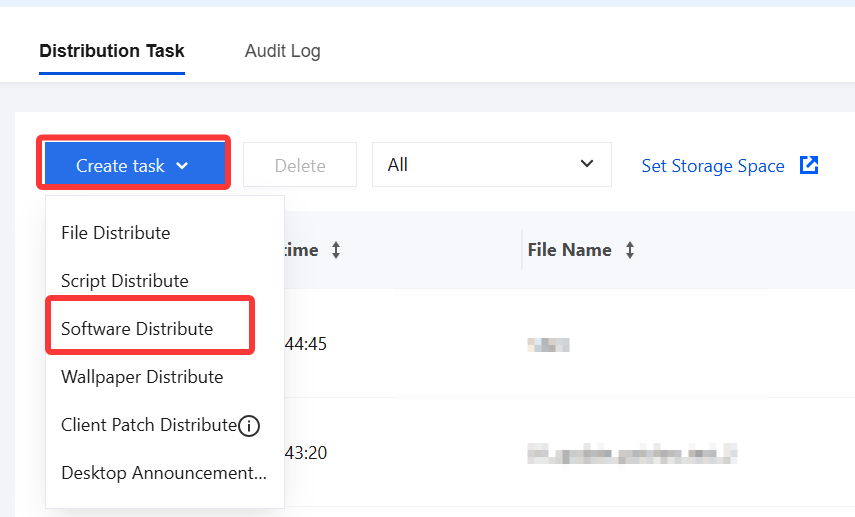
3. Example: Create a software distribution policy.
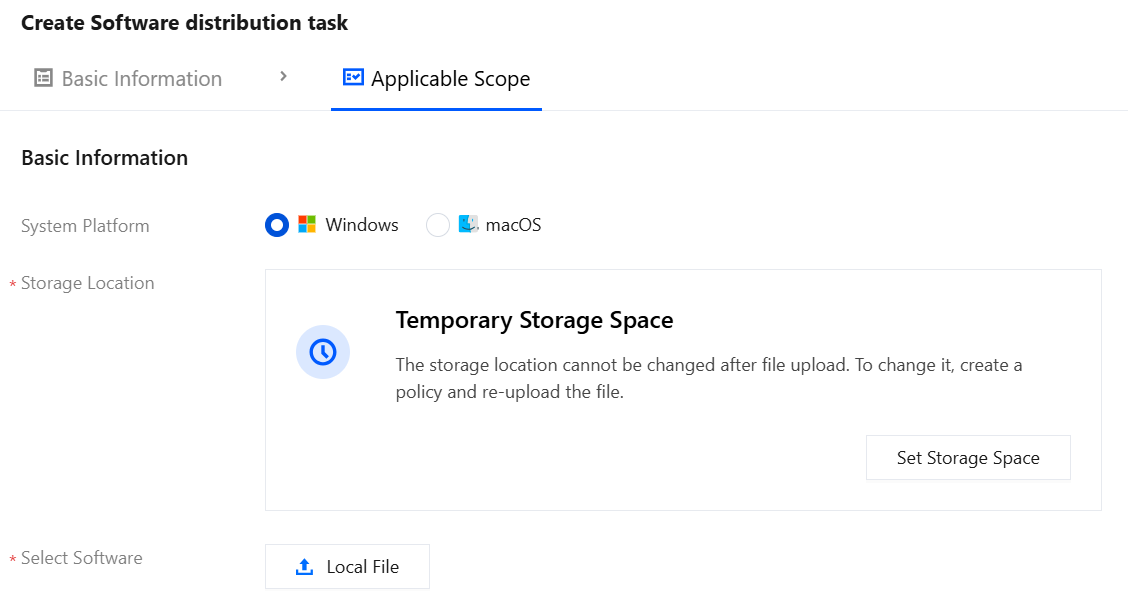
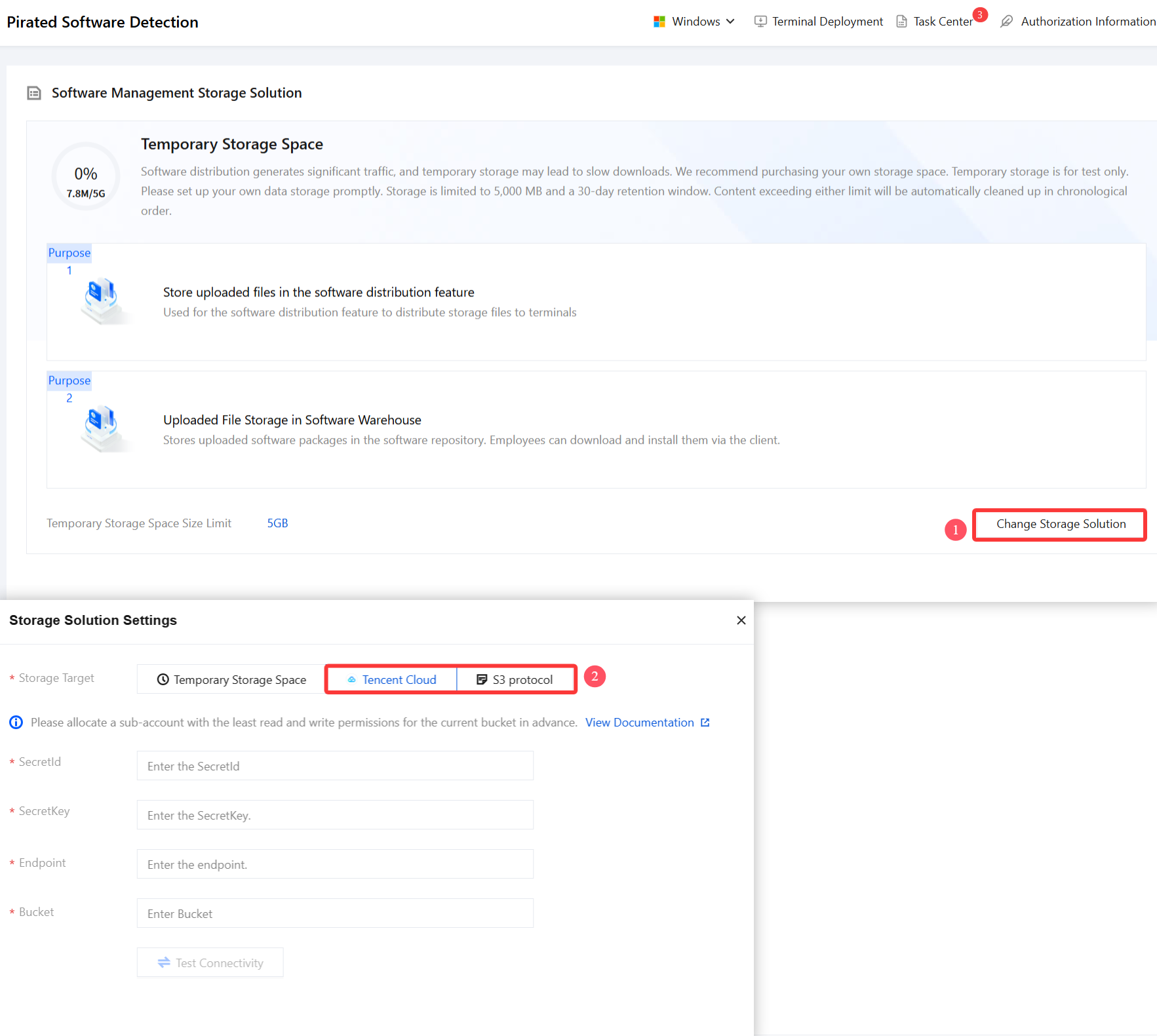
4. On the New Software Distribution Policy page, click Configure Storage Space.
5. On the storage space page, click Change Storage Plan and select Tencent Cloud or S3 Protocol as needed.
Attention:
Temporary storage space: This space is provided for testing only. Please switch to your own data storage space as soon as possible.
6. On the Create Software Distribution Policy page, configure the following basic information according to the parameters:
Parameter Name
Description
Select Software
Click the local file to upload the software installation package.
Software
User-defined.
Software Remarks
User-defined.
Running Parameter
Running parameters for silent installation of the software, /S or /silent or /quiet: These parameters are typically used to start silent installation mode. The software will be installed automatically without displaying any user interface.
DisplayName
Manually install the software on a test machine, open Control Panel > Programs and Features, find the target software name, which is the DisplayName.
Specific Registry Entry
Enter the registry that the software installation definitely writes to. You can refer to the following registry items, where XXX is the software name.