Before configuring a data access policy, ensure that user access permissions are correct. User access permissions are a form of static authorization. An access security policy dynamically assigns access permissions based on static authorization and whether the current access scenario meets the security requirements.
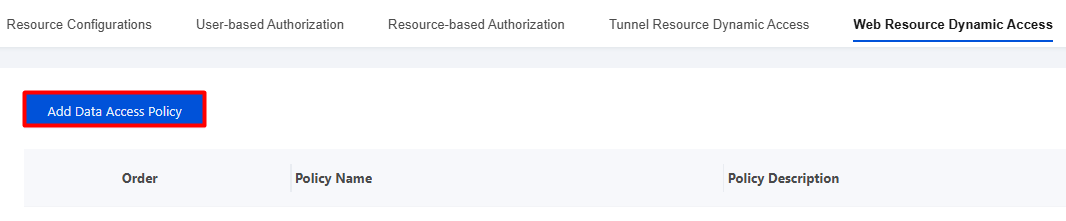
2. On the Dynamic Web Resource Access page, click Add Data Access Policy.
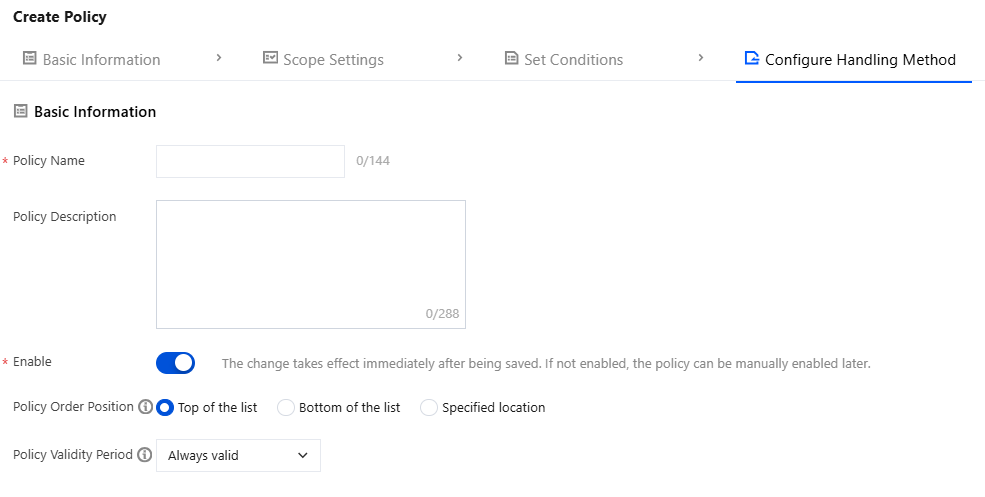
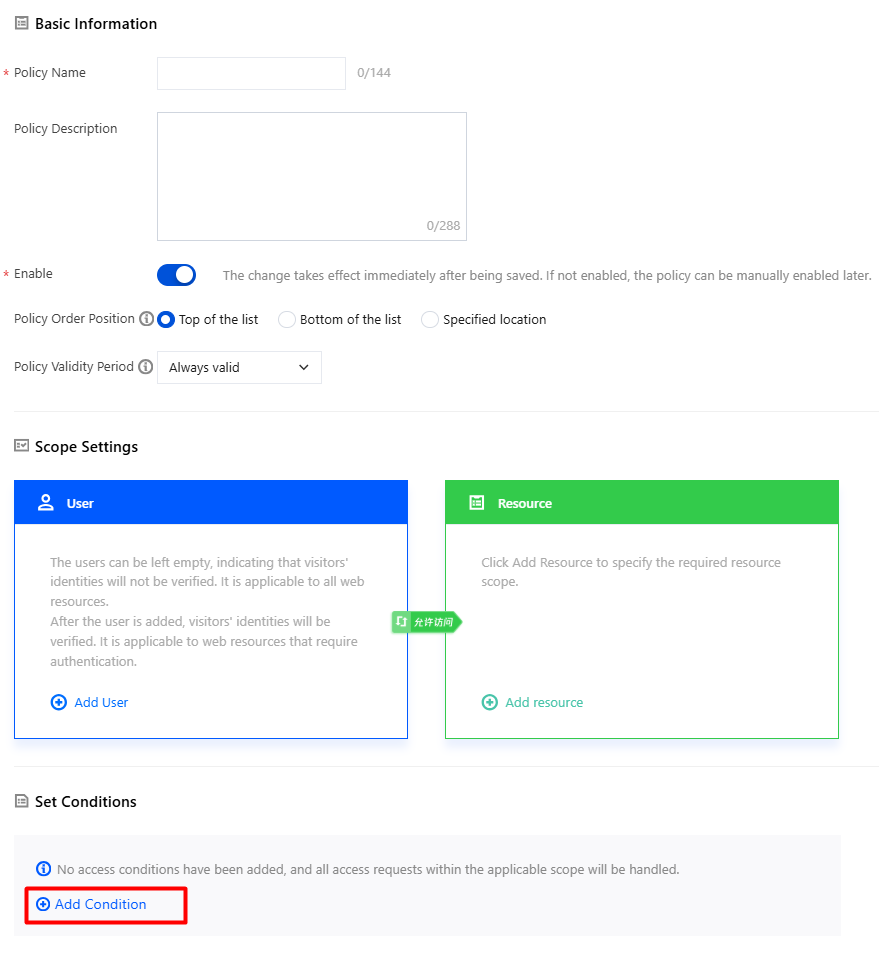
3. On the policy creation page, configure the relevant parameters.
3.1 Enter the policy name and parameters such as the policy description.
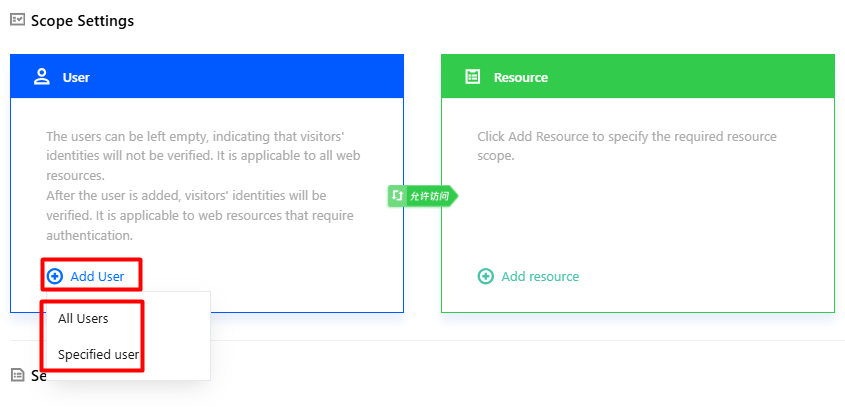
3.2 Click Add User, select the users/user groups to be controlled, and click OK.
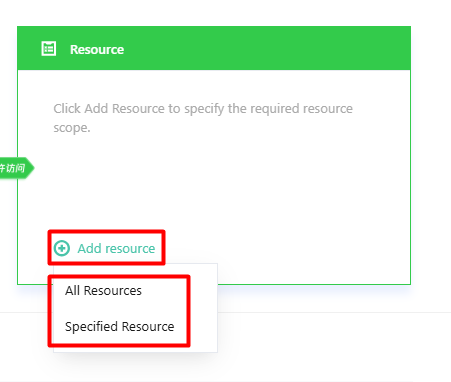
3.3 Click Add Resource, select the resources/resource groups to be controlled, and click OK.
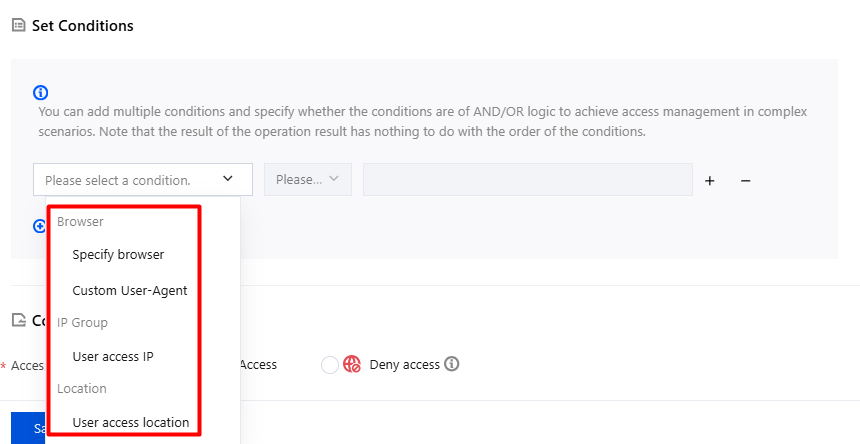
4. To set criteria: Click Add Condition.
4.1 Supports access from browsers, specified IP address groups, and geographic locations.
Parameter
Triggering Conditions
Description
Specified access browser
Contains any
Contains none
Select the specified browser as needed.
Custom User-Agent
Equal to
Not equal to
Regular expression match
Regular expression does not match
Enter a custom User-Agent as needed.
User Access IP Address
Contains any
Contains none
Select the IP address group for management.
Geographic Location of User Access
Contains any
Contains none
Select the geographical location for management.
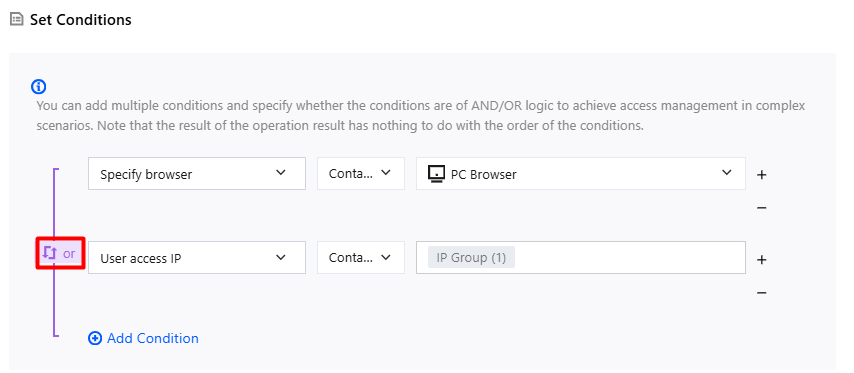
5. Click Toggle AND/OR to implement access control for complex scenarios through AND/OR operations between conditions.
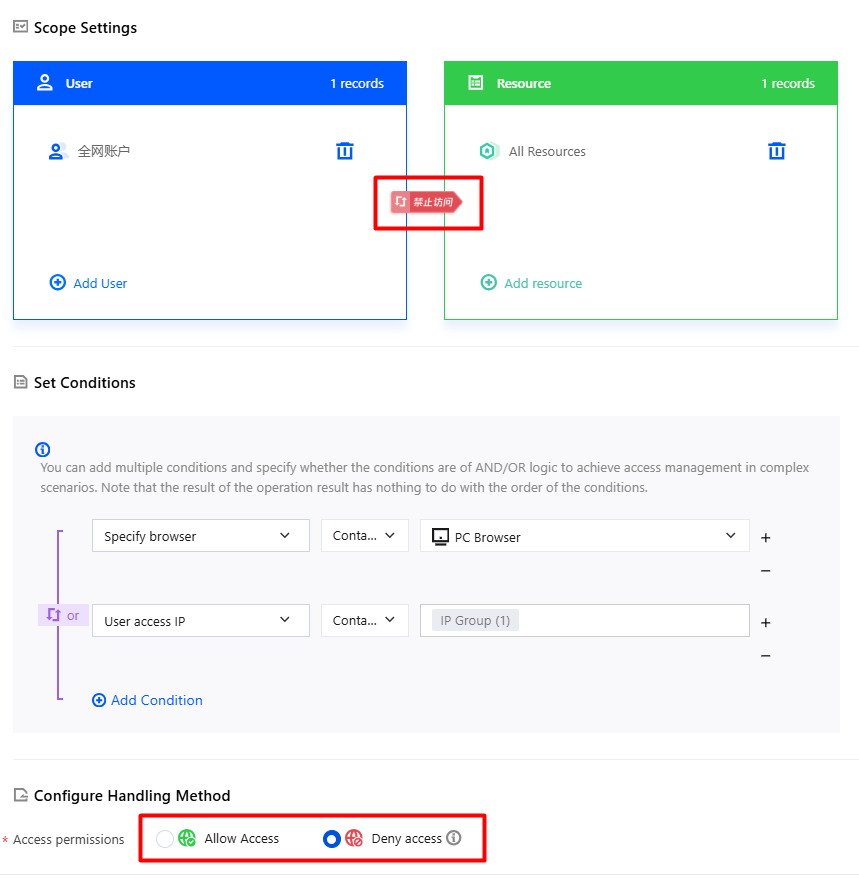
6. Configure handling:
Allow access: Users within the control scope are allowed to access specified business resources. When the access permission is set to Allow access, you can configure data security management.
Deny access: Directly block the user's current access activity. Use this handling method with caution. When the access permission is set to Deny access, the data security management feature is grayed out.
7. After the configuration is completed, click Save. The system automatically determines whether security requirements are met based on the static authorization and the current user access scenario, and dynamically grants the user resource access permissions.