Guest network access relies on the Portal protocol implemented on the network device side. Guest network access currently supports three access methods: employee credential-based access, employee QR code access, and SMS authentication access.
Prerequisites
A guest Wi-Fi network has been successfully created in the admin console. For details, see Configure Wireless Controller.
General Configuration for Guest Wi-Fi
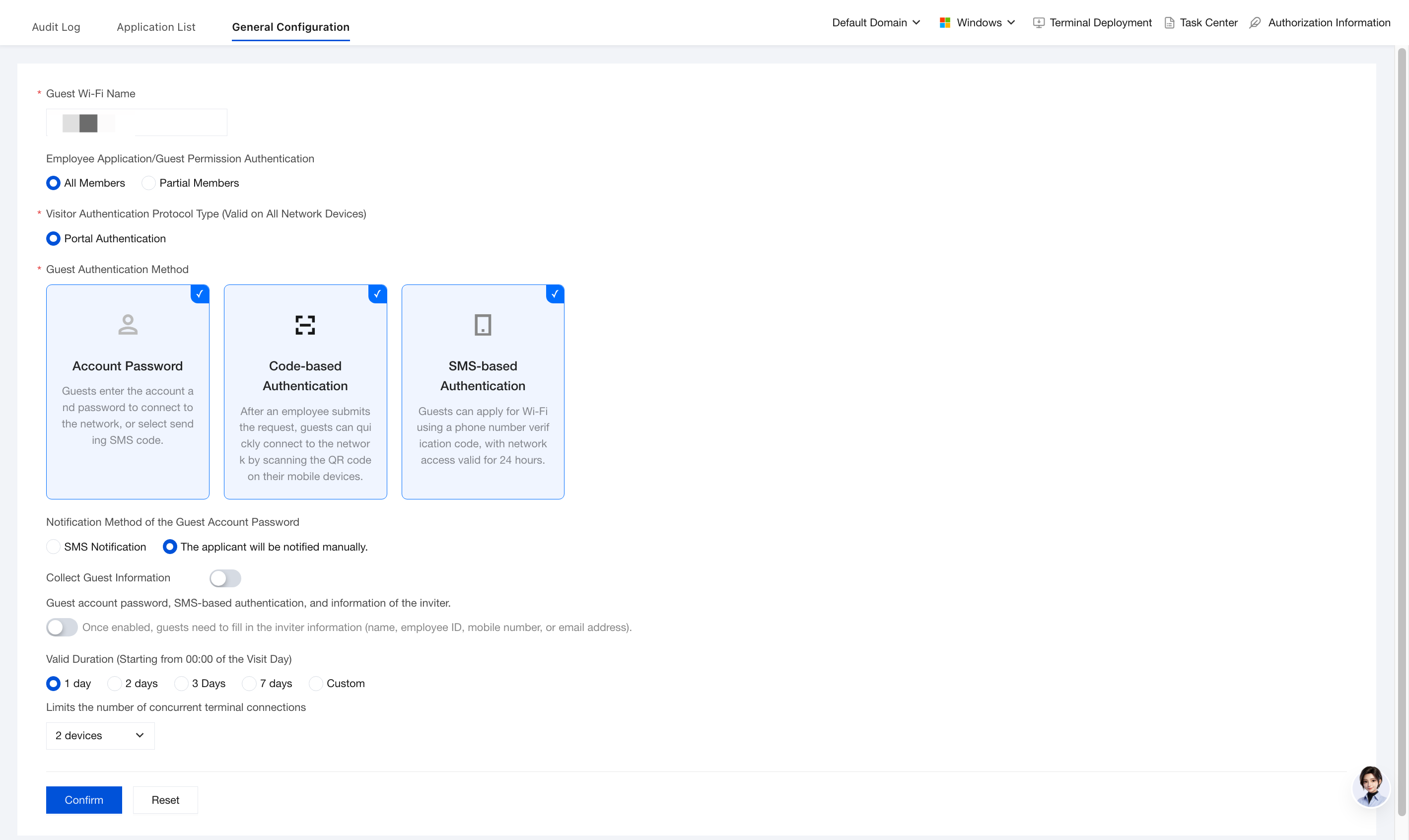
General configuration serves as the global policy center for the guest network access system, defining default parameters for all guest access behaviors: Wi-Fi name, authentication method, validity period, information collection, and terminal limits. It does not target individual guests. Instead, it sets unified standards for the entire organization's guest network, ensuring consistent experience, controllable security, and efficient management.
Control which internal employees are authorized to initiate guest network access requests or participate in the authentication process.
All members: All employees can apply for guest accounts (suitable for open organizations).
Selected members: Only specified departments/roles can apply (such as Administration, HR, and Project Manager), reducing the risk of misuse.
Guest Authentication Protocol Type (Effective for All Routers)
Determines the underlying authentication technology stack and affects compatibility and security.
Portal authentication: Web pop-up login that supports multiple methods such as SMS/QR code scanning/username-password, with strong compatibility.
Guest Authentication Method
Provides three mainstream authentication paths, and administrators can use one or multiple paths in combination.
Account and password: Guests manually enter their account + password to log in, and the system can optionally send an SMS notification.
QR code authentication: After an employee submits an application, a QR code is generated. Guests can scan it with their phones to connect to the network with one tap.
SMS self-service authentication: Guests receive a verification code on their mobile phones and register a temporary account on their own. The account is valid for 24 hours and must be re-applied for upon expiration.
Guest Account Password Notification Method
Determines how to deliver login credentials to visitors.
SMS notification: The system automatically sends an SMS message to the guest's mobile number, including the account credentials or a link.
Applicant self-notification: The applying employee notifies the guest verbally/WeChat/email. This method is highly flexible but disperses responsibility.
Collect Visitor Information
Controls whether visitor basic information is mandatorily collected during application for audit and traceability purposes.
After this feature is enabled, you can select guest phone number, visit time, and visit reason. Multiple selections are supported.
After selection, when a guest connects to Wi-Fi, iOA collects the guest information and displays it on the application records page for guest network access.
Guest Account Password and SMS Self-Service Authentication with Inviter Information Verification
Anti-spoofing mechanism
After this feature is enabled, visitors are required to fill in the inviter information (any of name/employee ID/phone number/email) when applying, and the system will verify whether the employee exists and has the required permissions.
Validity Period
Calculated from 00:00 on the visit date
Set a default lifecycle for guest accounts. Accounts automatically expire upon timeout.
Calculation logic: The countdown starts at 00:00 on the visit date, not from the application time.
Example: If the application is submitted on 2025-01-30 and the visit date is 2025-02-01, the validity period starts at 00:00 on February 1.
Limit on Concurrent Terminal Connections
Controls the maximum number of devices allowed online per visitor account to prevent account sharing or malicious occupancy.
No restriction: The same account can log in on multiple devices simultaneously, which poses a security risk.
1–4 devices: Set a limit. For example, 1 device = one account per person, and 2 devices = tablet + phone.
Viewing Guest Wi-Fi Application Records
The application list is the core console for guest network access management, centrally displaying all guest access requests submitted by internal employees. Administrators can perform full lifecycle management here, including approval, status monitoring, account enabling/disabling, renewal, and deactivation, ensuring that guest access activities are controllable and traceable.
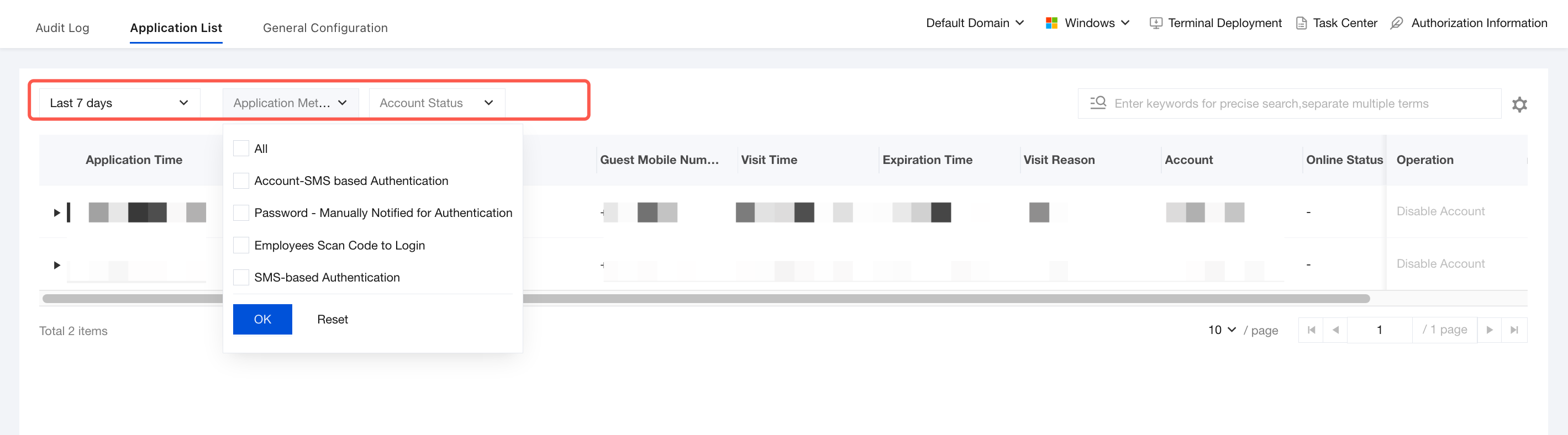
2. You can query by time range, including today, the last 7 days, the last 14 days, the last 30 days, or a custom range. For application method, you can query all methods, employee QR code authentication, SMS self-service authentication, and more. For account status, you can query all statuses, not effective, effective, or expired.
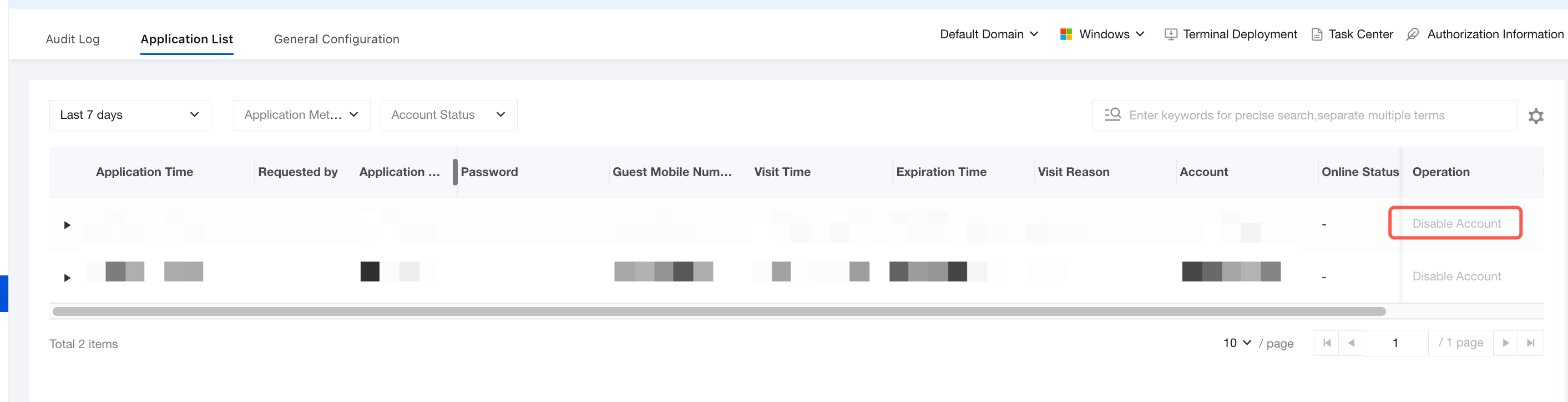
3. Click Disable Account. After secondary confirmation, the account is disabled immediately, and its service is interrupted even if it has not expired.
Viewing Audit Logs
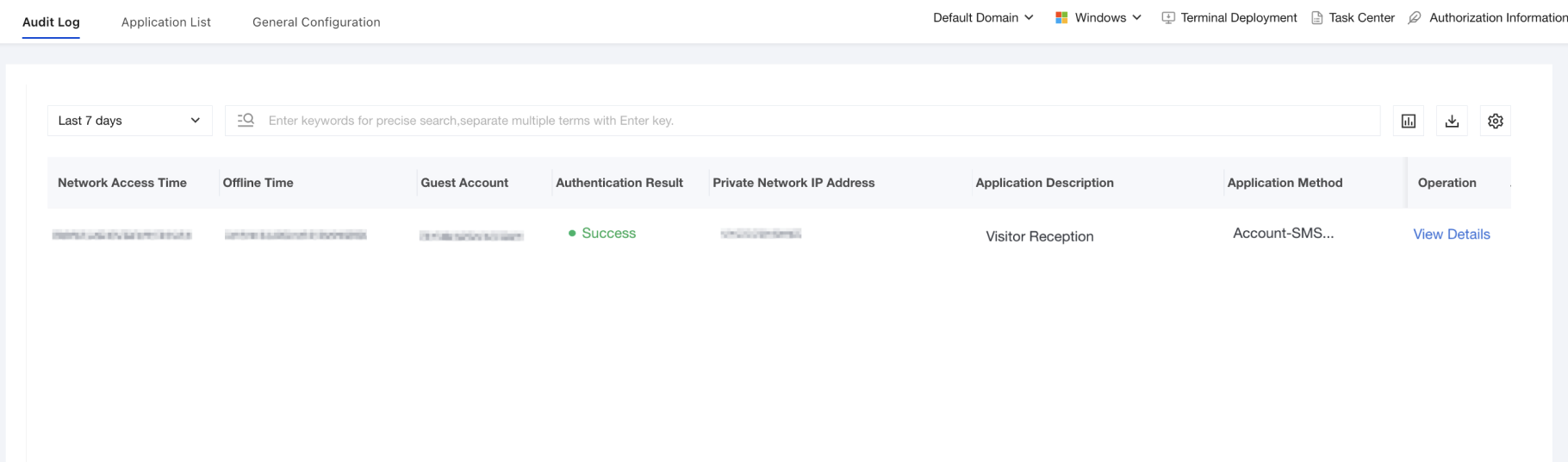
Audit logs serve as the comprehensive record and traceability center for guest network access activities. They are used to monitor, analyze, and trace key information such as access attempts (successful/failed), online duration, IP address assignment, and requesting employees for all guest terminals, meeting management needs such as fault troubleshooting and responsibility identification.
2. You can query by time range, including today, the last 7 days, the last 14 days, the last 30 days, or a custom range. You can also search by keyword.
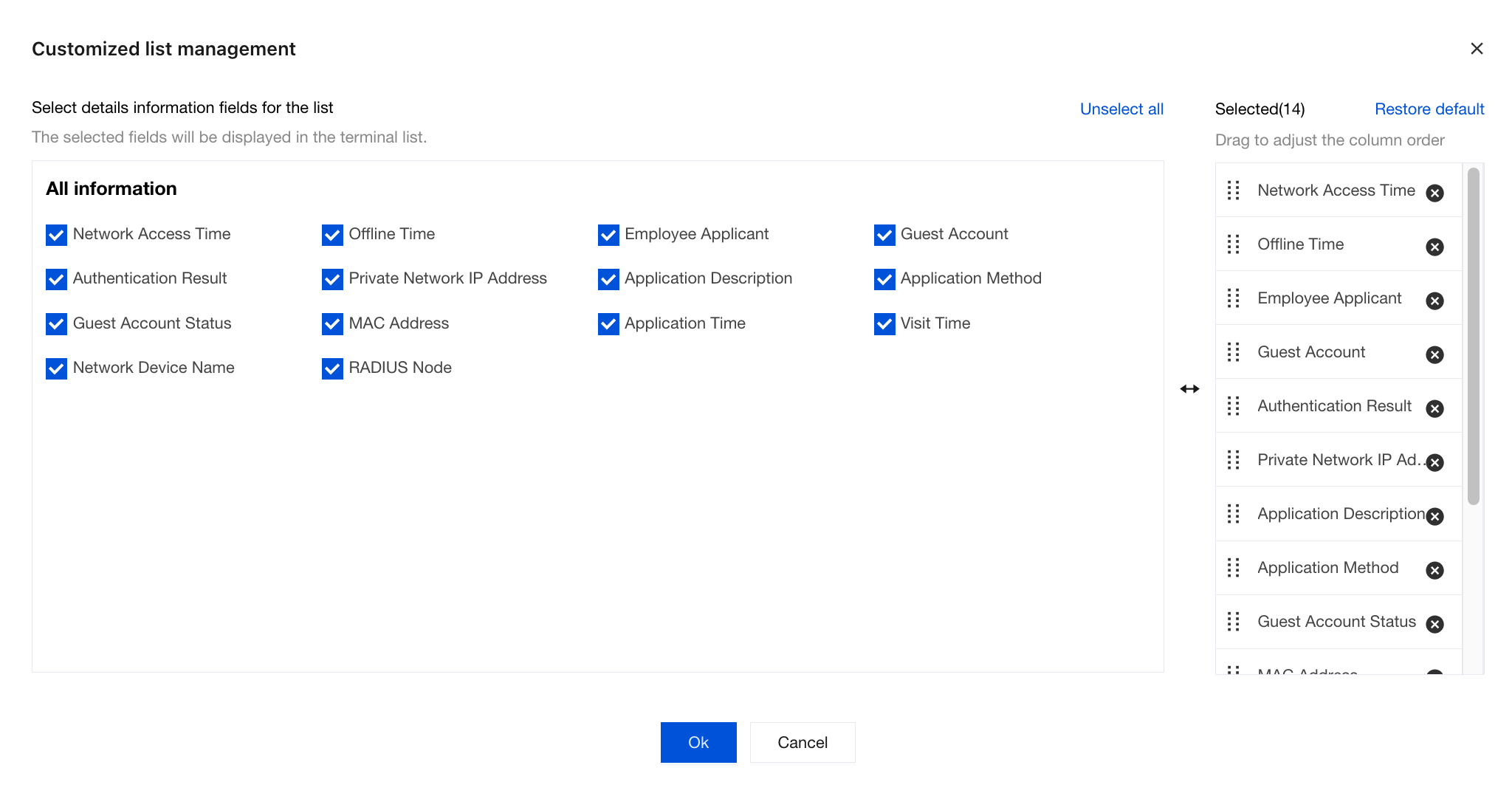
3. Click the settings
icon in the upper-right corner of the list to customize the fields displayed in the list. After you select a field, it is displayed in the audit log list. If you clear the selection, the field is hidden. By default, all fields are displayed.
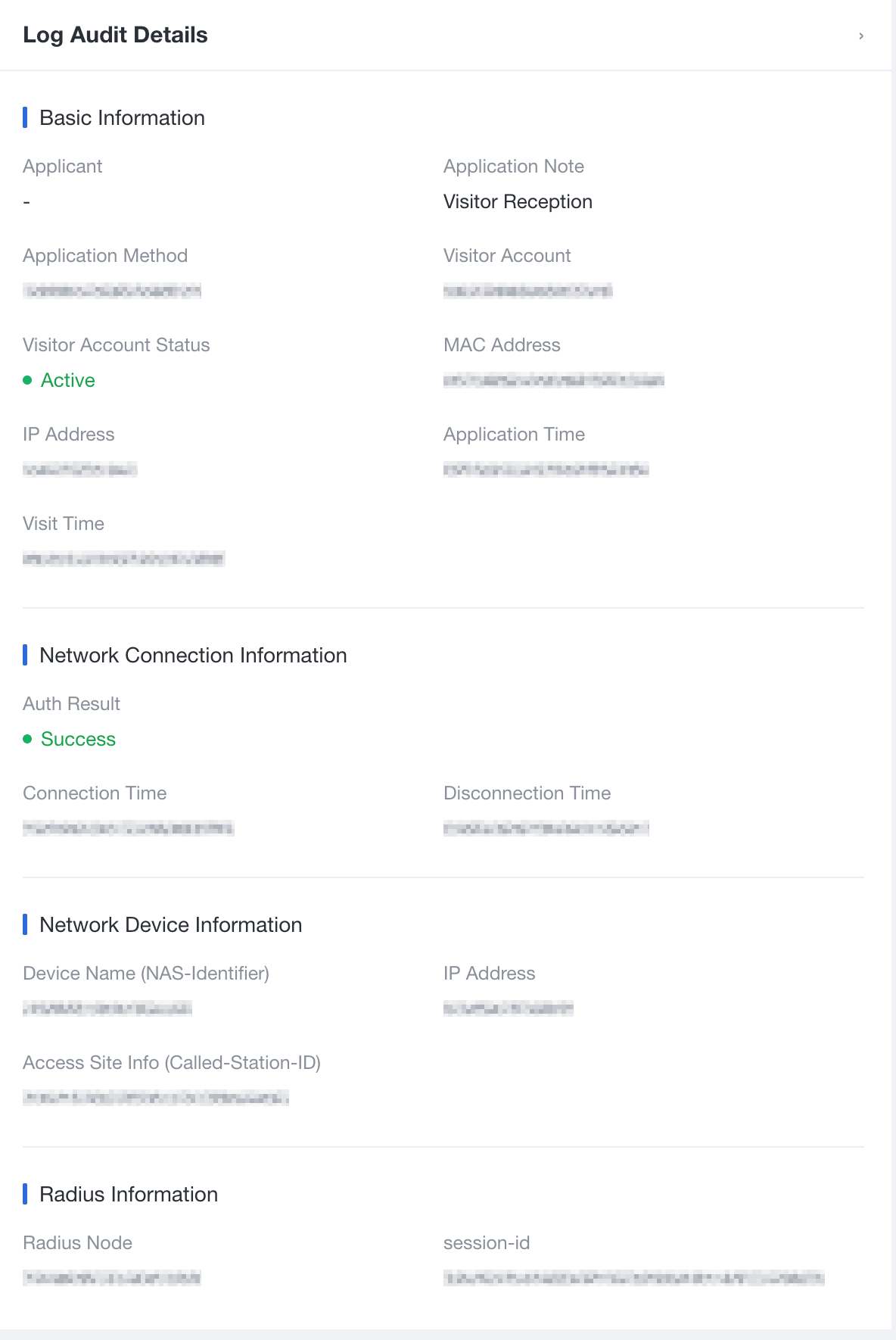
4. Click View Details to view basic device information, network connection information, network device information, and RADIUS information.