Purchase Method
Download
Focus Mode
Font Size
This document describes how to purchase Tencent Healthcare Data Services, including the prerequisites and the configuration process for completing the purchase through the console.
Prerequisites
A Tencent Cloud account has been registered with identity verification completed.
To register a Tencent Cloud account, click here to complete Tencent Cloud account registration.
To complete identity verification, click here to complete identity verification.
Purchase Procedure
1. Log in to the Tencent Healthcare Data Services purchase page and complete the basic configuration based on your actual requirements.
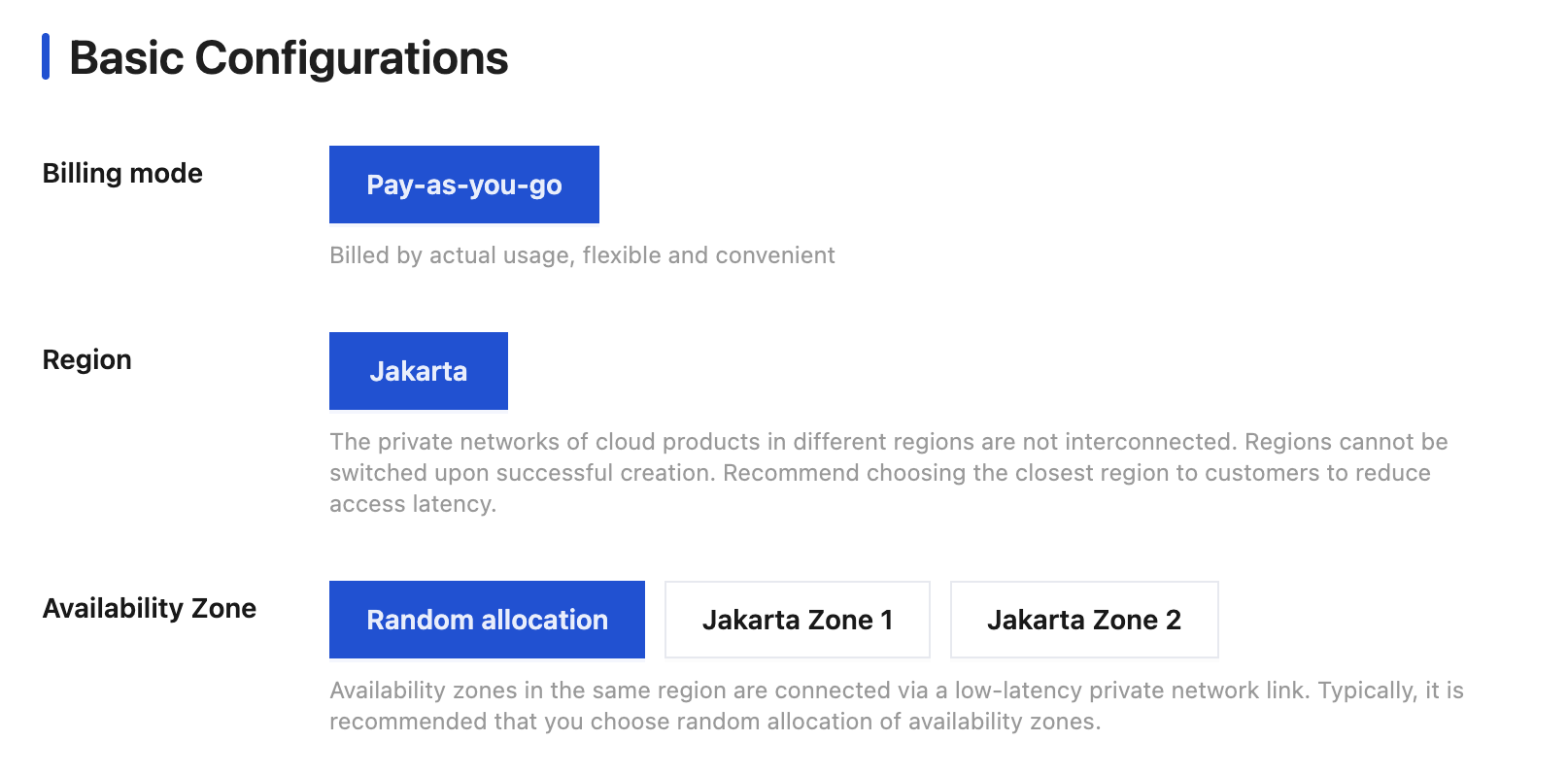
Billing mode: Pay-as-you-go is supported, which is the postpaid mode. You can apply for resources on demand first, and fees are charged based on your actual resource usage during settlement.
Region: Select the region where you need to deploy Tencent Healthcare Data Services for your business. The region cannot be changed after purchase.
Availability Zone: AZs within the same region are connected via low-latency private network links. Typically, you are recommended to select the option for random AZ assignment.
Note:
When you purchase Tencent Cloud services, it is recommended that you select the region closest to your users to reduce access latency and improve download speed.
Tencent Healthcare Data Services in different regions are billed independently.
Tencent Healthcare Data Services deployed in different regions cannot access each other's instance data.
2. Click Buy Now and complete the payment.
3. After payment is completed, you can go to the Tencent Healthcare Data Services console to perform operations. For details, see Getting Started.
Note:
To use Tencent Healthcare Data Services, you need to add your user cloud account uin to the allowlist. If needed, please contact us.
Help and Support
Was this page helpful?
You can also Contact sales or Submit a Ticket for help.
Help us improve! Rate your documentation experience in 5 mins.
Feedback