Instance Management
Download
Focus Mode
Font Size
This document describes the management operations for FHIR instances.
Sheet | Description |
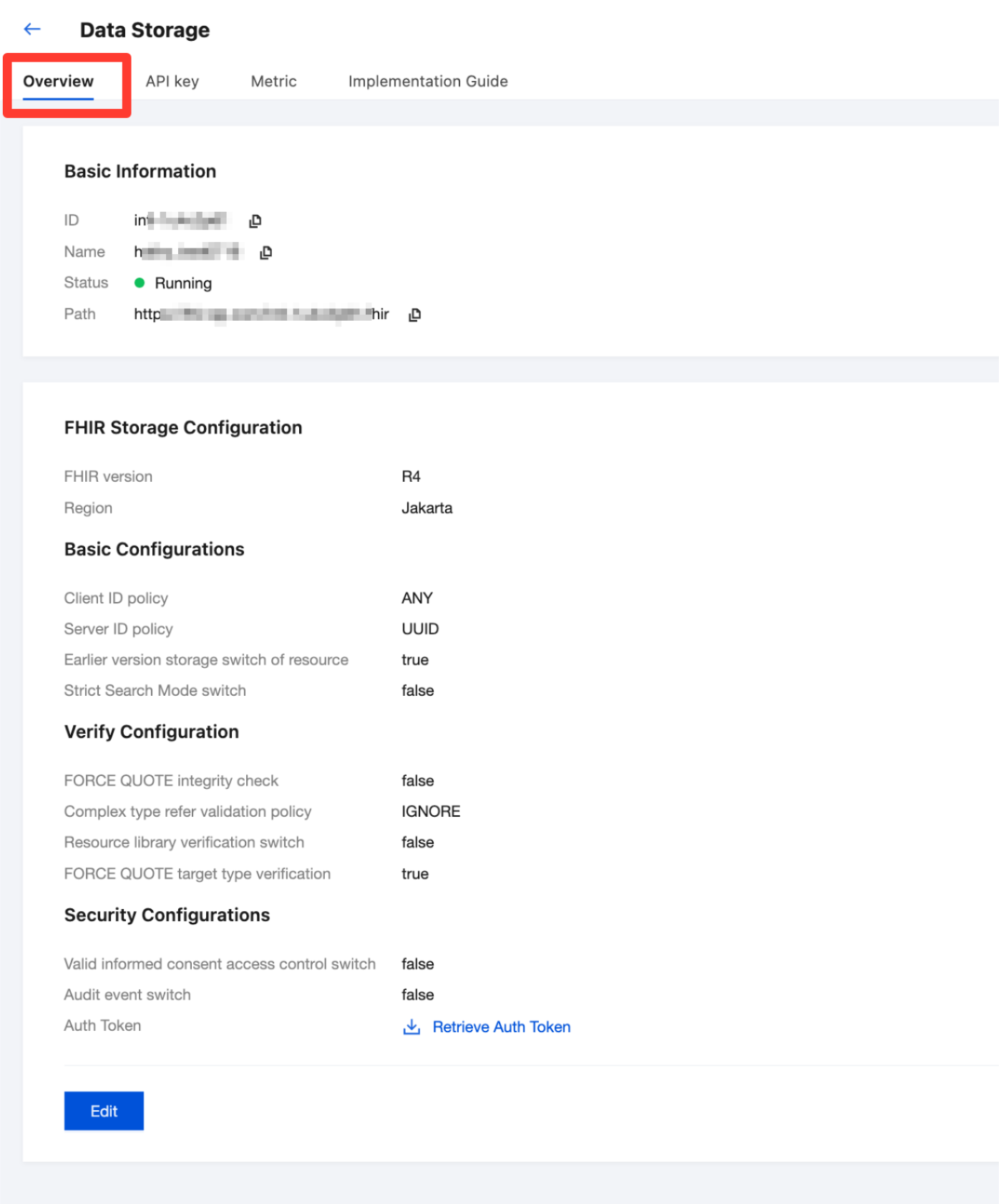
Overview | Displays the overall overview of the FHIR instance, including basic information, operational status, storage configuration, and more. |
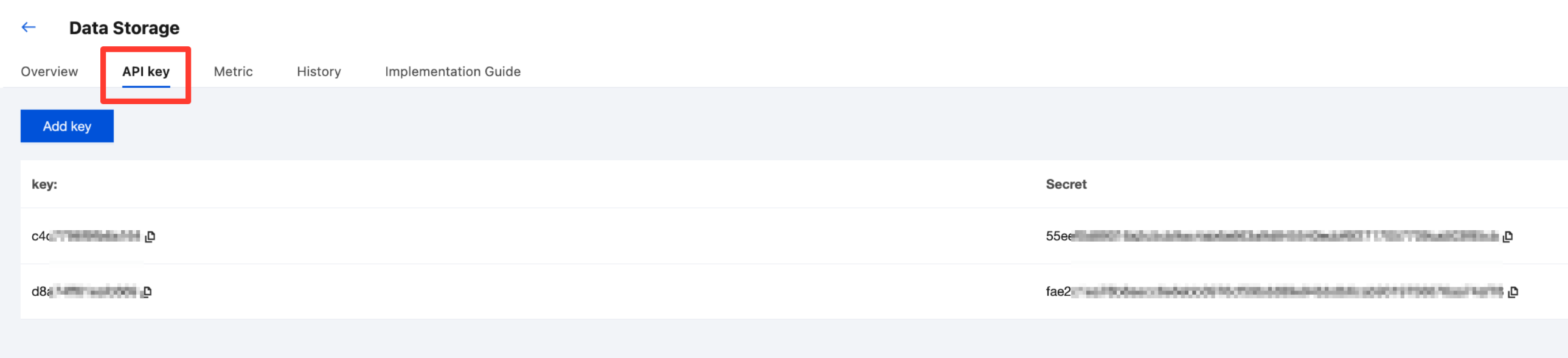
API Keys | Manages API authentication keys for accessing the FHIR service, used for secure API calls. |
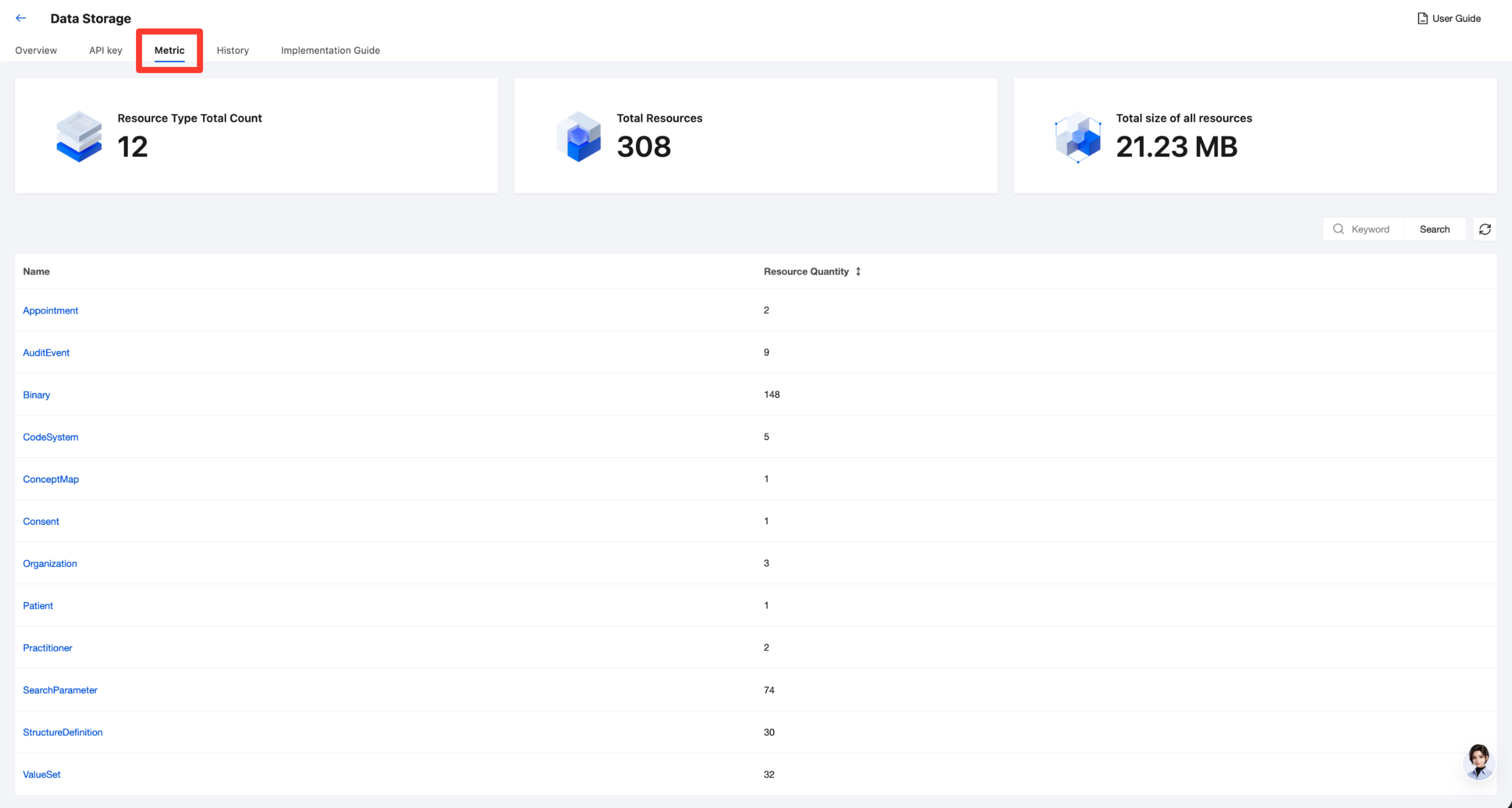
Metric | Displays the resource status of the FHIR instance, such as the current total number of resource types, total number of resources, and more. |
History | Displays the data change records of the instance. |
Implementation Guide | Manages the implementation guides for the instance, allowing you to upload, view, and delete them. |
Prerequisites
Creating an Instance has been finished.
Overview
1. Go to the Tencent Healthcare Data Services > Browser page, and then select and click the name of the data storage instance.
2. Go to the data storage details page, select Overview, and you can view an overall summary of the instance, including its basic information, running status, storage configuration, and more.
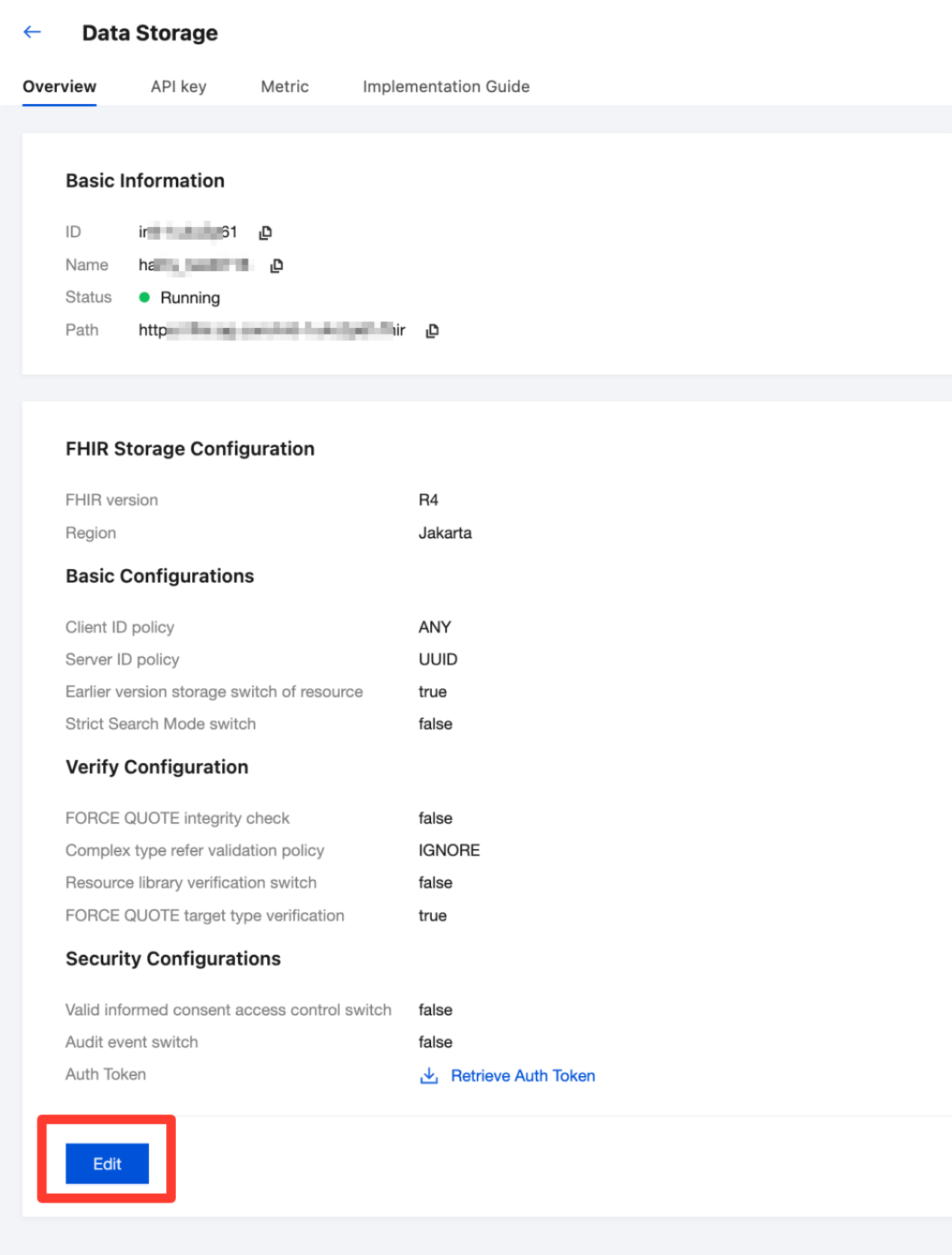
3. Click Edit to modify configuration items. For detailed descriptions of the configuration items, see Instance Creation Configuration Items.
API Keys
1. Go to the Tencent Healthcare Data Services > Browser page, and then select and click the name of the data storage instance.
2. Go to the data storage details page, select API Key, and you can view the API authentication key for accessing FHIR services.
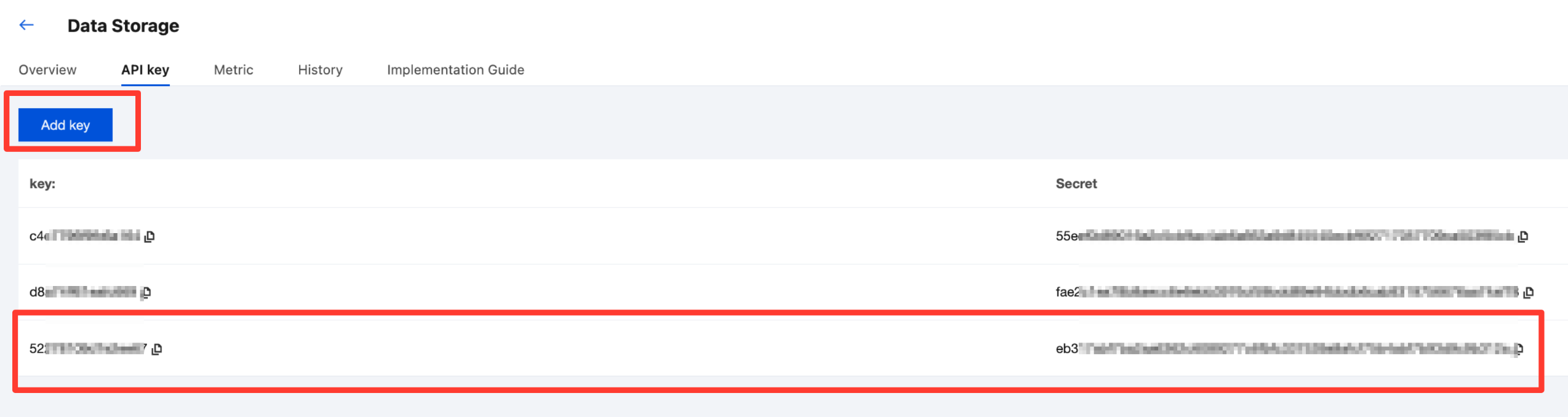
3. Click Add Key to add a key and secret pair.
Metric
1. Go to the Tencent Healthcare Data Services > Browser page, and then select and click the name of the data storage instance.
2. Go to the data storage details page, select Metrics, and you can view the resource status of the instance, such as the total number of current resource types and the total number of resources.
Attention:
The statistics for the total number of resource types and the total number of resources are slightly delayed. The statistics will be completed within minutes to hours.
History
1. Go to the Tencent Healthcare Data Services > Browser page, and then select and click the name of the data storage instance.
2. Go to the data storage details page, select History, and you can view the data change records of the instance after a specified time.

Implementation Guide
1. Go to the Tencent Healthcare Data Services > Browser page, and then select and click the name of the data storage instance.
2. Go to the data storage details page and select Implementation Guide to manage the instance implementation guide, including uploading, viewing, and deleting operations. For detailed steps, see Implementation Guide Management.

Help and Support
Was this page helpful?
You can also Contact sales or Submit a Ticket for help.
Help us improve! Rate your documentation experience in 5 mins.
Feedback