Announcement on the Start of Beta Testing for Multi-person Audio and Video Conference
Download
Focus Mode
Font Size
Last updated: 2023-12-20 10:37:06
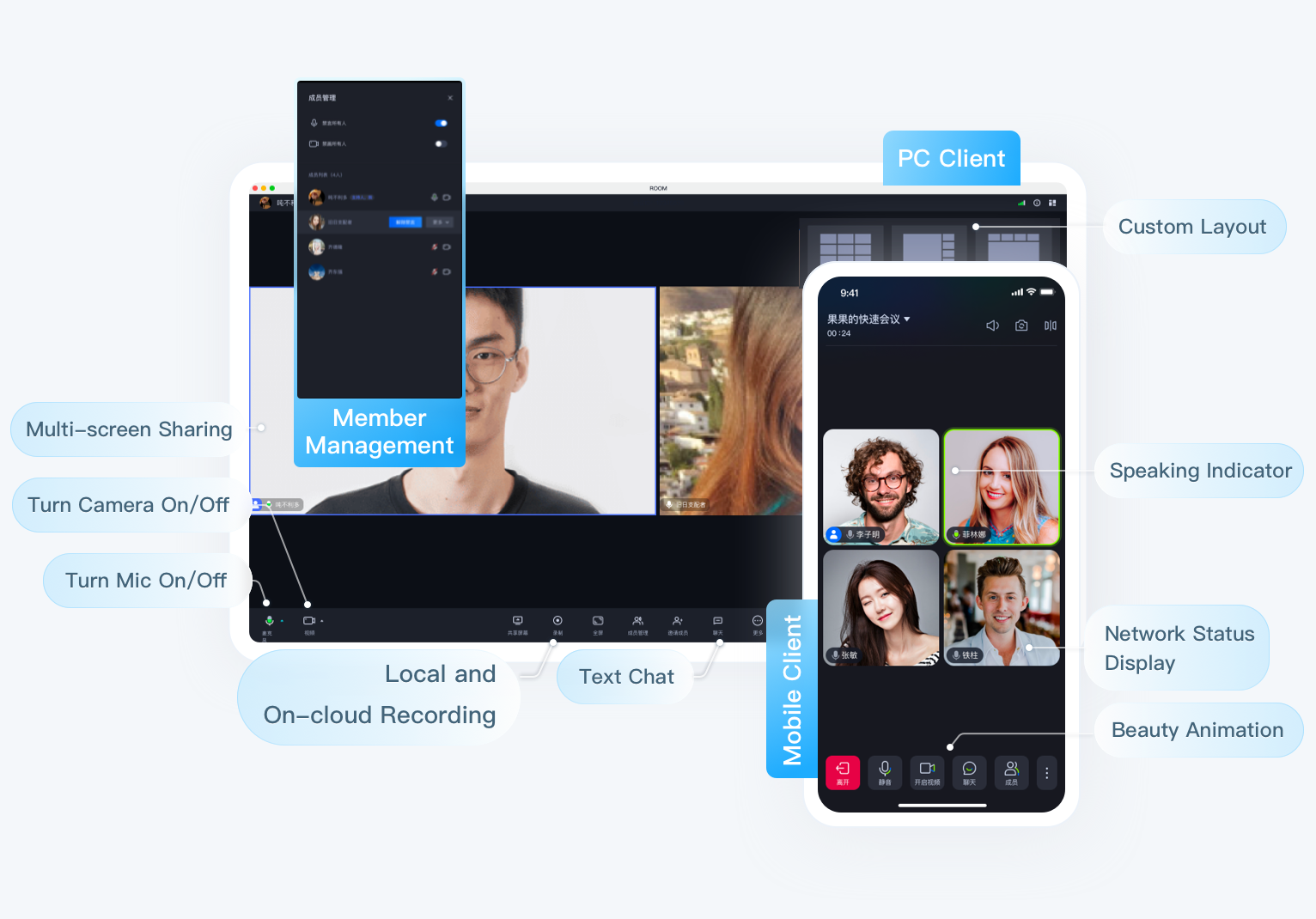
TRTC Conference(TUIRoomKit)is a product designed for multi-person audio and video conversation scenes such as business meetings, online classrooms, and webinars. By integrating this product, you only need to write a few lines of code to add Multi-person Audio and Video Conversation function to your App, saving 90% development time and quickly launching your business. The Basic Function Display is shown in the following image:
Internal Test Instructions
The product is currently in the Beta stage, with the UI being open source and free to use, room management, microphone control, and other capabilities for a limited-time free use. However, the consumption of Chat IM and Tencent Real-Time Communication TRTC during the usage process will still be charged normally. For details, please refer to the Chat IM billing overview and TRTC billing overview. If there are any changes in the product's billing method, features, and beta testing period, we will announce it in advance on the official website and notify you through site messages, text messages, and emails. Please stay tuned.
Feature Introduction
TUIRoomKit provides UI for Standard Meetings, supporting Screen Sharing, Member Management, Microphone and Drawing Control, Chat Barrage, and other Conference Control Functions. It is compatible with Windows, Mac, Android, iOS, Web, and Electron platforms for seamless interconnectivity. Detailed Functions can be found in the Table Below:
Function Type
Function Description
UI View
Meeting Floating Window
Meeting Interface Floating
Custom UI
Support custom adjustment of meeting UI layout
Room Management Capability
Create/Destroy/Join/Exit Room
Create, destroy, join, and exit the meeting room
Single/All Mute Video/Mute Mic/Mute Chat
Mute video, mic, and chat for single or all users
Kick Out of Room (Meeting)
Support kicking specified users out of the meeting room
In-room Text Messages
Participants send text messages
Custom Room Information
Customize room description, name, etc.
Screen Sharing
Participants share computer screen in meeting
Audio and video call capability
Multi-person Audio/Video Call
Support up to 300 participants, 50 people on mic, if you need to increase the limit, please submit a ticket to contact us
Turn On/Off Camera
Participants turn on/off camera
Turn On/Off Mic
Participants turn on/off mic
Mic Volume Adjustment
Participants adjust mic volume
AI-powered noise cancellation
Effectively filter background noise with AI capabilities, restore call quality
Definition
Optional SD, HD, FHD, 2K
Multi-terminal login
Multi-terminal Login Meeting
Connect on any platform, automatically stop access requests from other terminals
Same platform Multi-terminal login Conference
Support same platform (such as multiple iOS devices) login