Setting the Read-Write Attribute of the Database Proxy
Download
Focus Mode
Font Size
After a read-only instance is created, you can purchase the database proxy, configure the connection address policy, and set the database proxy address in an application. In this way, the system automatically forwards write requests to the primary instance and read requests to read-only instances. This document describes how to enable read/write separation via the console.
Prerequisites
The instance is a read-write instance.
Operation Steps
1. Log in to the TDSQL-C for MySQL console, select the cluster with the proxy enabled in the cluster list, and click the Cluster ID to enter the cluster management page.
2. In the topology diagram under Cluster Management > Cluster Details, hover the mouse pointer over the database proxy section and click Details to enter the database proxy management page. Alternatively, you can directly select the Database Proxy tab on the cluster management page to enter the Database Proxy Management page.
3. Click Overview, find the target access address on the connection address page, and click Adjust Configurations in the operation column.

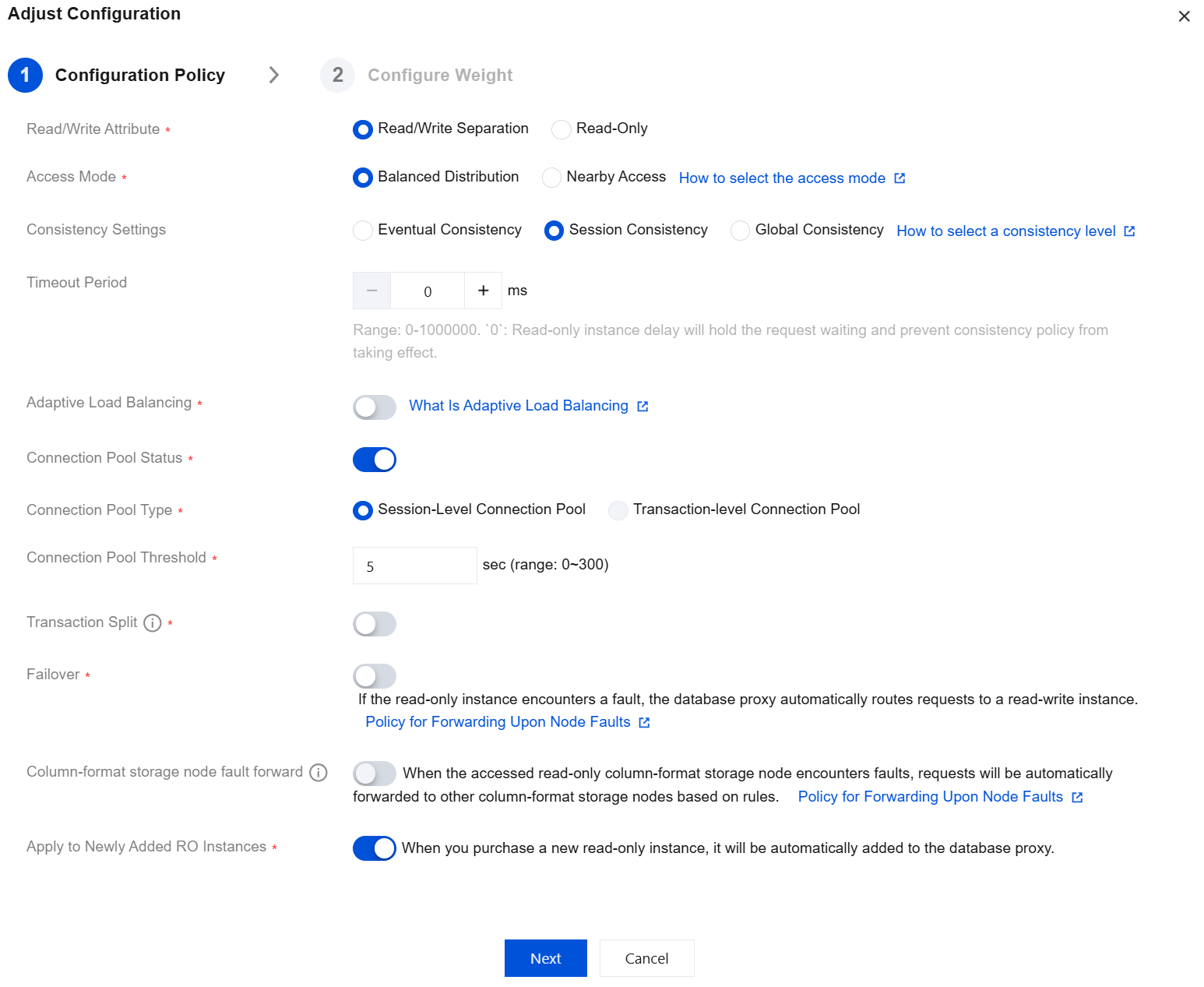
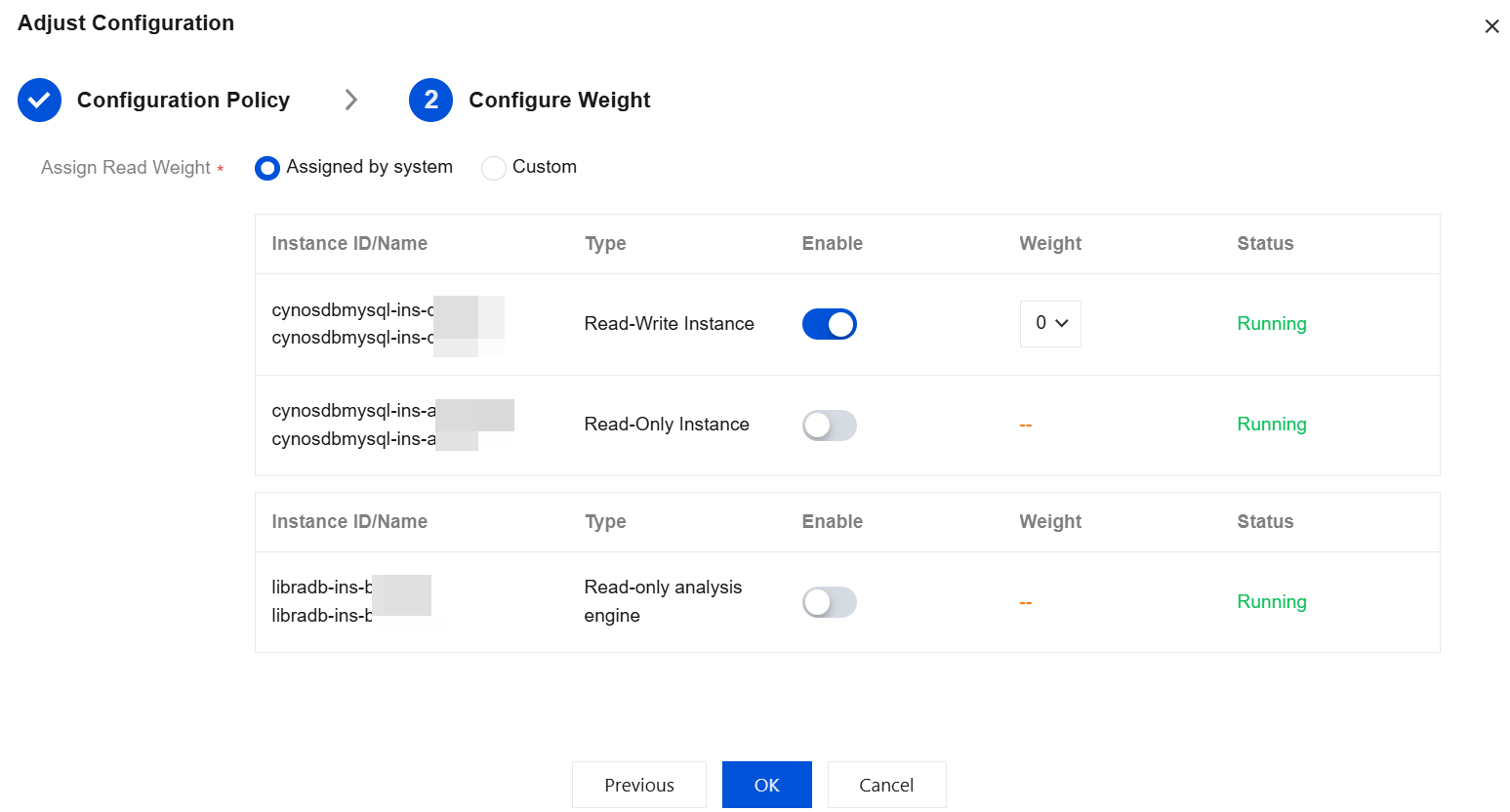
4. Select the read-write attribute for the access address on the configuration adjustment page, complete other settings as needed, assign a read weight, and click OK.
Note:
The weight here is for read requests (non-transactional).
For detailed options and descriptions, see View and Modify Access Policy.
Related APIs
API | Description |
This interface (ModifyProxyRwSplit) is used to configure read-write splitting for the database proxy. |
Help and Support
Was this page helpful?
You can also Contact sales or Submit a Ticket for help.
Help us improve! Rate your documentation experience in 5 mins.
Feedback