Tencent Cloud provides Virtual Private Cloud (VPC), a platform for hosting TencentDB instances. You can launch Tencent Cloud resources in a VPC, such as TencentDB instances.
A common scheme is to share data between a TencentDB instance and a web server running in the same VPC. This document uses this scheme to create a VPC and add a TencentDB instance to it.
This document describes how to add CVM and TDSQL-C for MySQL instances in the same VPC to interconnect each other over the private network.
Background
Your Tencent Cloud account has not created a VPC. When purchasing a TDSQL-C MySQL instance, you cannot select other VPCs and subnets in the network option. In this case, you can follow the instructions below to create a new VPC.
To access a TDSQL-C MySQL instance through a CVM instance, the two instances must be in the same VPC. If their VPCs are different, you can use add the CVM instance and the database under the same VPC to ensure normal access to the cluster.
Step 1. Create a VPC
A VPC has at least one subnet, and Tencent Cloud service resources can only be added in a subnet.
2. Select the region of the VPC at the top of the list and click Create.
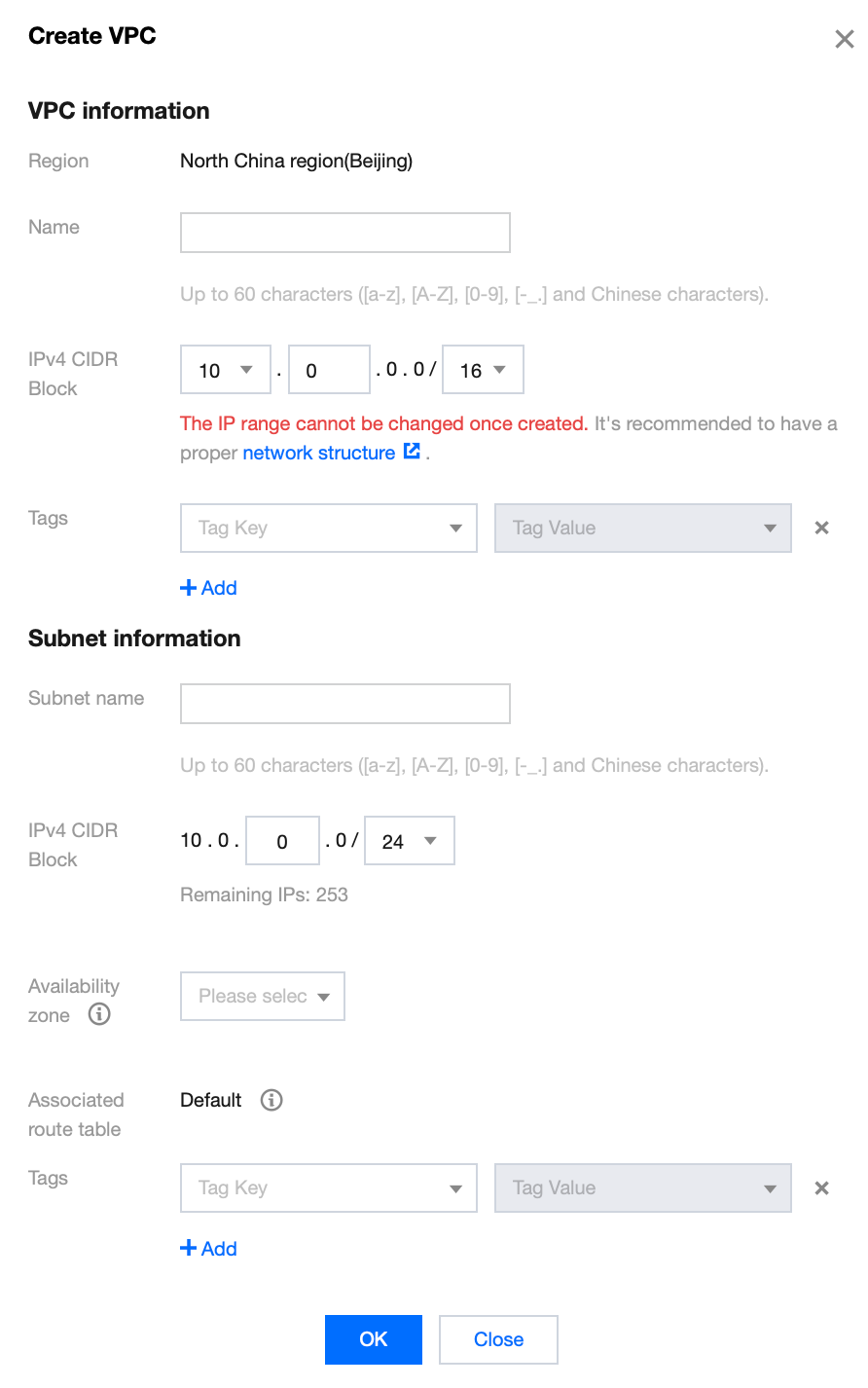
3. Enter the VPC information and initial subnet information and click OK. The CIDRs of the VPC and subnet cannot be modified after creation.
The VPC CIDR can be any of the following IP ranges. If you want two VPCs to communicate with each other over the private network, their CIDRs should not overlap.
10.0.0.0 - 10.255.255.255 (the mask range must be 12–28)
172.16.0.0 - 172.31.255.255 (mask range between 12 and 28)
192.168.0.0 - 192.168.255.255 (mask range between 16 and 28)
The subnet CIDR block must be within or the same as the VPC CIDR block.
For example, if the IP range of a VPC is 192.168.0.0/16, then that of its subnets can be 192.168.0.0/16, 192.168.0.0/17, etc.
2. Click Subnet on the left sidebar to enter the management page.
3. Select the region and VPC in which the subnet is to be created and click Create.
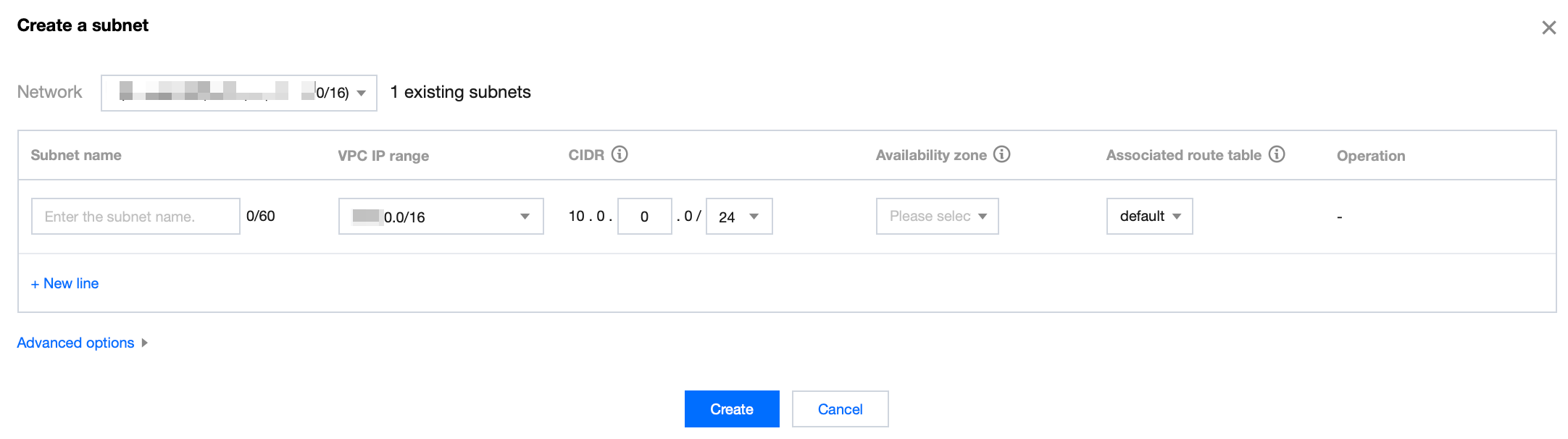
4. Enter the subnet’s name, CIDR, AZ, and associated route table.
5. (Optional) Click +New line to create multiple subnets at a time.
6. Click Create.
Step 3. Create a route table and associate it with a subnet
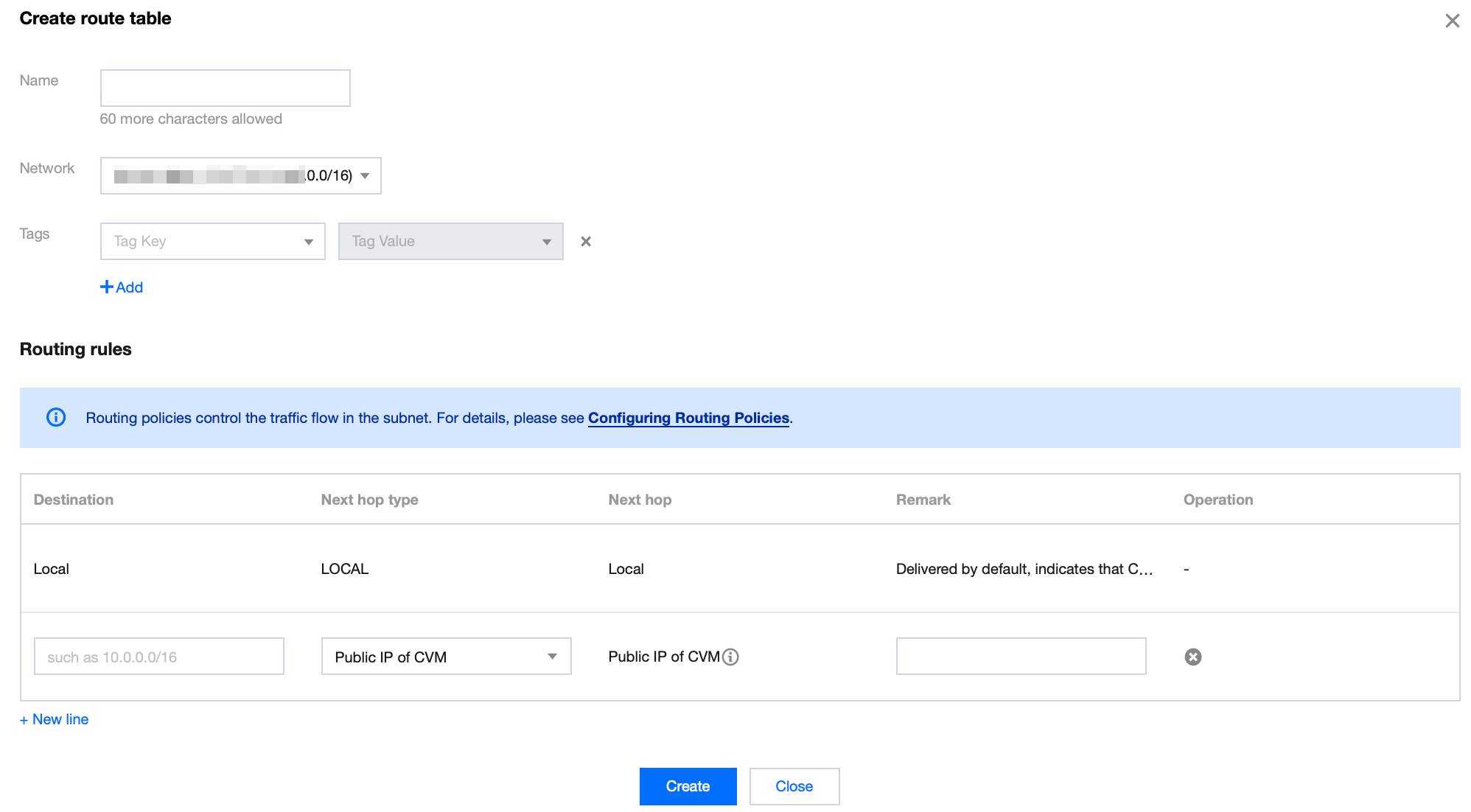
You can create a custom route table, edit its routing policy, and associate it with a specified subnet. The route table associated with a subnet is used to specify the outbound routes for the subnet.
1. Log in to the VPC console and select Route Tables on the left sidebar.
2. Select the region and VPC at the top of the list and click Create.
3. In the pop-up dialog box, enter the name, network, routing rules and click Create. Return to the route table list to view the newly created route table.
4. Click Subnet on the left sidebar, select the subnet to be associated with the route table, and click More > Change route table in the Operation column to associate it.
2. Click Subnet on the left sidebar to enter the management page.
3. Select the target subnet, click the icon in the CVM column to add a CVM.
4. Complete the purchase of the CVM instance as instructed on the page. For more information, see Purchasing Channels.
Step 5. Add a TencentDB instance
New database
1. Log in to the TDSQL-C for MySQL console and click Create in the instance list to enter the purchase page.
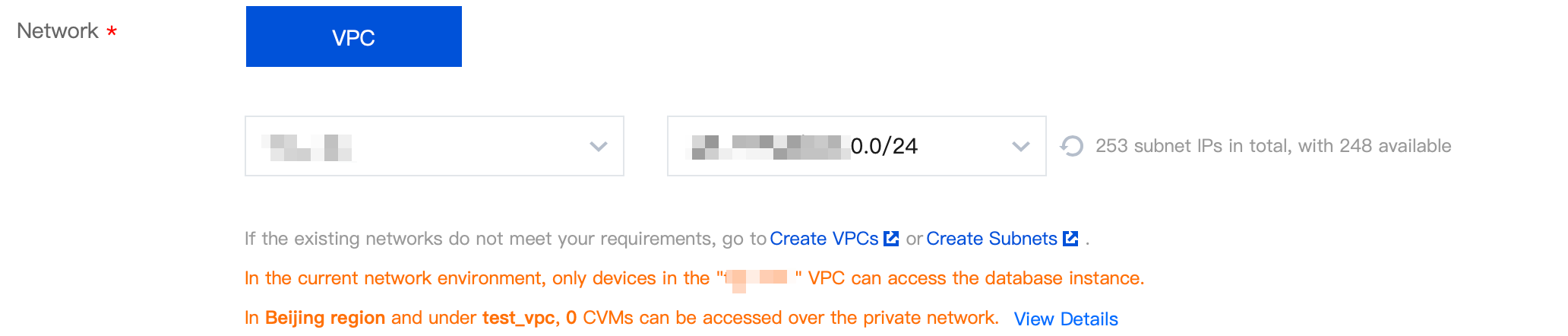
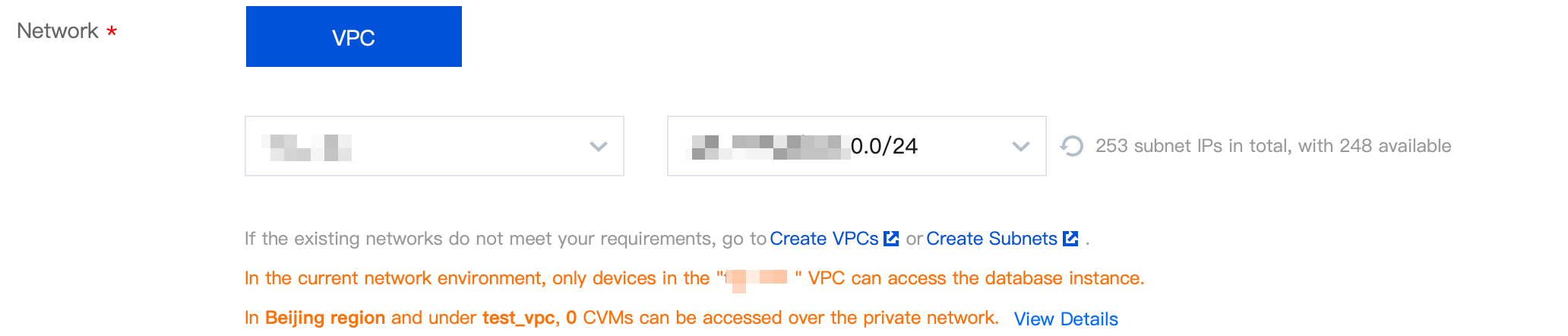
2. In the Network section on the purchase page, select the previously created VPC and the corresponding subnet, and add the new TencentDB instance to the VPC.
Existing database
1. On the cluster list, click the cluster ID to go to the Cluster Management page.
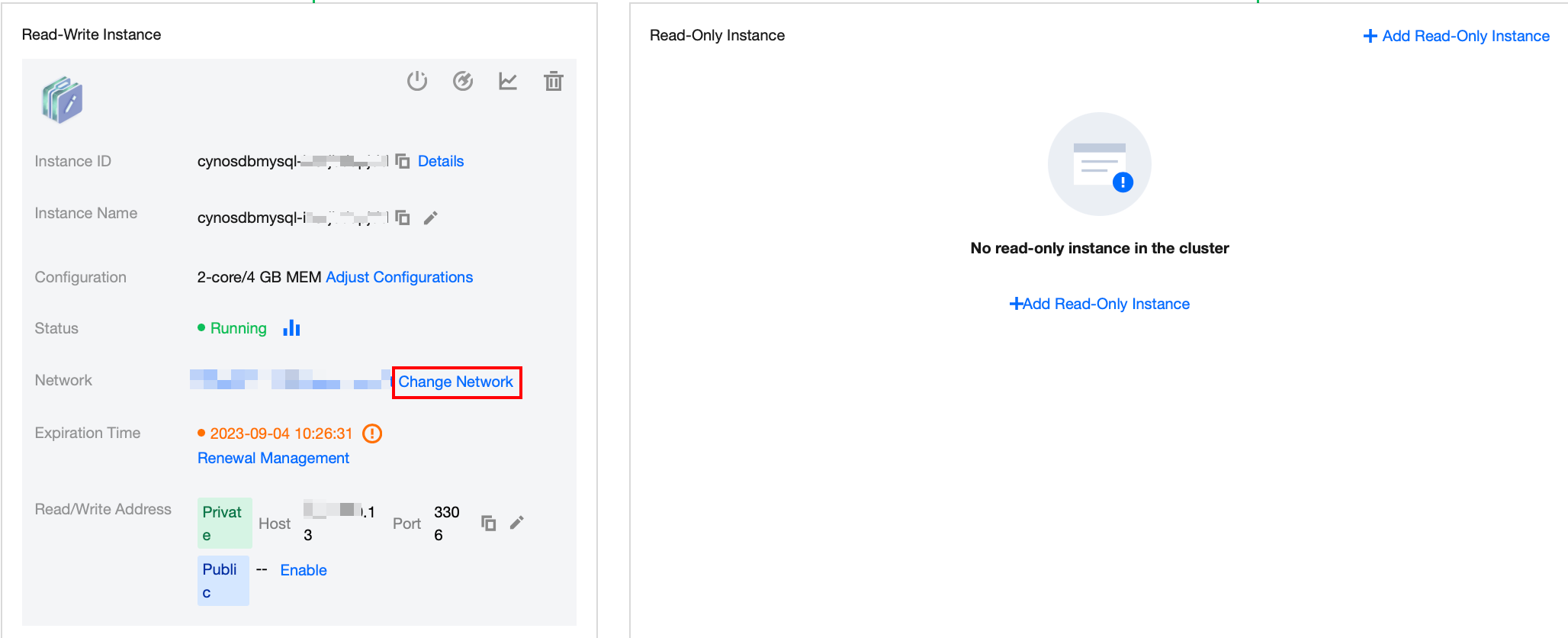
2. Select Cluster Management > Cluster Details. In the Network section on the details page of the read-write instance or the read-only instance, switch to the corresponding VPC.