Querying Messages
Download
Focus Mode
Font Size
Scenarios
The MQTT console provides the message query feature. When you need to troubleshoot issues, you can query the details of a specific message within a time range, such as the message content, message parameters, and the producer IP that sent the message.
Querying Messages
1. Log in to the MQTT Console.
2. In the left sidebar, click Message Query. Select a region and then enter the query condition as prompted.
Cluster: Select the cluster where the topic to query is located.
Topic: Select the topic to query. You can enter the topic name or the topic filter used for subscription.
Start Time: Select the earliest time point for the message query. The precision is down to the millisecond.
Message Count: Displays the next x messages after the selected time point in strict chronological order.
3. Click Query. The list below displays all query results with pagination.
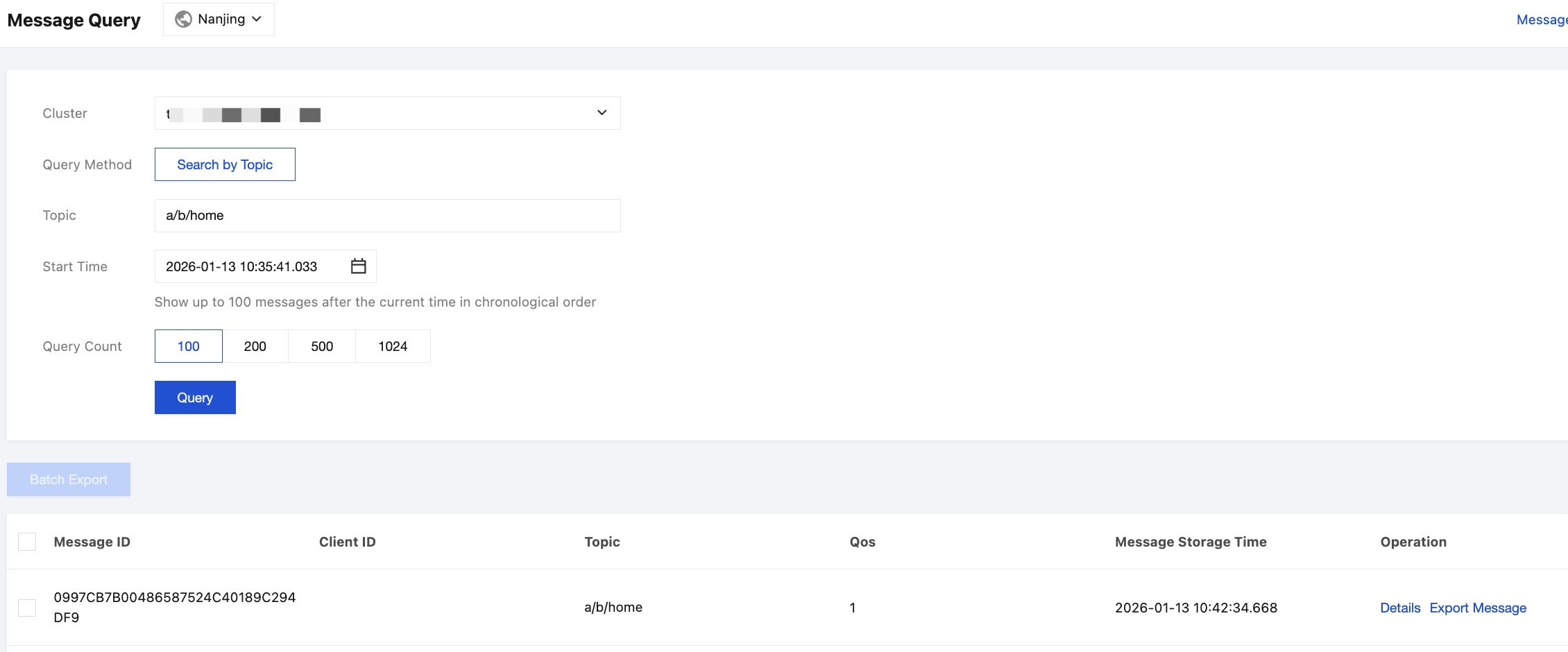
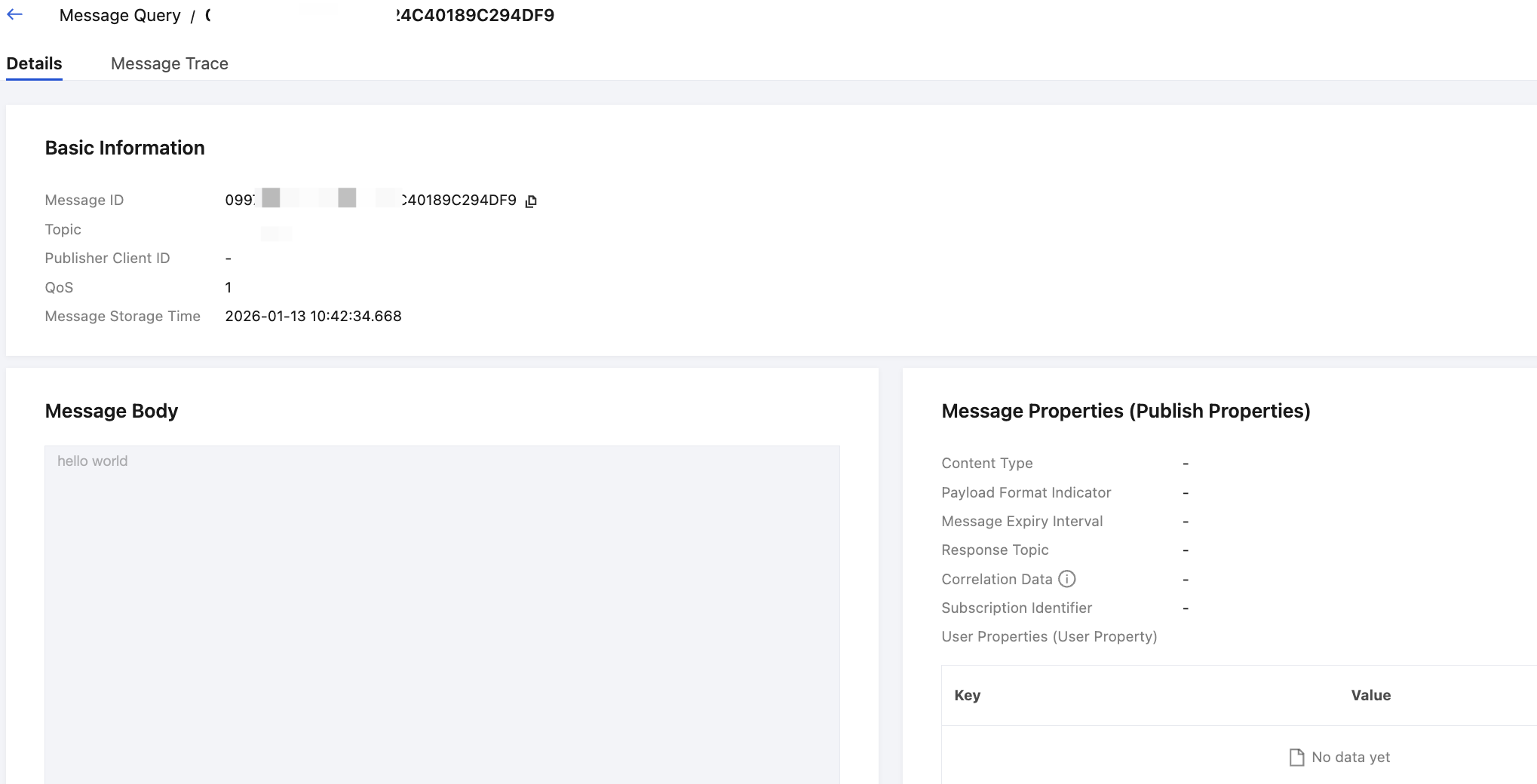
4. Find the message whose content or parameters you want to view, and click Details in the Operation column to view the basic information, content (message body), detailed parameters, and consumption status of the message.
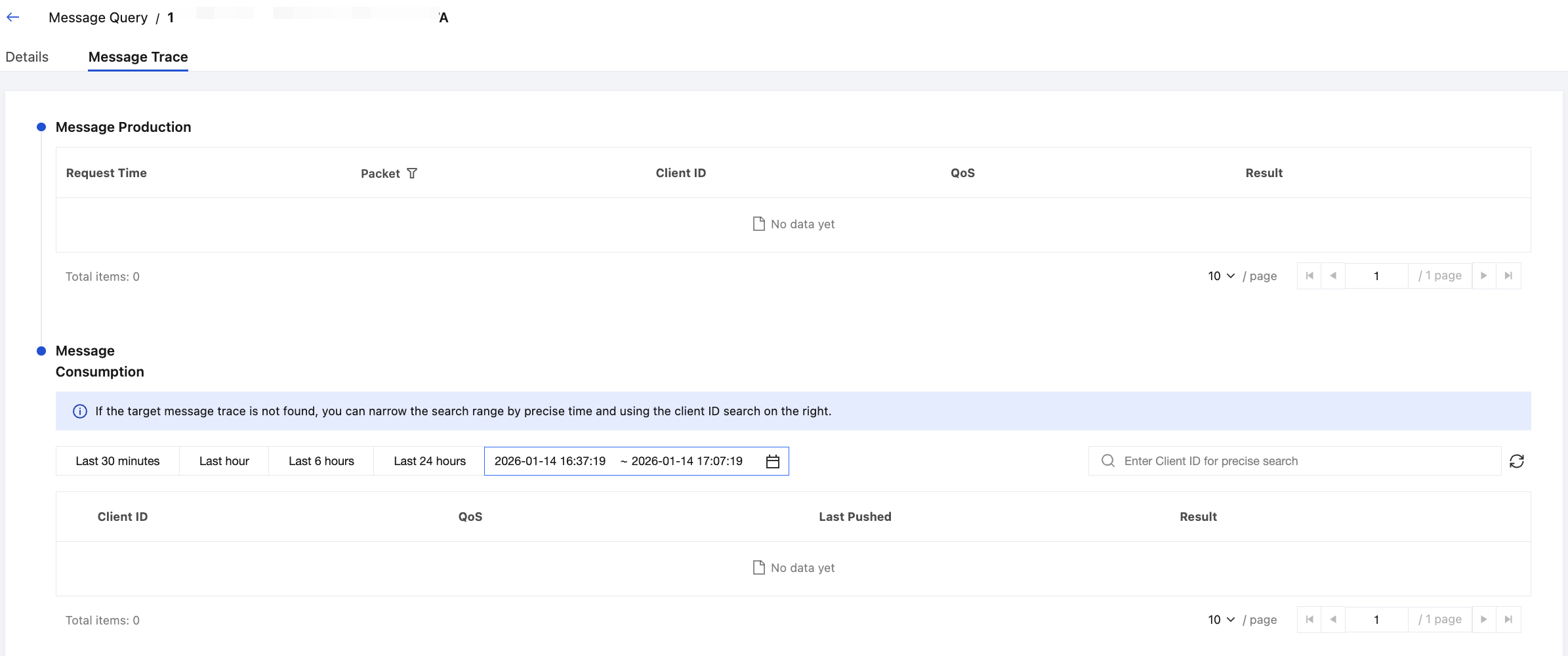
5. On the Details page, click the Message Trace tab to view the message trace.
Exporting Messages
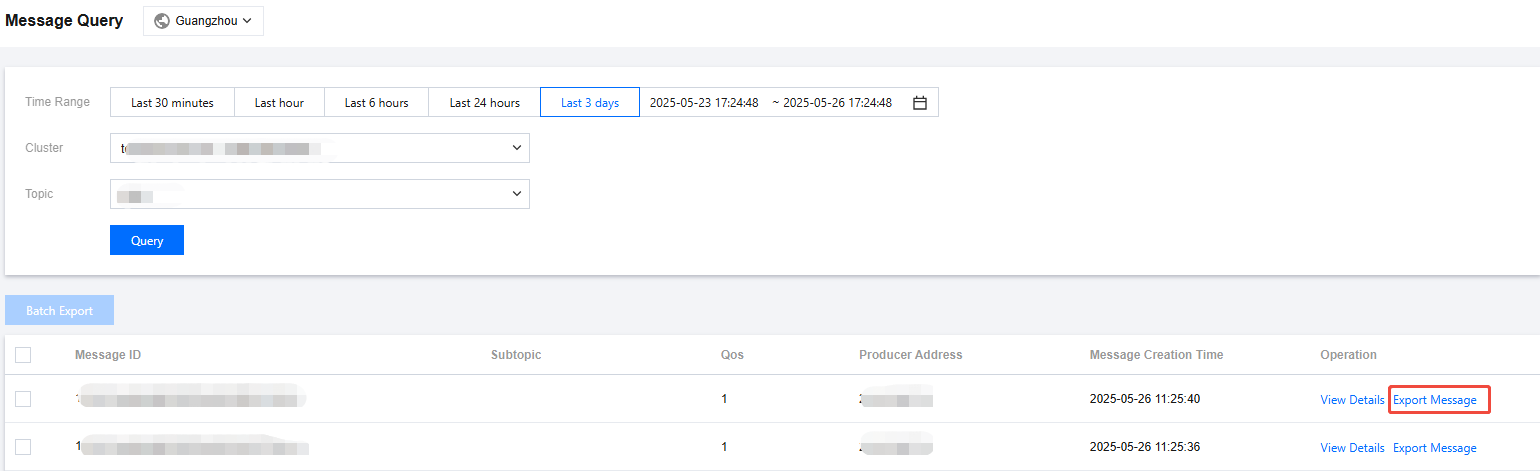
After finding a message, you can click Export Message in the Operation column to export information such as the message ID, sub-Topic, QoS, and time attributes. You can also select multiple messages for batch export. After exporting the messages locally, you can process them as needed, such as copying the message body or sorting by time.
Help and Support
Was this page helpful?
You can also Contact sales or Submit a Ticket for help.
Help us improve! Rate your documentation experience in 5 mins.
Feedback