Using the Console Sending Messages
Download
Focus Mode
Font Size
Scenarios
After creating the cluster resources in the MQTT console, you can send specified messages to a topic for message sending tests. Then check the records of recently sent messages on the message query page to verify whether the business logic functions properly.
Restrictions and Limitations
The console has a 4 KB size limit for sending test messages. If the message exceeds this limit, you can use a client to send and receive messages, with a maximum supported size of 4 MB.
Operation Steps
1. Log in to the MQTT Console.
2. In the left sidebar, choose Resource > Cluster, select a region, and click the ID of the target cluster to go to the cluster basic information page.
3. On the cluster basic information page, click Send Test Message in the upper-right corner, and enter the topic name and message body content for the message you want to send.
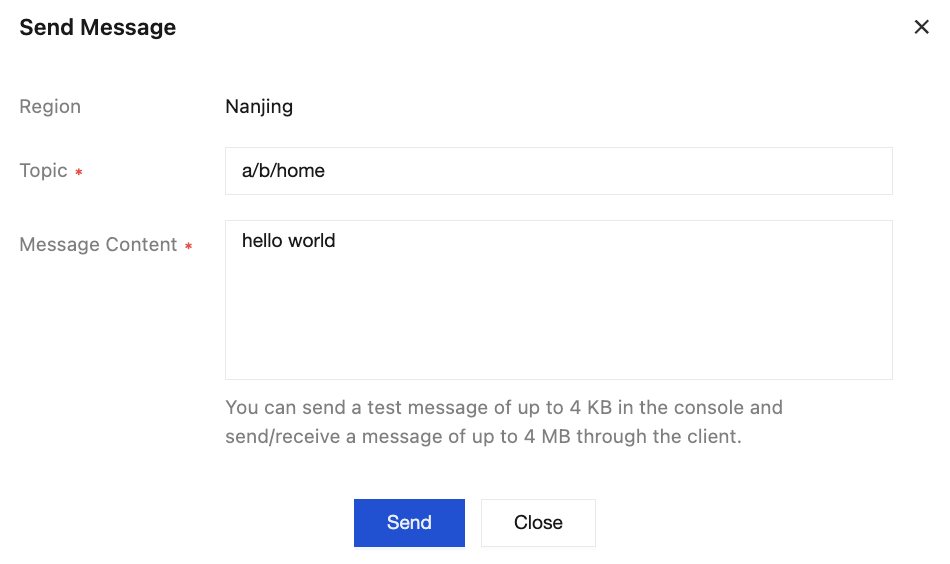
4. Click Send to send the message. In the message sent successfully pop-up window, click Message Query to view the message just sent.
Help and Support
Was this page helpful?
You can also Contact sales or Submit a Ticket for help.
Help us improve! Rate your documentation experience in 5 mins.
Feedback