Running Instance Command Line Operation
Download
Focus Mode
Font Size
Feature Overview
You can log in to the function instance within the SCF console and execute corresponding command line operations. This article introduces how to log in to the function instance in the console and run corresponding commands.
Use Cases
Running Instance: A running instance is the minimum unit used by SCF to run functions. Your requests are processed through function instances. Before a request starts execution, SCF assigns the most appropriate instance for each request. Pay-as-you-go instances are frozen after processing requests. If they do not process requests for a period of time (usually 3 to 5 minutes), they are automatically destroyed. The running instance command line operation feature supports executing specified commands in the actual runtime environment of the instance, such as logging in to the instance to view instance environment information.
Feature Description and Limitations
1. Instance command line operations can only be performed on instances in a healthy status, including resident instances with preset concurrency and instances in pay-as-you-go mode. If a pay-as-you-go instance is released due to idle timeout or is about to be destroyed because it is in an unhealthy state, you may fail to log in to the instance to perform operations.
2. The request for instance command line operation does not occupy instance concurrency. Therefore, even if the instance concurrency of the function is set to 1, you can execute function invocation and instance command line operation simultaneously.
3. An instance command line operation is regarded as a function invocation. As long as the WebSocket connection established by the instance command line operation request is not disconnected from the function instance, the function instance will remain in an active state and follow the same measurement rules as function invocation. When operating through the console, if there is no data transfer on the console log-in instance interface, the function instance will be disconnected by default after being idle for 10 minutes.
Note:
Initiating an instance command line operation on an instance that is processing online requests may cause tasks being executed on the instance to fail due to changes in the online environment, directly affecting the success rate of subsequent tasks on the instance. If the request execution fails due to the instance command line operation, it will not be counted in the product SLA.
Operation Steps
1. Log in to the SCF console and select Function Service in the left sidebar.
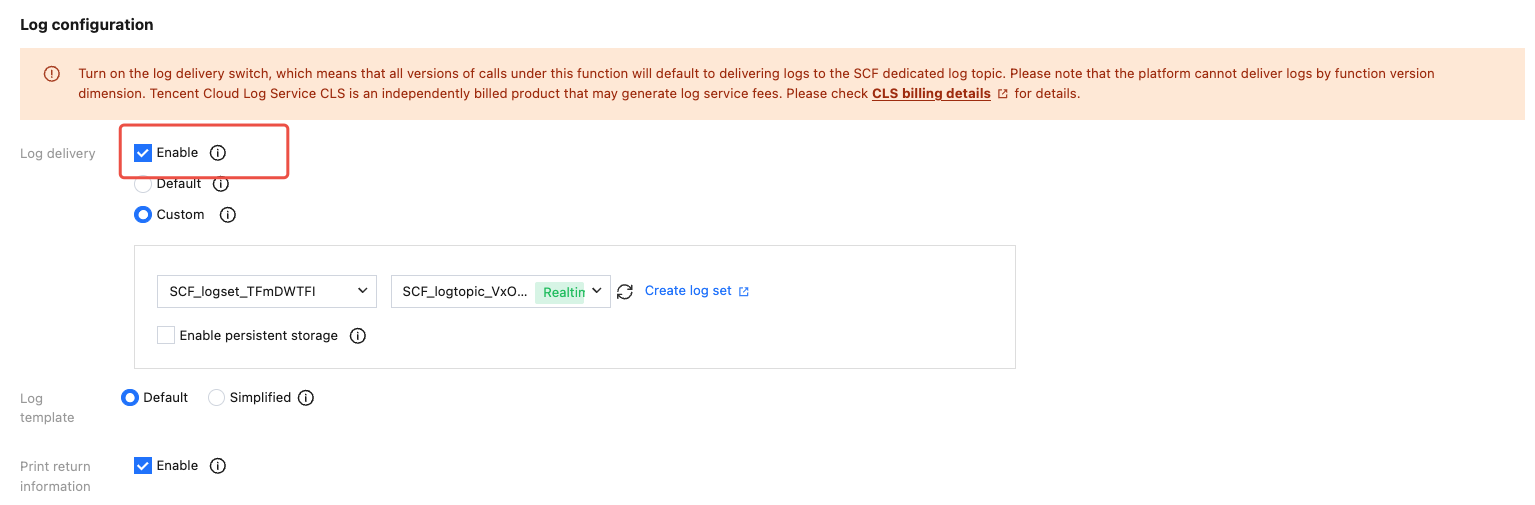
2. On the "Function Service" list page, when creating/updating a function, you need to enable log delivery.
3. Perform code testing and initiate a function call.
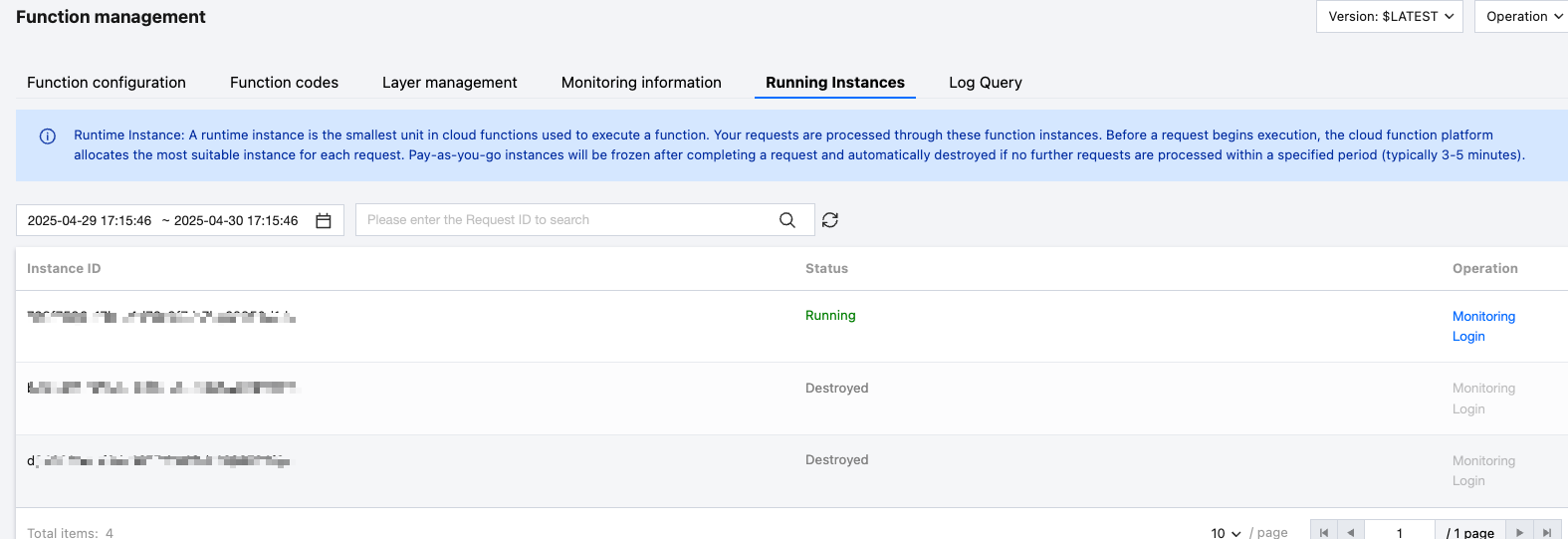
4. In the "Function Management" page, select running instances, click Log In.
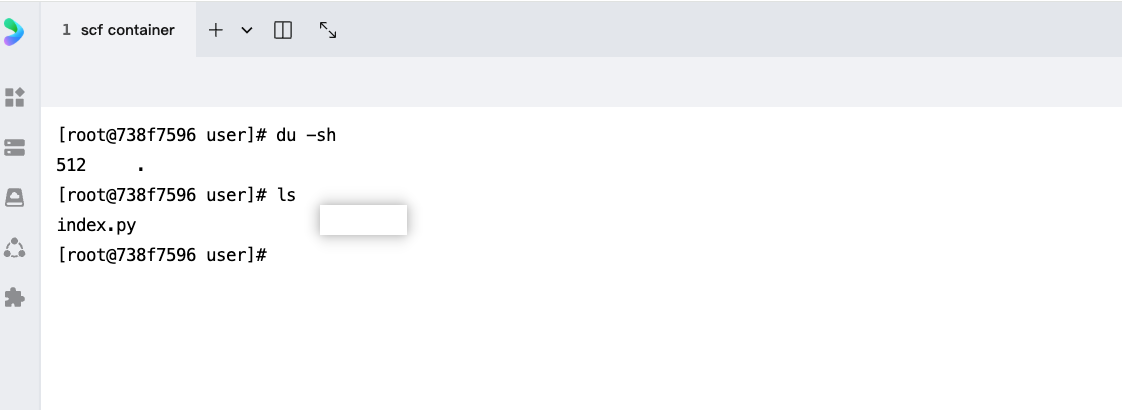
5. Enter the corresponding command line and check the instance's operating status.
Help and Support
Was this page helpful?
You can also Contact sales or Submit a Ticket for help.
Help us improve! Rate your documentation experience in 5 mins.
Feedback