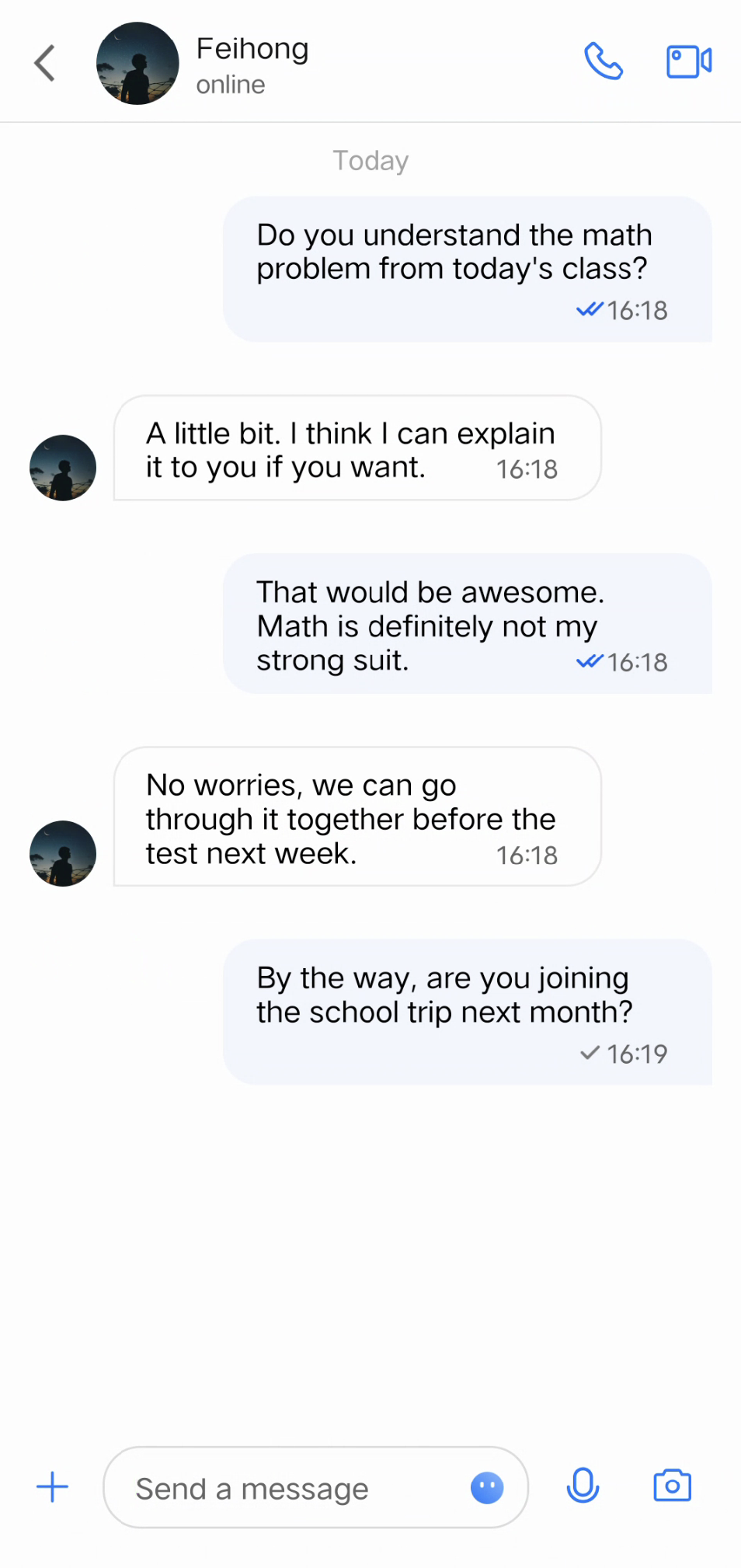
Message Read Receipt lets the sender know when a recipient has read their message. When the recipient opens a message and marks it as read, the backend system triggers a notification to inform the sender that the message has been viewed.
In popular messaging apps like WhatsApp or WeChat, senders see a read status indicator next to each message, such as a blue check mark or the word "Read."
Notice:
This feature is only available in the Pro edition, Pro edition Plus, and Enterprise edition. Please purchase the Pro/Pro Plus/Enterprise edition before using this feature.
Effect Display
One-on-One Message Read Receipt
A single check mark (✔️) or a highlighted double check mark (✔️✔️) appears next to the message to show its read status.
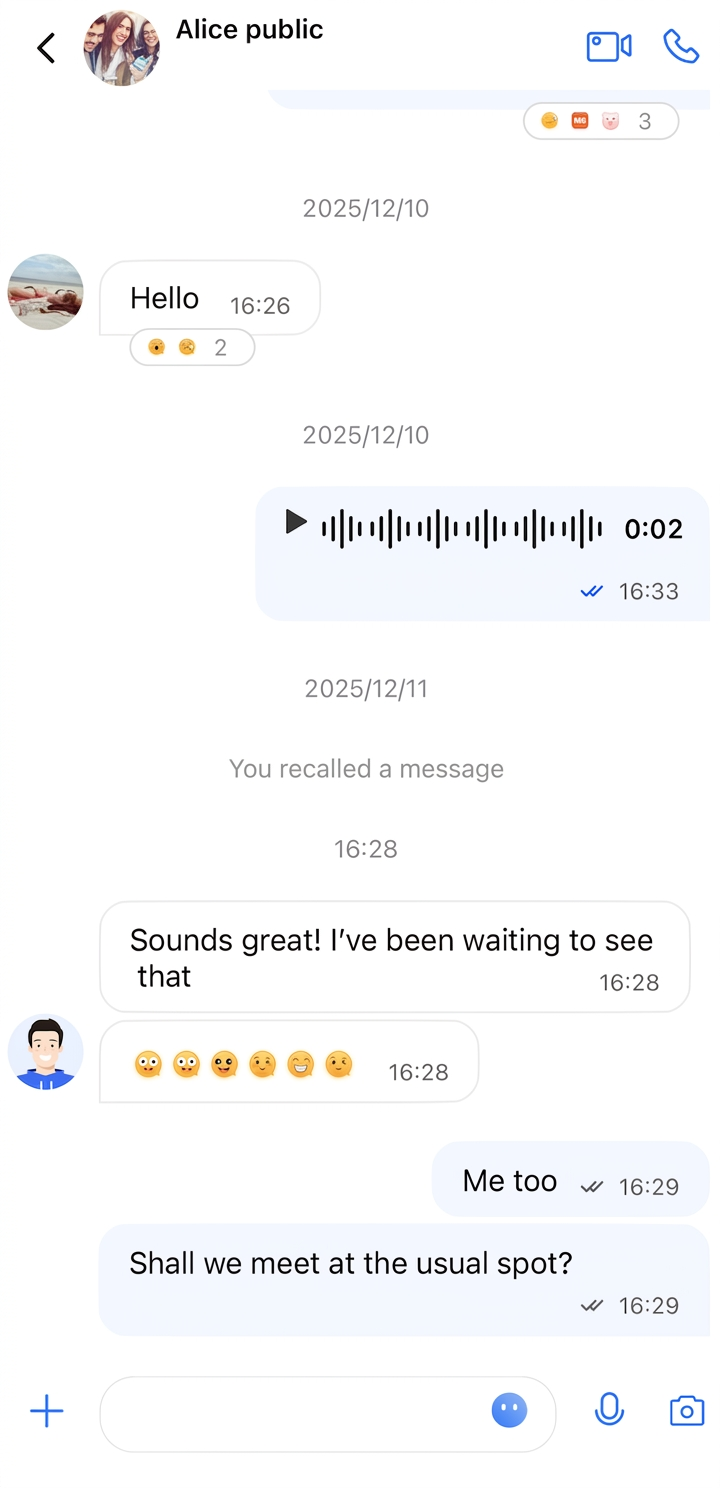
Group Message Read Receipt
Read status indicators are displayed as follows:
✔️: No one has read the message
Gray ✔️✔️: Some recipients have read the message
Highlighted ✔️✔️: All recipients have read the message
Message List
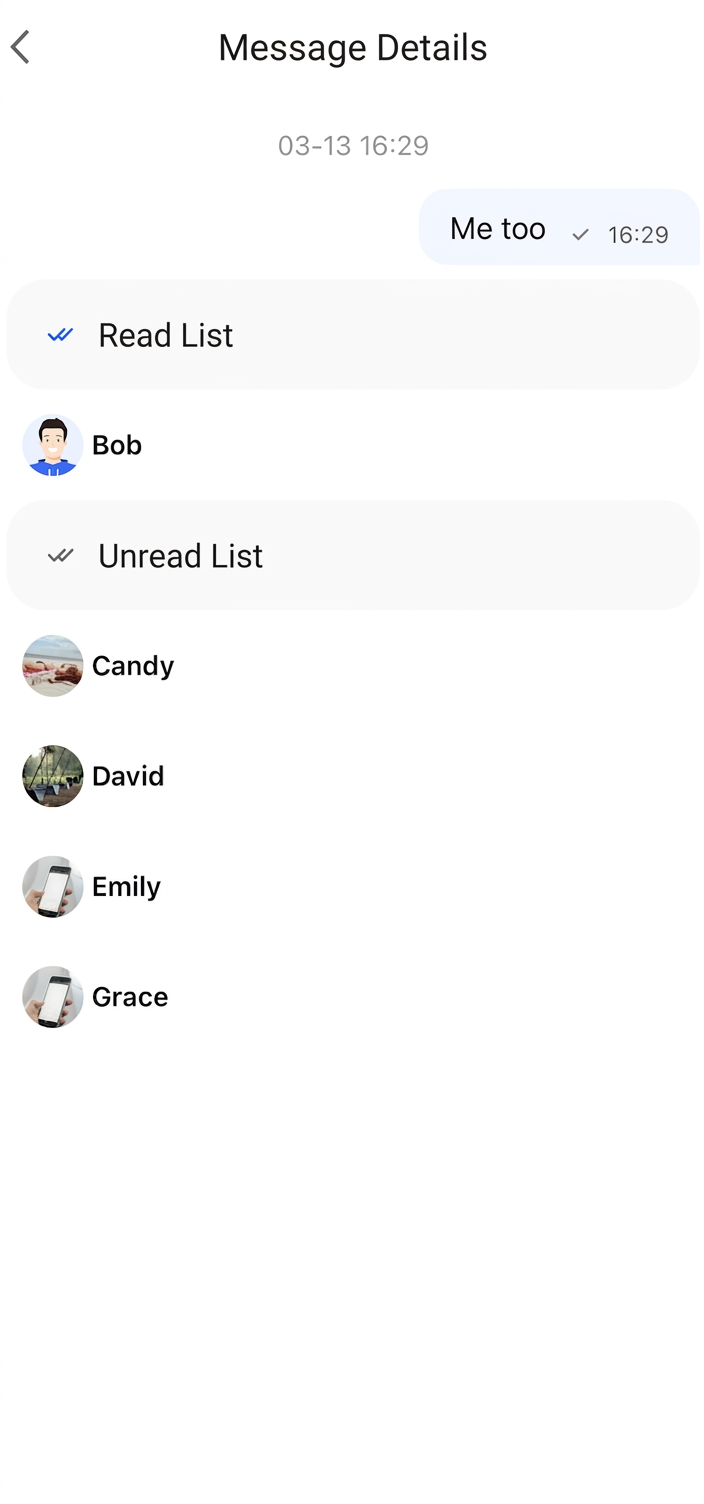
Read Receipt Details
Click the read status indicator to view detailed read receipt information.
Enabling Message Read Receipt
The AppBuilderConfig object includes an enableReadReceipt property for toggling the Message Read Receipt feature. This property is of type Boolean and defaults to false.
To enable Message Read Receipt, set the property before initializing the chat interface:
AppBuilderConfig.enableReadReceipt =true
FAQs
Error: The usage of this API is not supported by the package. Please upgrade to the premium versions.
The Message Read Receipt feature is only supported in the Pro edition, Pro edition Plus, and Enterprise edition. This error means your current package does not include this capability. Please upgrade to the Pro, Pro Plus or Enterprise edition to use this feature.