Setting Event Alarms
Baixar
Modo Foco
Tamanho da Fonte
TencentDB for MySQL supports the event alarm feature. When you set an event pattern, event target, and recipient, if an exception event is detected, the event alarm will send alarm notifications to the recipient through various optional channels. This document explains how to set up event alarms.
Step 1: Enabling EventBridge
Tencent Cloud EventBridge implements permission management through Cloud Access Management (CAM). CAM is a permission and access management service provided by Tencent Cloud, mainly used to help customers securely manage access rights to resources under Tencent Cloud accounts. Users can create, manage, and terminate users (groups) with CAM, and control the access rights of other users to Tencent Cloud resources using identity and policy management. Before using EventBridge, you need to activate the service on the product page. For the method to activate with a main account and to authorize sub-accounts to use this service, see Activate EventBridge.
Step 2: Setting Event Alarms
Note:
For alarm events generated by TencentDB for MySQL, all will be delivered to the Tencent Cloud service event set, with this delivery being the default and not supporting modification or editing.
After enabling the Tencent Cloud EventBridge service, it will automatically create a default cloud service event set in the Guangzhou region. Alarm events generated by TencentDB for MySQL will be automatically delivered to it.
Method 1: Tencent Cloud EventBridge Configuration
1. Log in to Tencent Cloud Observability Platform > Event Set.
2. Select Guangzhou as the region at the top.
3. Click on the default event set under the cloud service event set.

4. Click Manage Event Rules, then on the redirection page, click Create (taking creating an event rule as an example, if an event rule already exists, you can directly modify it with no need to recreate it).
5. After completing the following configuration on the new event rule page, click Next.
Parameter | Description |
Rule name | Fill in the rule name, which can only include letters, digits, underscores (_), and hyphens (-), must start with a letter, end with a digit or letter, and contain 2-60 characters. |
Rule description | Fill in the rule description, which can only include digits, Chinese and English characters and common punctuation marks, and must be no more than 200 characters. |
Tag | Customize whether to enable tags. Once enabled, tags can be added to the event rule. |
Data conversion | Event data conversion helps you easily process the event content. For example, you can extract and parse fields within the event, perform mapping reorganization, and then deliver it to the event target. |
Event Example | Provides an example of event structure for reference in configuring event matching rules. You can find the target template under event example selection for reference, and select TencentDB for MySQL as the cloud service type. |
Rule pattern | Supports form mode and custom events, where form mode is recommended for convenience. |
Tencent Cloud service | Select TencentDB for MySQL. |
Event Type | Select the alarm event type as needed. |
Subject to match | Select the matching object for event alarms. |
6. Complete relevant settings on the event target page, check Enable Event rules now, and click Complete. (There are various trigger methods available, which you can choose as needed. The following example selects "Message Push" as the trigger method. The channel push will be sent to the designated contacts. You need to set the recipient user separately at the recipient area. The notification period shall be agreed upon with the account user. The receiving channels can include Email, message center, SMS, and Telephone).
Note:
To configure multiple event targets, click Add.
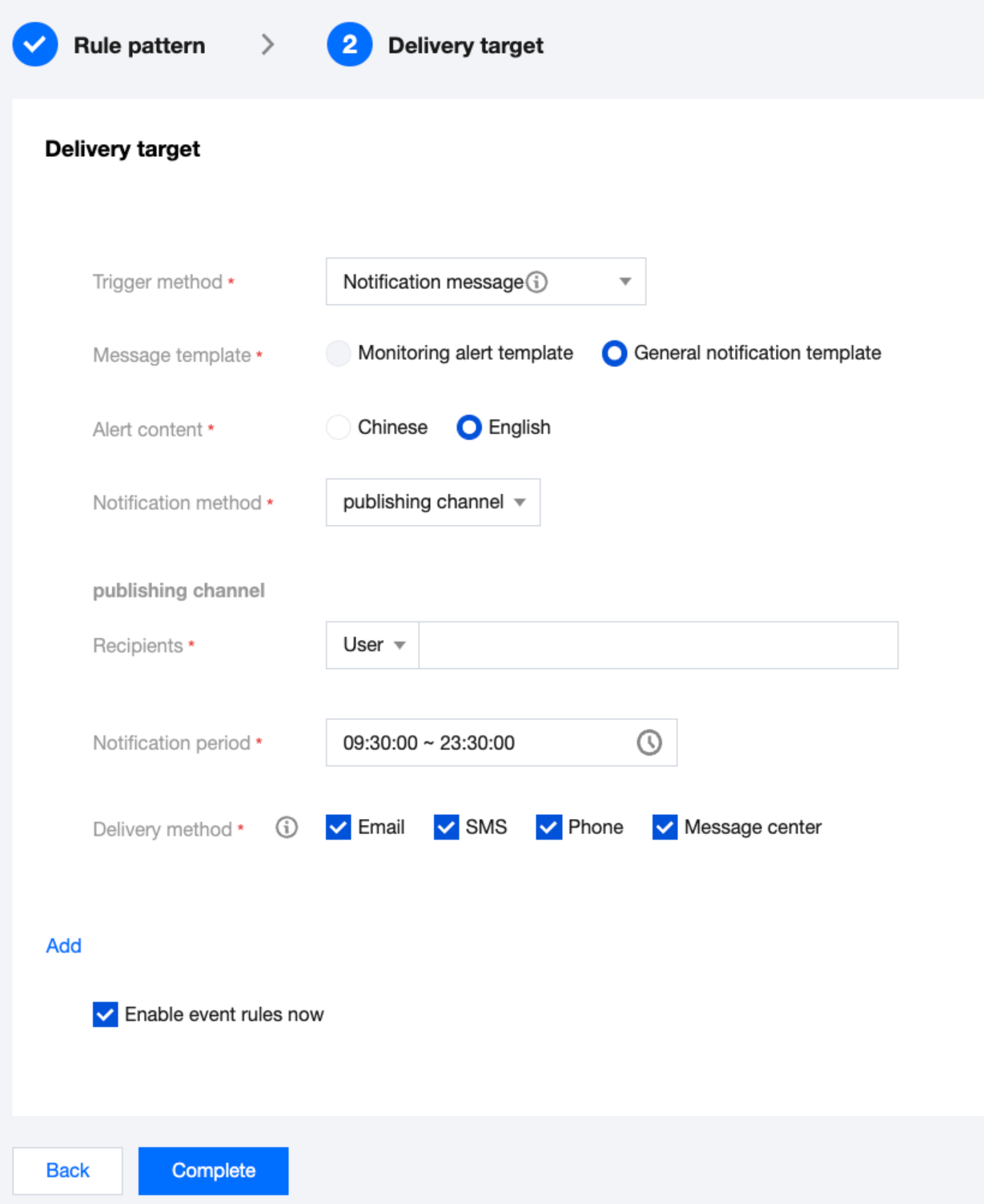
7. After an event message push is set, if an event alarm set in the configuration occurs, the system will notify via the receiving channels set for your specified recipients.
Method 2: TCOP Alarm Policy Configuration
Create an Alarm Policy
1. Log in to the TCOP Console, select Alarm Management > Policy Management page from the left navigation.
2. On the alarm policy list page, click Create Policy.

3. On the policy creation page, complete the settings for basic information, alarm rules, and alarm notifications.
Policy Type: Divided into host monitoring and standby monitoring, with each applicable to different instance types.
Alarm Object: The object instance to be associated can be found by selecting the object's region or searching for the object's instance ID.
Trigger Condition: Find event alarms, click Add Event, and add alarm events according to business needs.
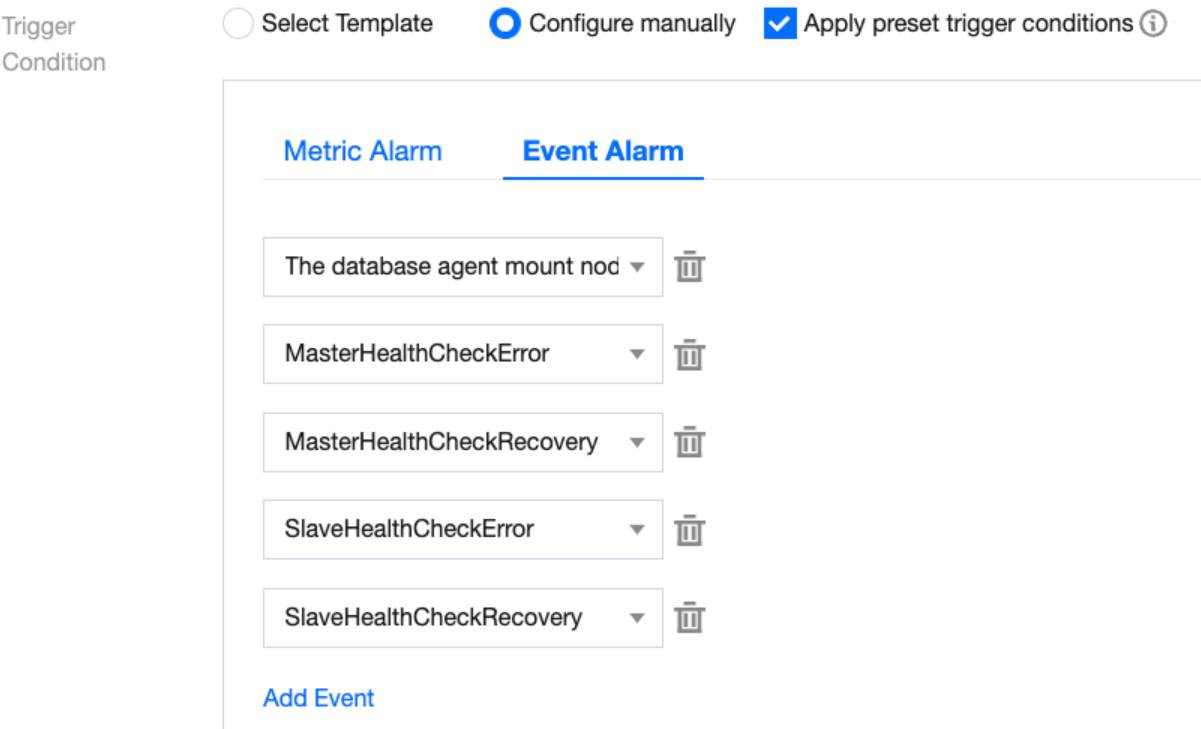
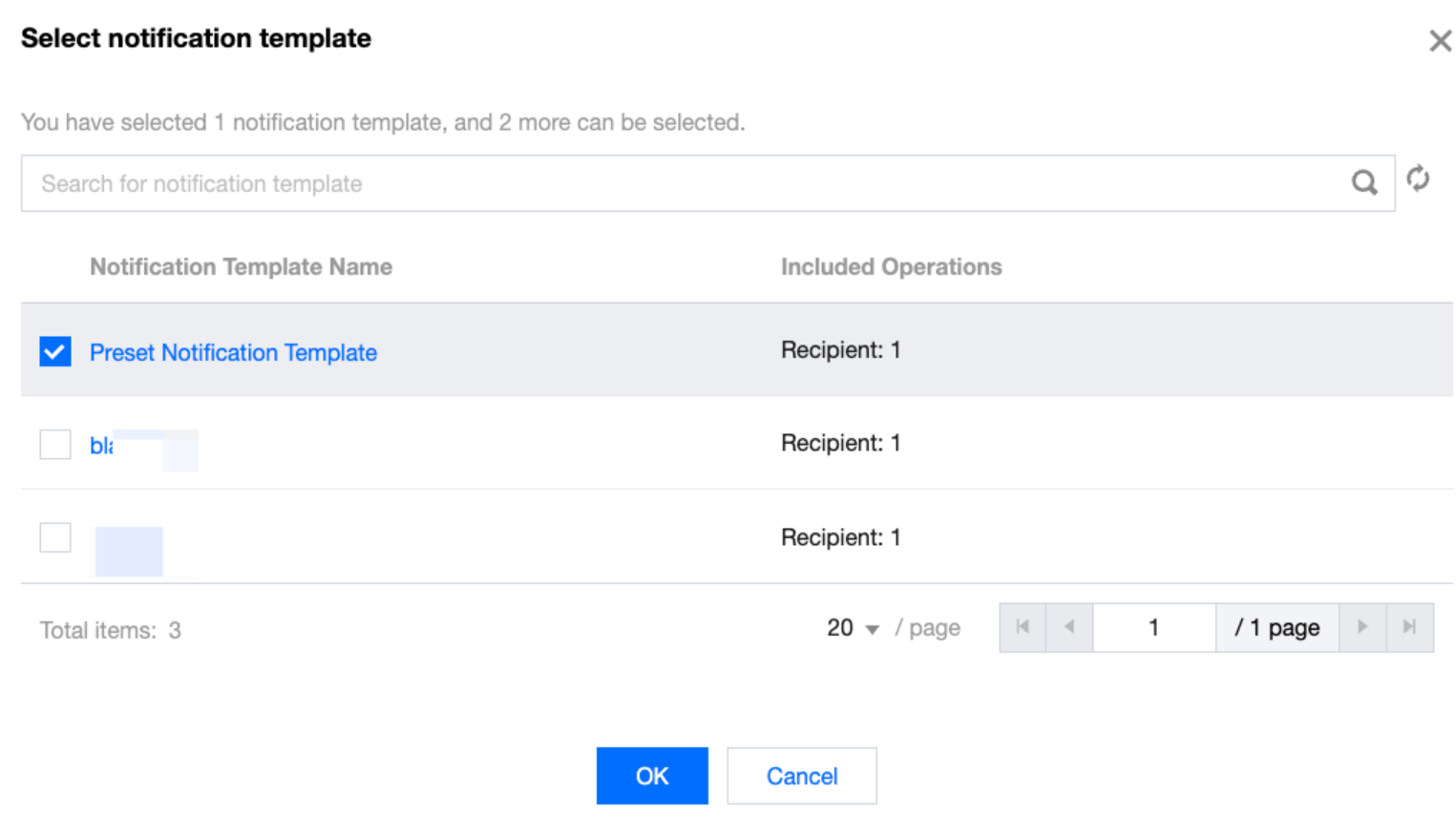
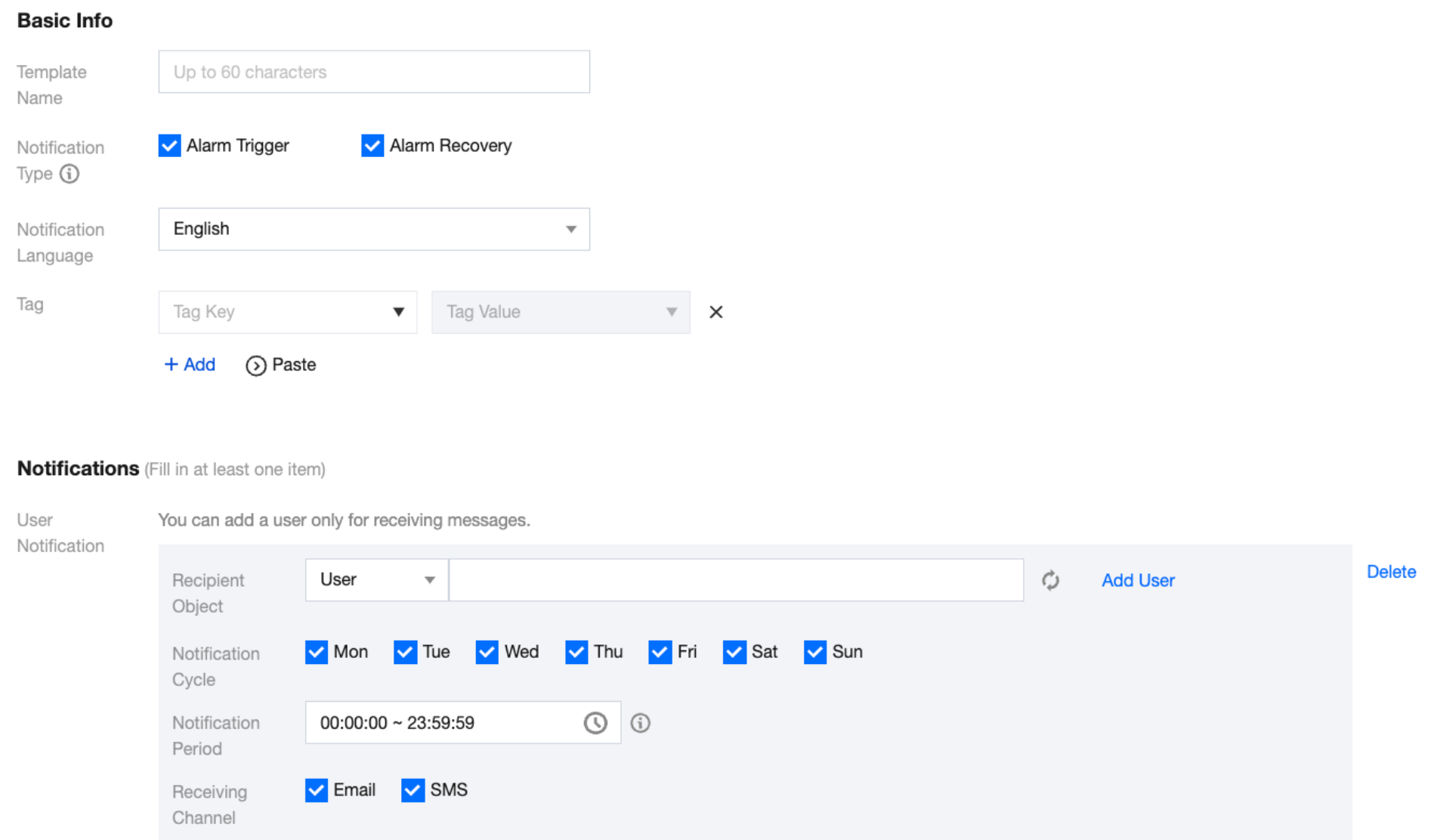
Configure Alarm Notification: Supports selection of system preset notification templates and user-defined notification templates. Each alarm policy can be bound to a maximum of three notification templates. For user-defined notification templates, see Create New Notification Template.
Select a system preset template.
Create a template.
4. After confirmation, click Complete.
Associate Alarm Objects
After creating an alarm policy, you can also associate it with other alarm objects (other instances that need this alarm policy). When objects meet the alarm trigger conditions, an alarm will be sent.
1. On the Alarm Policy List Page, click Alarm Policy Name to enter the Manage Alarm Policy page.
2. In the Alarm Object column of the Alarm Policy Management page, click Add Object.
3. In the pop-up dialog box, select the alarm object you wish to associate, and click OK to associate the alarm object.
Ajuda e Suporte
Esta página foi útil?
Você também pode entrar em contato com a Equipe de vendas ou Enviar um tíquete em caso de ajuda.
comentários