Tencent Push Notification Service is a professional mobile app push platform that can deliver tens of billions of notifications and messages within seconds. It supports both Android and iOS systems. Developers can embed SDK, API calls, or web-based visuals to send pushes to specific users, improving user activity and engagement. Real-time push effect data are also available.
Feature Overview
Android SDK provided by Tencent Push Notification Service contains APIs for clients to implement message pushing. It carries out the following features:
Provides two types of push (notification and message) for easy use.
Bind accounts, tags, and devices, so you can push messages to specific user groups and have more push methods.
Report the number of clicks, i.e., how many times a message is clicked by users.
Provides multi-vendor channel integration for users to integrate push services from multiple vendors.
SDK Description
The following files can be obtained after decompressing the package downloaded from the official website:
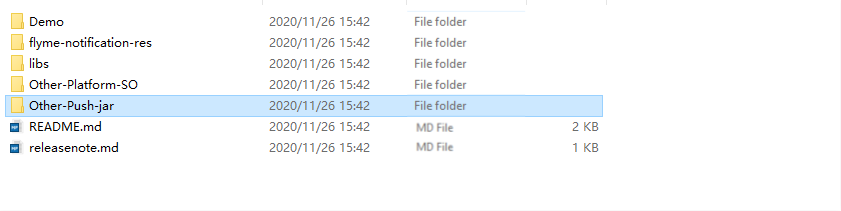
Five folders obtained in the root directory after decompression
Demo folder: Contains the official demo of Tencent Push Notification Service. You can refer to it for relevant configurations.
flyme-notification-res folder: Contains resource files for the Meizu channel, which are used to enable compatibility with Meizu phones on lower versions. For users of Meizu phones on Flyme 6.0 or below, the corresponding files should be copied to the res directory of the application.
libs folder: Contains the .jar and .so files of Tencent Push Notification Service.
Other-Platform-SO folder: Contains the .so files for other less commonly used CPU architectures.
Other-Push-jar: Contains the .jar packages encapsulated by Tencent Push Notification Service for Huawei, Meizu, Mi, OPPO, vivo, and FCM channels.
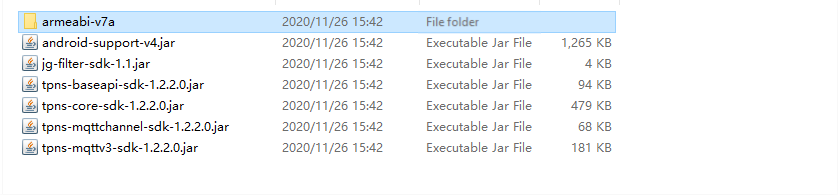
libs directory description
android-support-v4.jar: Compatible package provided by Google, which is compatible with Android 1.6 and above.
jg-filter-sdk-1.1.jar: JAR package for KingKong scan, which is required for any product that uses a Tencent SDK.
tpns-baseapi-sdk-x.x.x.x.jar: Certain underlying common APIs provided by Tencent Push Notification Service.
tpns-core-sdk-x.x.x.x.jar: Core module code of the Tencent Push Notification Service SDK, which contains all the classes, APIs, and components used externally.
tpns-mqttchannel-sdk-x.x.x.x.jar: MQTT-based communication feature implemented at upper layers of Tencent Push Notification Service. The persistent connection is made independent in one process.
tpns-mqttv3-sdk-x.x.x.x.jar: MQTT protocol package modified by Tencent Push Notification Service, which provides the multi-vendor channel integration feature for you to integrate push services from multiple vendors.
Flow Description
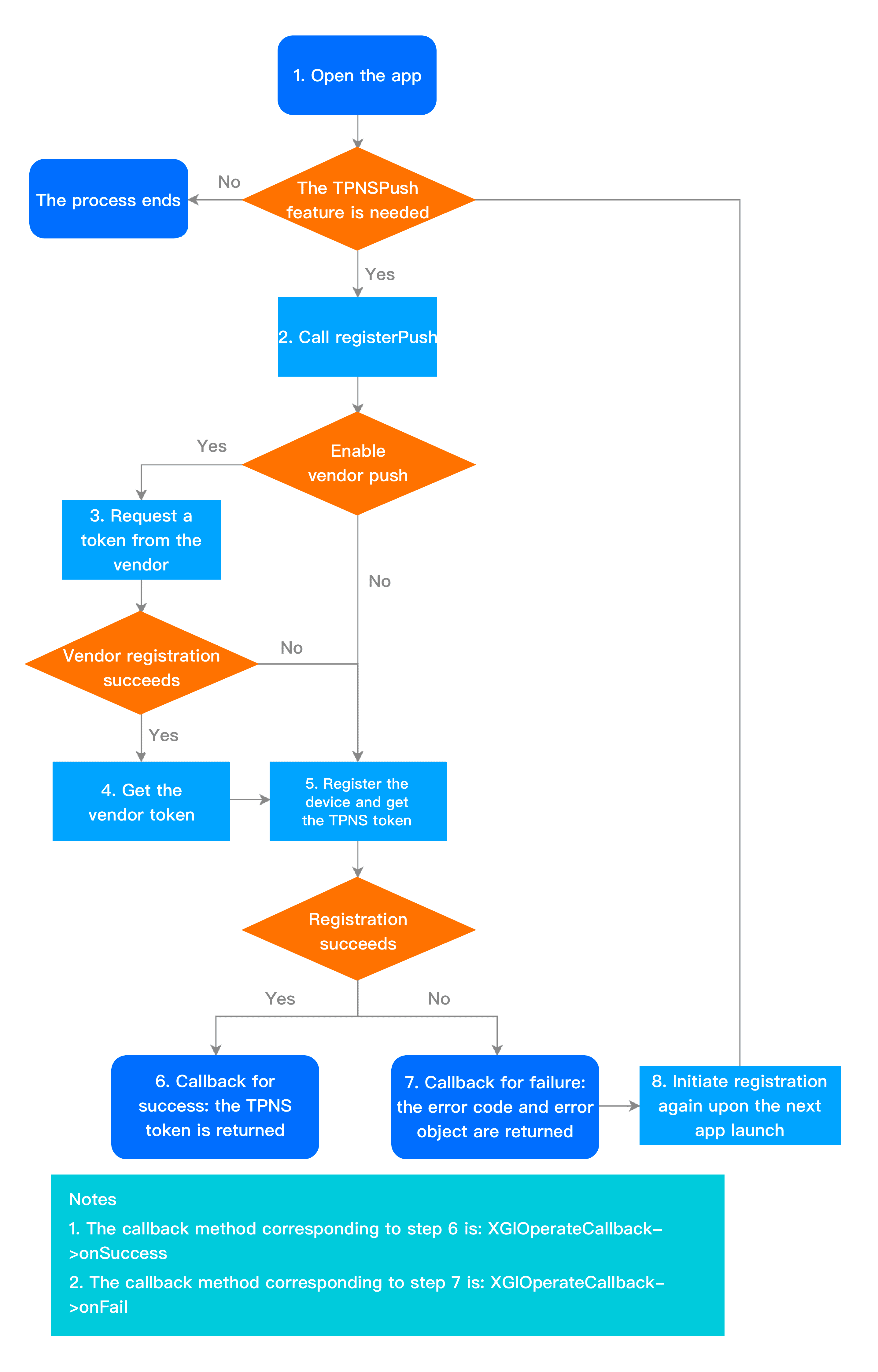
Device registration flow
The device registration flow is as shown below. For specific API methods, see "Launch and Registration" in API Documentation.
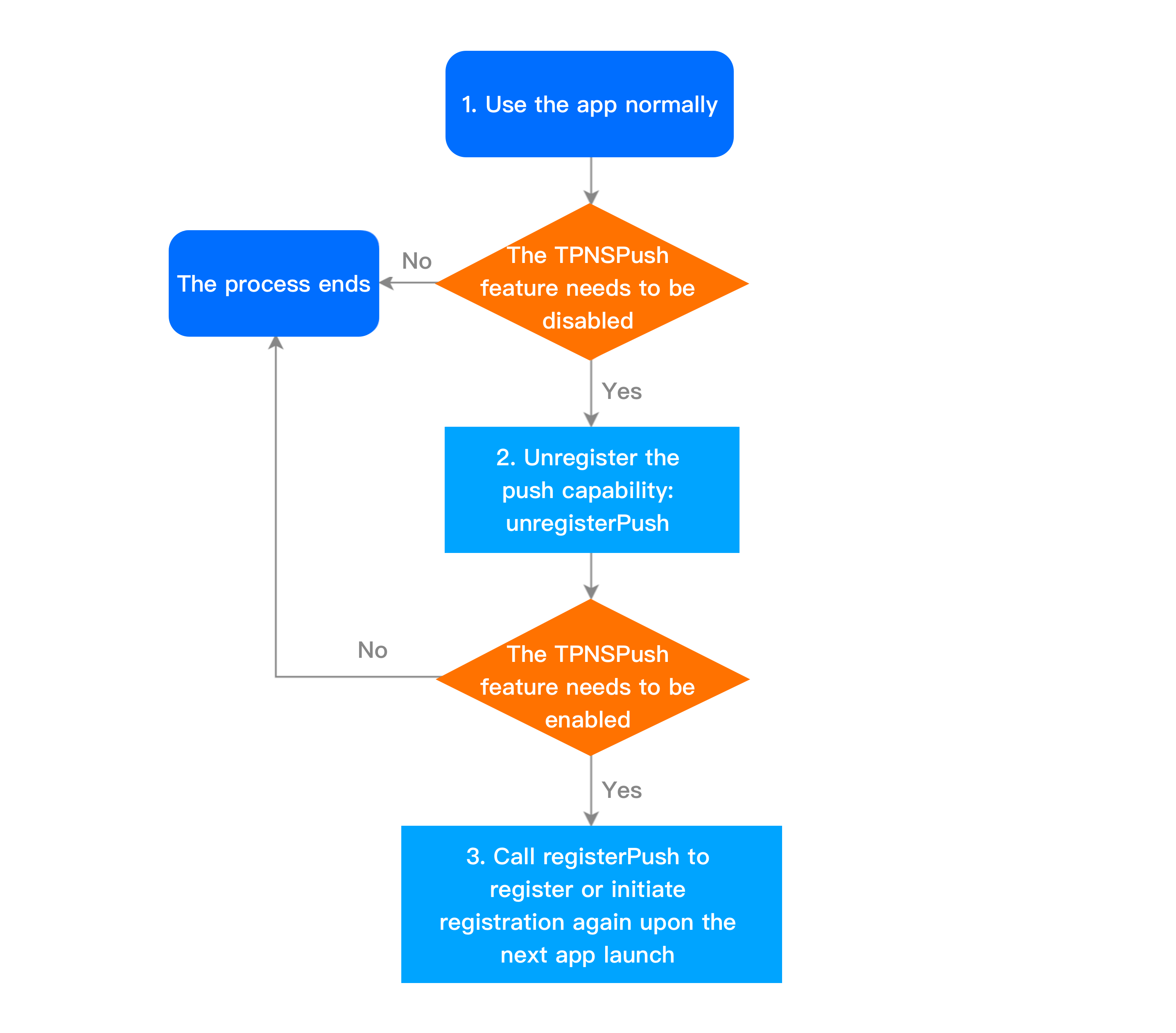
Device unregistration flow
The device unregistration flow is as shown below. For specific API methods, see "Unregistration" in API Documentation.
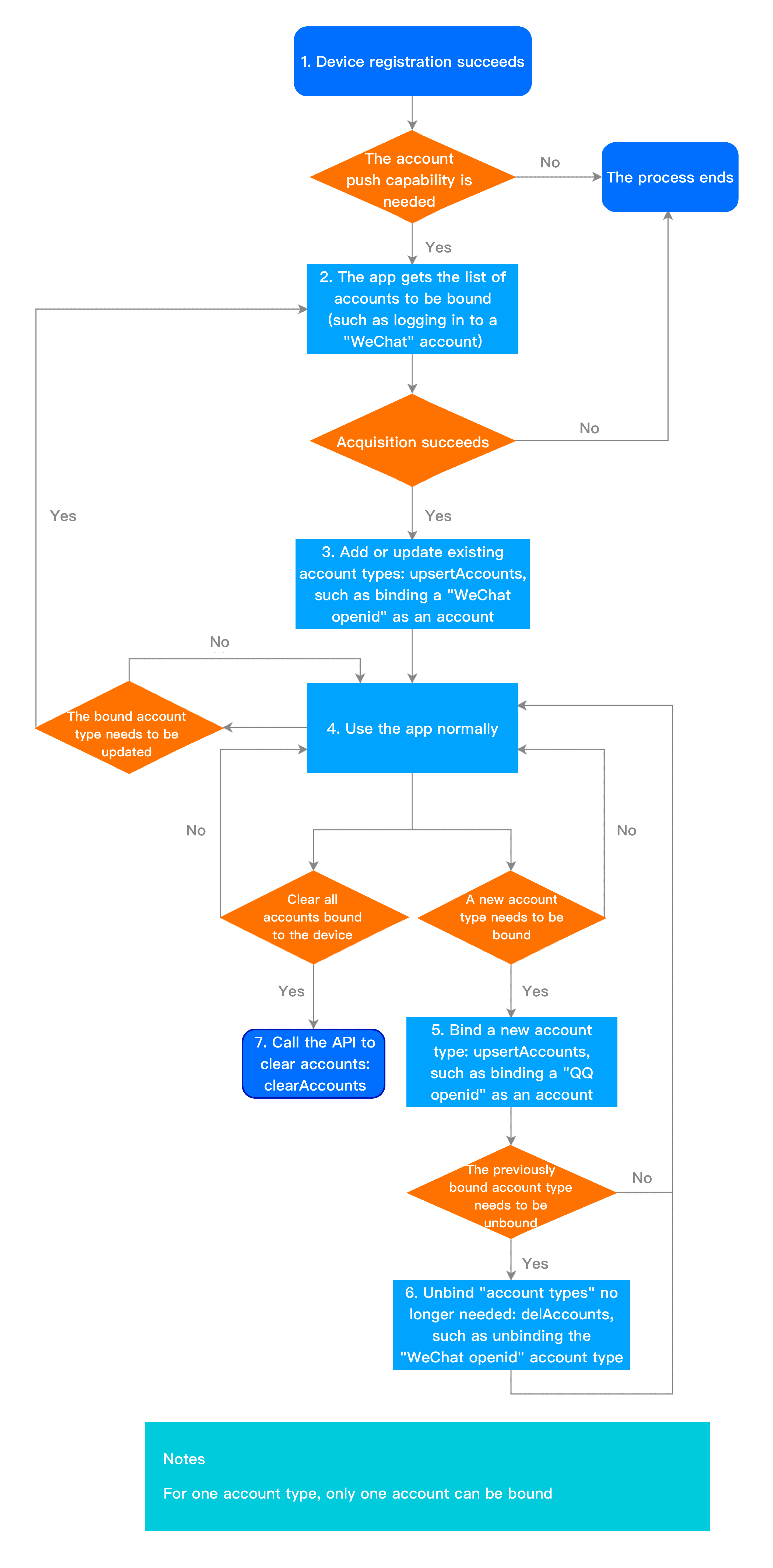
Account flow
The account flow is as shown below. For specific API methods, see "Account Management" in API Documentation.
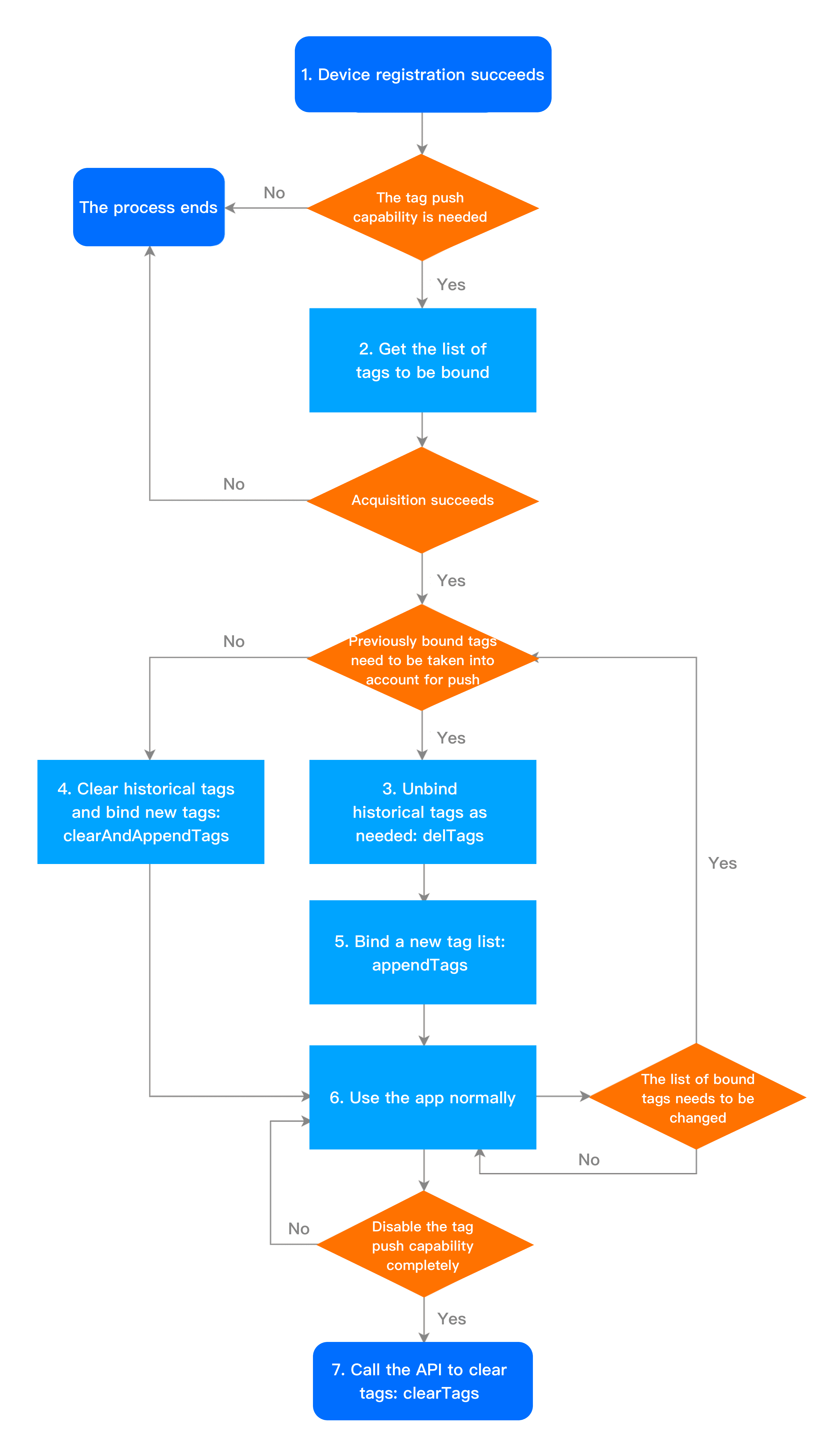
Tag flow
The tag flow is as shown below. For specific API methods, see "Bucket Tag" in API Documentation.
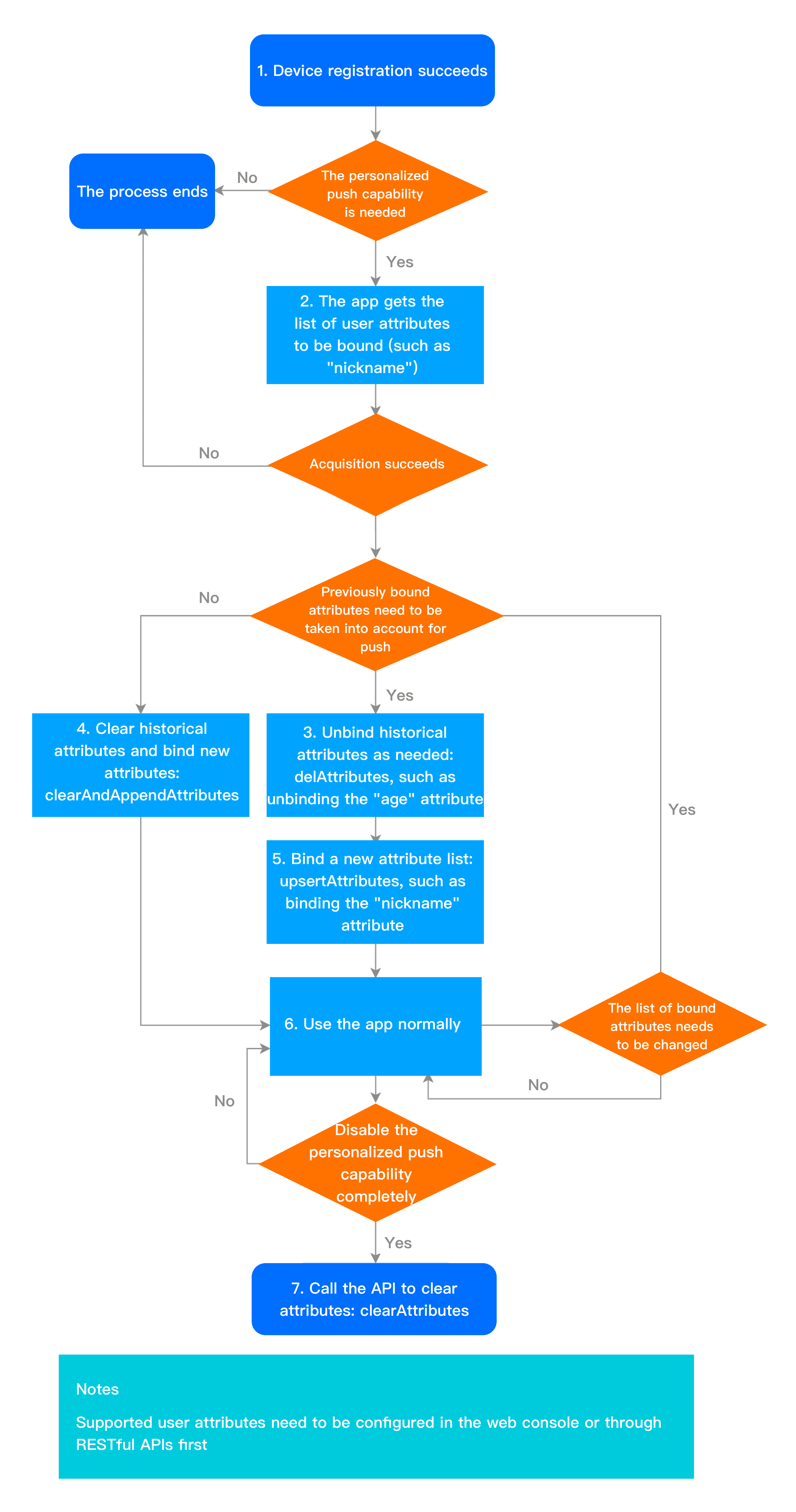
User attribute flow
The user attribute flow is as shown below. For specific API methods, see "User Attribute Management" in API Documentation.