iOS(SwiftUI)
Download
Focus Mode
Font Size
Component Overview
ConversationList is a SwiftUI component for displaying and managing user chat conversations. It offers a full set of conversation list features, including conversation display and interactive actions.
Conversation List | Conversation Actions |
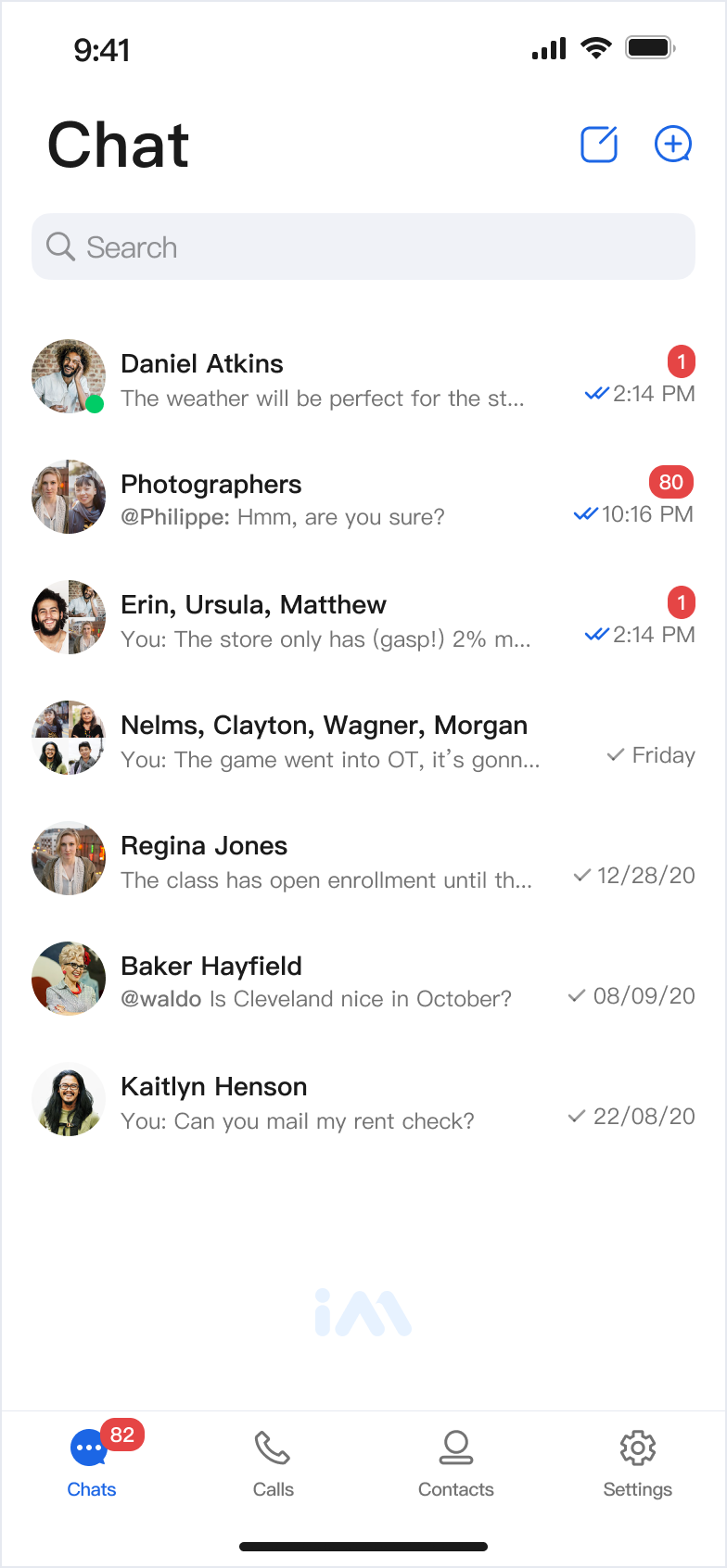 | 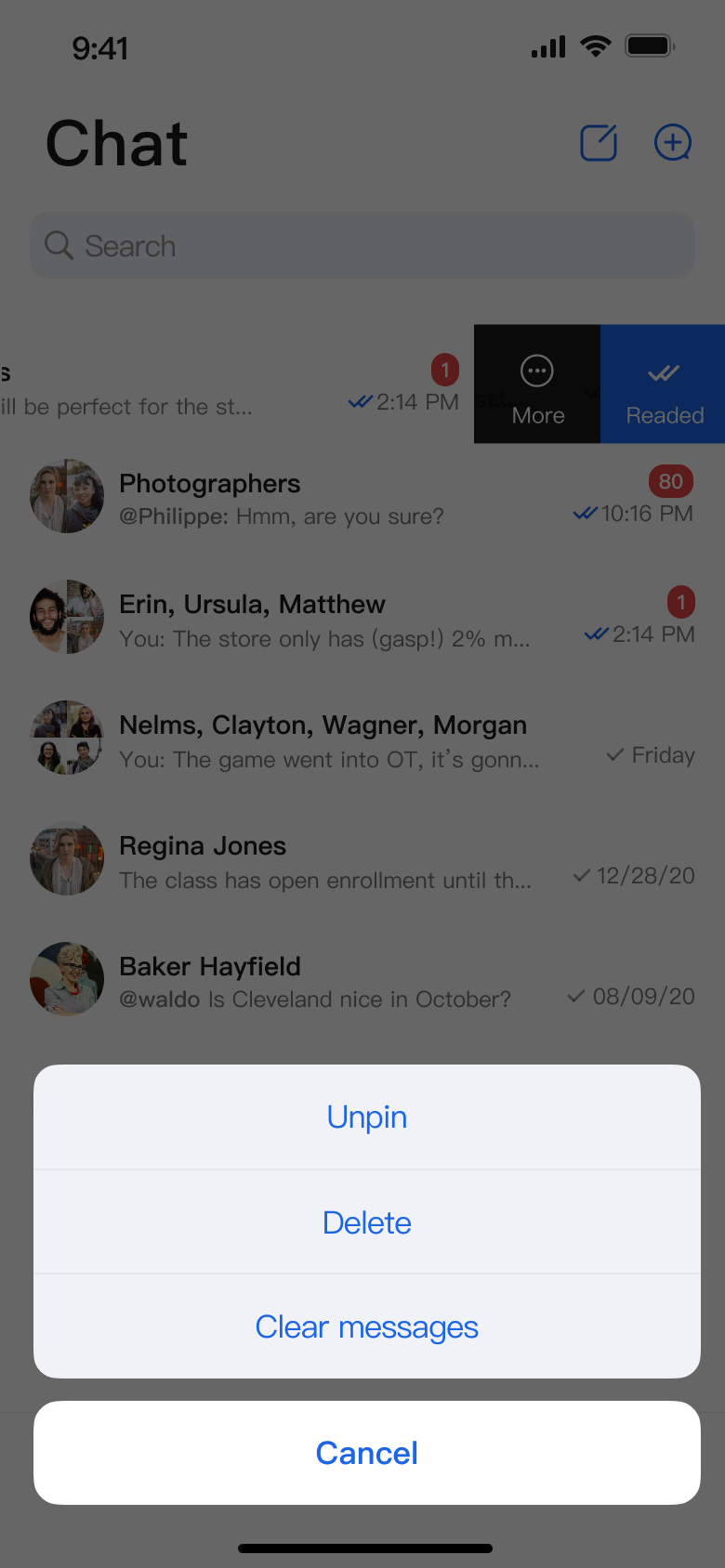 |
Component Integration
ConversationList is part of TUIKit SwiftUI. To use ConversationList, integrate TUIKit SwiftUI into your project. For detailed integration steps, see the TUIKit SwiftUI documentation.
Component Structure
ConversationList exposes only its initialization method. All other logic is encapsulated within the component.
Public Methods
Method | Parameter | Description |
init | onConversationClick: @escaping (ConversationInfo) -> Void | Initializes the component and sets the conversation click Webhook. Required. |
| config: ConversationActionConfigProtocol = ChatConversationActionConfig() | Initializes the component and sets the conversation action menu items. Optional. |
| customActions: [ConversationCustomAction] = [] | Initializes the component and sets custom conversation action options. Optional. |
Basic Usage
You can initialize and use the ConversationList component directly. You must implement the onConversationClick Webhook.
Parameter Name | Type | Description |
onConversationClick | (ConversationInfo) -> Void | Conversation click Webhook, triggered when a user clicks a conversation cell. |
Sample code:
import AtomicXimport SwiftUIstruct ContentView: View {var body: some View {ConversationList(onConversationClick: { conversation in// Recommended: Navigate to the chat page here})}}
Customization
You can customize the action items in the conversation list using the following methods.
Method 1. Hide Conversation Action Items Locally
Pass a custom config when initializing ConversationList to control which menu items are displayed:
struct CustomConversationView: View {var body: some View {ConversationList(onConversationClick: { conversation in// Navigate on conversation cell click},// Hide ClearHistoryconfig: ChatConversationActionConfig(isSupportDelete: true, isSupportPin: true, isSupportClearHistory: false))}}
Currently Supported Menu Item Toggles
Action Type | Description |
isSupportDelete | Enable or disable deleting conversations |
isSupportPin | Enable or disable Pin Conversation |
isSupportClearHistory | Enable or disable clearing conversation history |
Method 2. Add Conversation Action Items Locally
Pass
customActions when initializing ConversationList. ConversationList will display your custom options below the default actions:Parameter Name | Type | Description |
customActions | [ConversationCustomAction] | Custom conversation actions, shown when the user opens the conversation action menu. |
Sample code:
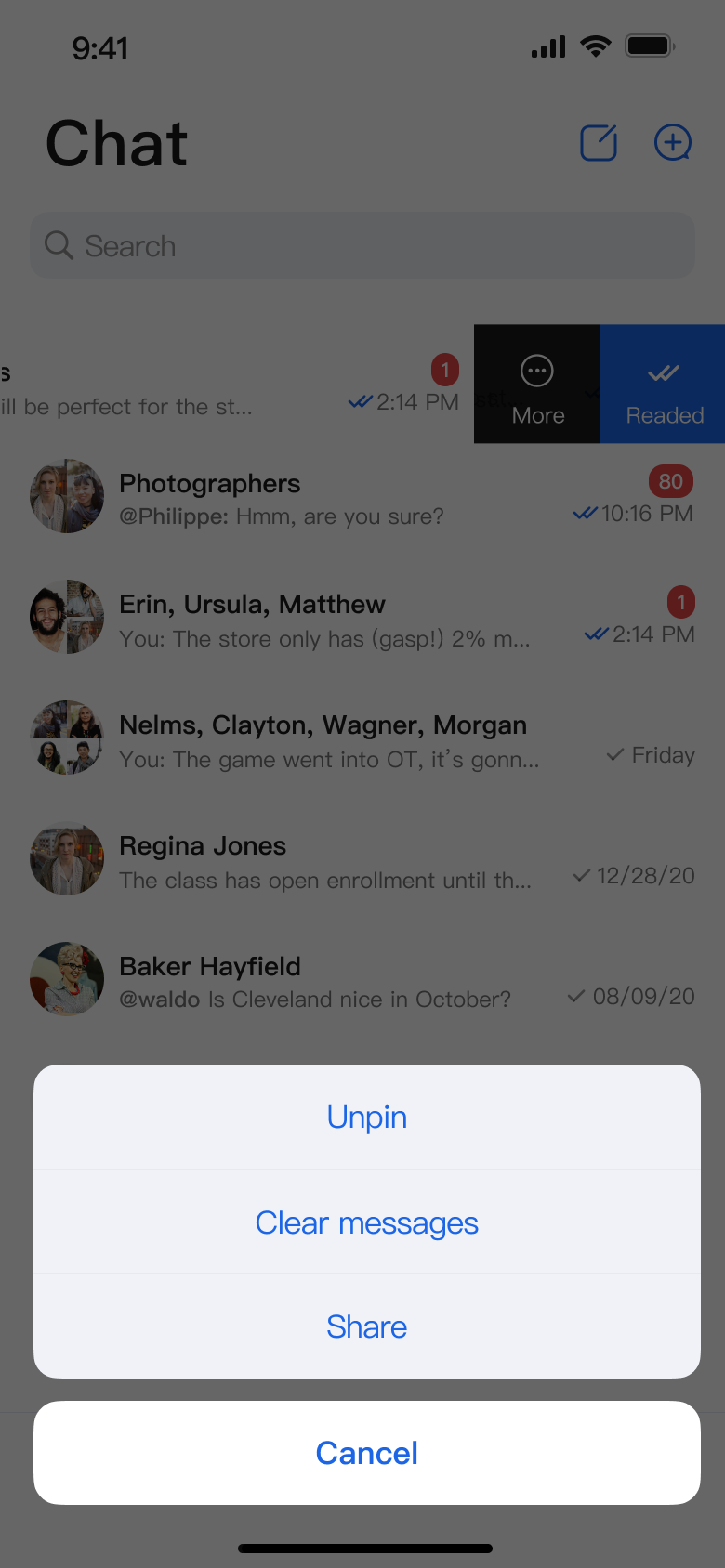
struct CustomConversationView: View {var body: some View {ConversationList(onConversationClick: { conversation inonShowMessage?(NavigationInfo(conversation: conversation))},// Custom actionscustomActions: [ConversationCustomAction(title: "Share") { conversation inprint("Share conversation: \\(conversation.title ?? "")")},]).conversationActions([.delete, .pin, .clearHistory]).environmentObject(themeState)}}
Method 3. Global Configuration
Configure global action items using
AppBuilderConfig:// Set this at application startup; if omitted, the feature is not enabledAppBuilderConfig.shared.conversationActionList = [.delete, // Enable delete.pin, // Enable Pin Conversation.clearHistory // Enable clearing conversation messages]// Then initialize ConversationList; all ConversationList instances will use the above conversationActionList configurationConversationList(onConversationClick: { conversation in// Navigate to the chat page here if needed})
Note:
Local configuration takes precedence over global configuration.
The following images show the customization effects:
Conversation Actions (Default Options) | Conversation Actions (Delete Option Hidden) | Conversation Actions (Share Option Added) |
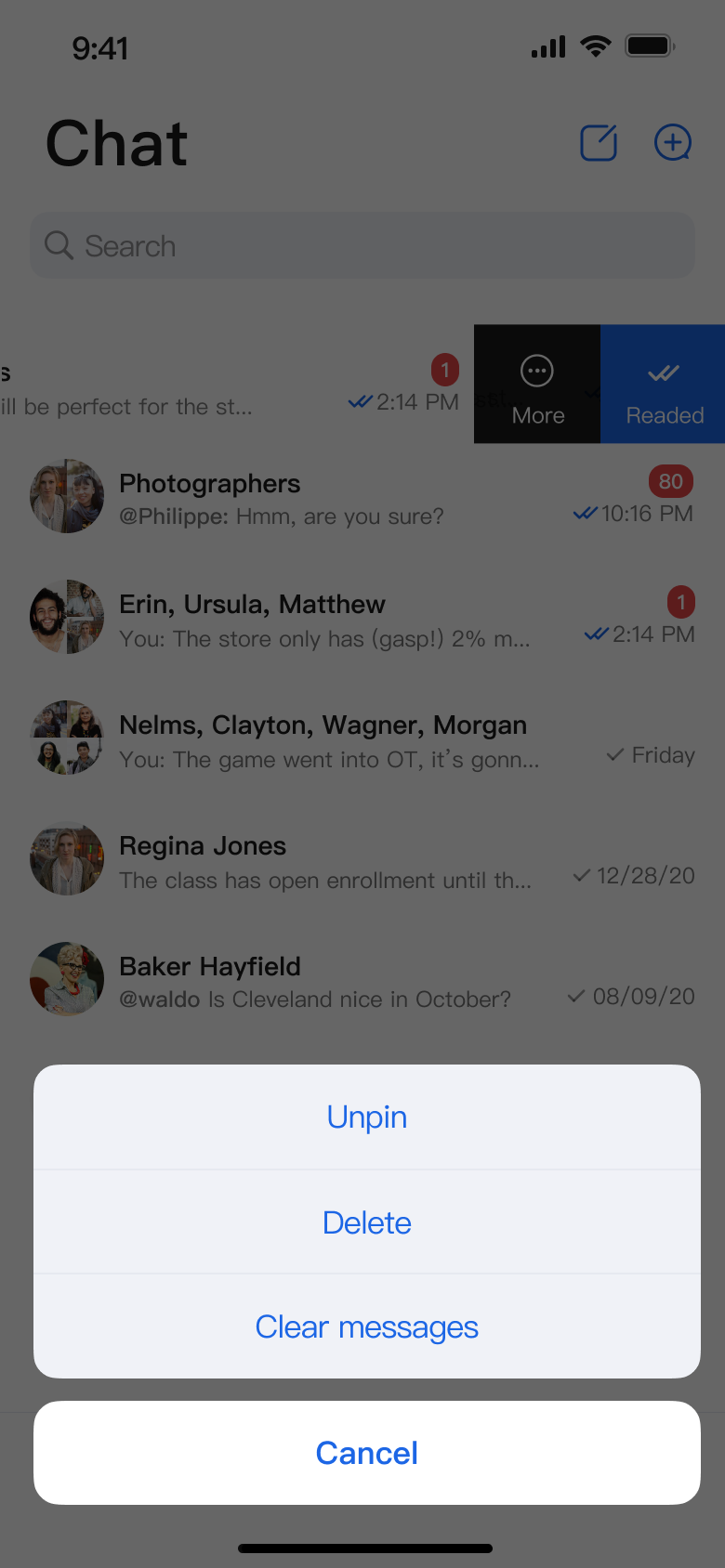 | 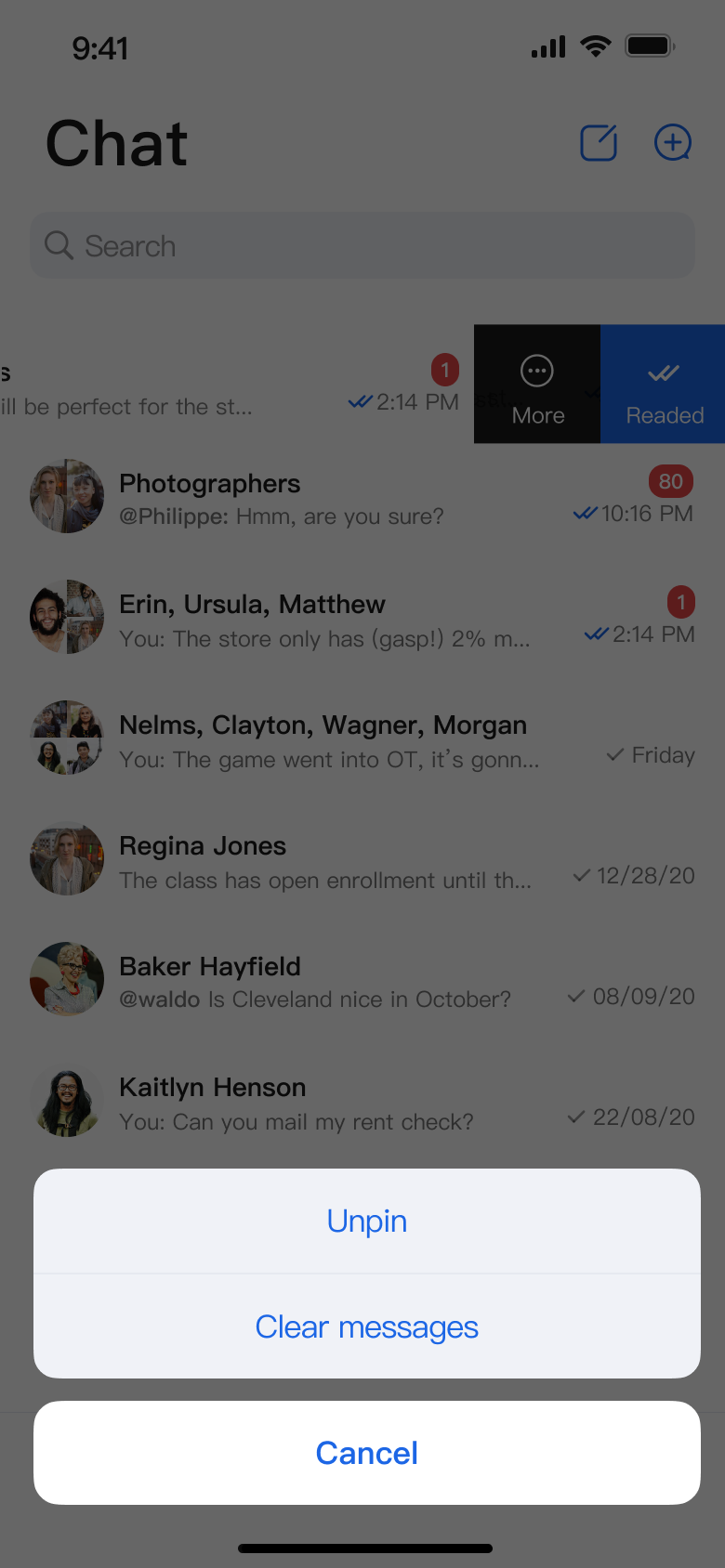 |  |
Help and Support
Was this page helpful?
You can also Contact sales or Submit a Ticket for help.
Help us improve! Rate your documentation experience in 5 mins.
Feedback