React Native
ダウンロード
フォーカスモード
フォントサイズ
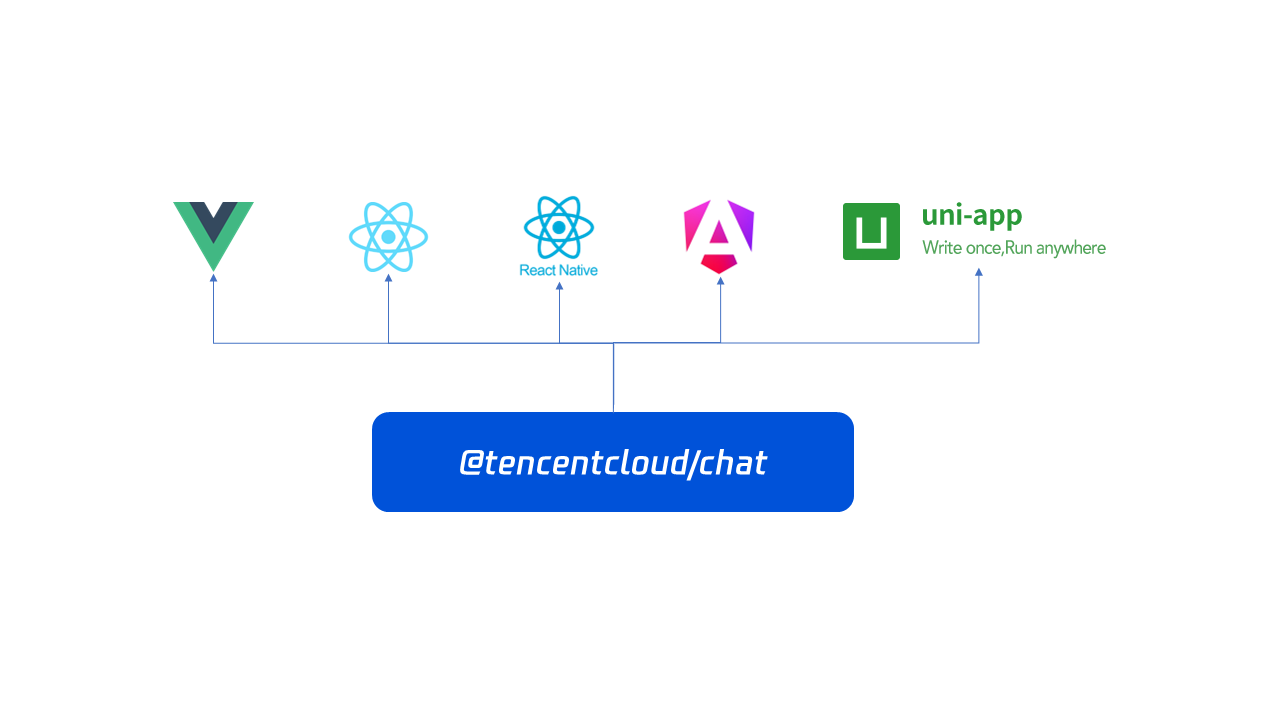
The React Native SDK is an npm package, which is designed for seamless integration of chat functionality into your application. It provides an easy way to interact with chat APIs, allowing you to perform actions such as sending messages, creating groups, pinning conversations, and updating personal avatars. Written in vanilla JavaScript, it is framework-agnostic, meaning it can be used with any frontend framework like Vue, React, React Native, uni-app, Angular, and more.
Prior to reviewing the Chat API documentation, we suggest taking a look at the tutorials and sample apps available.
This guide provides a quick introduction to the TencentCloudChat API, enabling you to quickly grasp its functionality. The API is highly flexible and empowers you to create various types of chat or messaging applications.
Initialize
Let’s get started by initializing the chat instance and listening on events.
import TencentCloudChat from '@tencentcloud/chat';import TIMUploadPlugin from 'tim-upload-plugin';import NetInfo from '@react-native-community/netinfo';let options = {SDKAppID: 0 // Replace 0 with the SDKAppID of your Chat application when connecting.};// Create an SDK instance.// The `TencentCloudChat.create()` method returns the same instance for the same `SDKAppID`.// The SDK instance is usually represented by chat.let chat = TencentCloudChat.create(options);// Set the SDK log level.// 0: Common level. You are advised to use this level during access as it covers more logs.// 1: Release level. You are advised to use this level for key information in a production environment.chat.setLogLevel(0);// chat.setLogLevel(1);// Register the Tencent Cloud Chat upload plugin.chat.registerPlugin({'tim-upload-plugin': TIMUploadPlugin});// Register the network monitoring pluginchat.registerPlugin({'chat-network-monitor': NetInfo});let onMessageReceived = function(event) {// event.name - TencentCloudChat.EVENT.MESSAGE_RECEIVED// event.data - An array to store Messages - [Message]};chat.on(TencentCloudChat.EVENT.MESSAGE_RECEIVED, onMessageReceived);
And then, Log in to Chat.
await chat.login({userID: 'your userID', userSig: 'your userSig'});
Messages
Let’s continue by sending your first message to "userB"(Assuming "userB" has already logged into the chat).

let message = chat.createTextMessage({to: 'userB',conversationType: TencentCloudChat.TYPES.CONV_C2C,payload: {text: 'Hello World!'},});await chat.sendMessage(message);
Conversations
If the chat with "userB" is important to you and you need to place it at the top of the conversation list, you can use
pinConversation.await chat.pinConversation({ conversationID: 'C2CuserB', isPinned: true });
Profiles
If you want to change your avatar, you can use
updateMyProfile.await chat.updateMyProfile({avatar: 'http(s)://url/to/image.jpg',});
Groups
If you want to create a group chat, for example, to discuss the sales plan for the next quarter with subordinates and colleagues, you can use
createGroup.await chat.createGroup({type: TencentCloudChat.TYPES.GRP_WORK,name: 'Sales Plan For The Next Quarter',memberList: [{userID: 'lindal',}, {userID: 'denny',}] // If `memberList` is specified, `userID` must also be specified.});
Following & Followers

Now live streaming and short videos are very popular. If you want to follow a certain celebrity, you can use
followUser.await chat.followUser(['celebrity1', 'celebrity2', 'celebrity3']);// Get my follower listawait chat.getMyFollowersList();
Want to watch the live streaming and post some interesting comments? You can use
joinGroup to join a live group and then use createTextMessage to create a message and then use sendMessage to post it.await chat.joinGroup({ groupID: 'group1' });let message = chat.createTextMessage({to: 'group1',conversationType: TencentCloudChat.TYPES.CONV_GROUP,payload: {text: 'AMAZING!!!'},});await chat.sendMessage(message);
Conclusion
Since you now have a grasp of the fundamental components required for a fully operational chat integration, let's proceed to the subsequent sections of the documentation. In these parts, we will explore the specifics of each API endpoint in greater depth.
フィードバック